Cravus
A web app for Cravus, a food delivery startup for busy professionals and students.
My role
Designer
- App structure and user flows
- Layouts for nine pages
- Cart, payment and order history
- Phone layouts
- Icons, UI elements and the style guide
Team
I was the only designer on the project and worked directly with the Cravus team. Their developers built the app.
Concept
How Cravus works
Chefs
Cravus finds cooks from different countries who live in the area. They cook dishes from their home cuisine every day in a licensed central kitchen.
Weekly menu
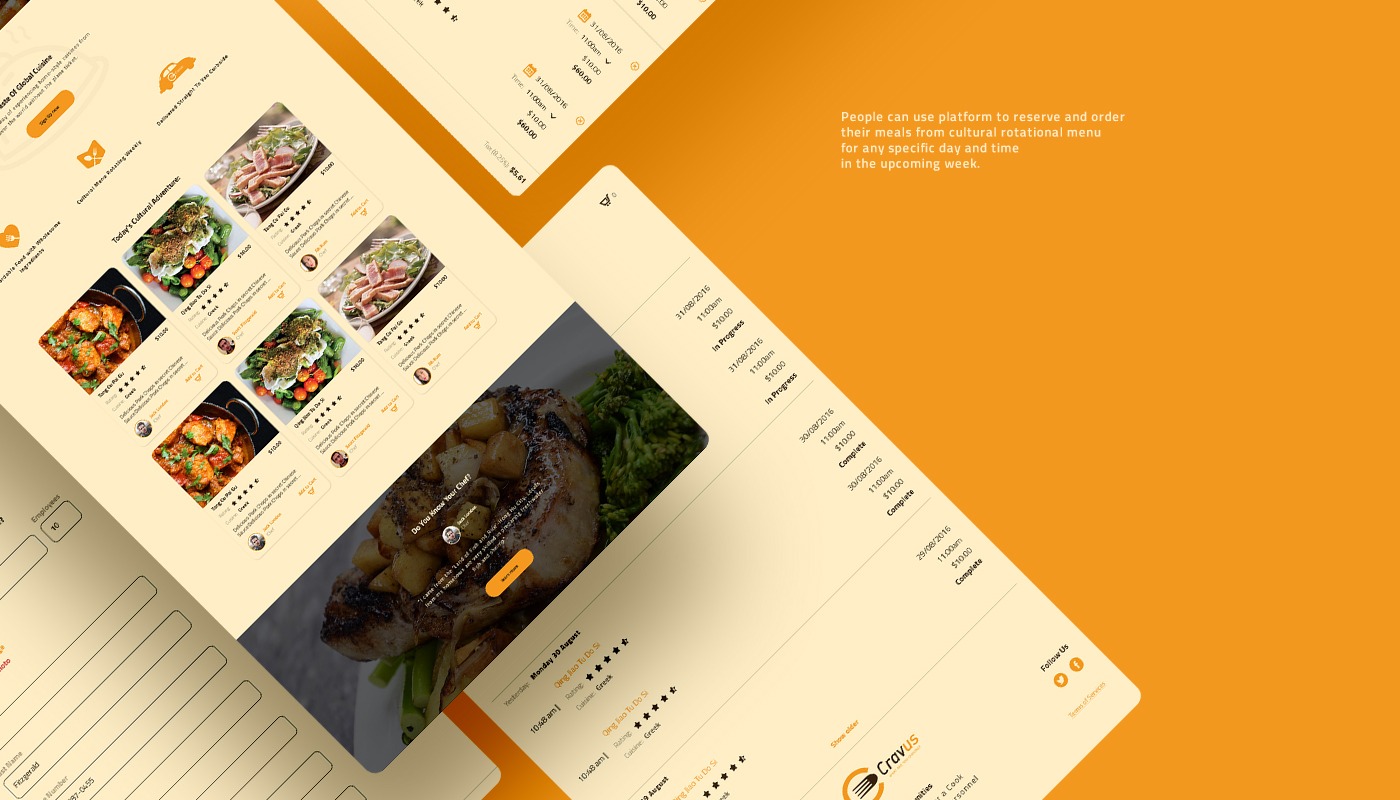
The menu of cuisines changes every week. Customers order meals for any day and time in the coming week. Ordering ahead is cheaper, and same-day orders cost more to deliver.
Offices
Companies can sign up as enterprise customers and order lunch for their staff. Each employee picks their own meal, and the company pays only for what was ordered.
01 / 09
Main page
Header
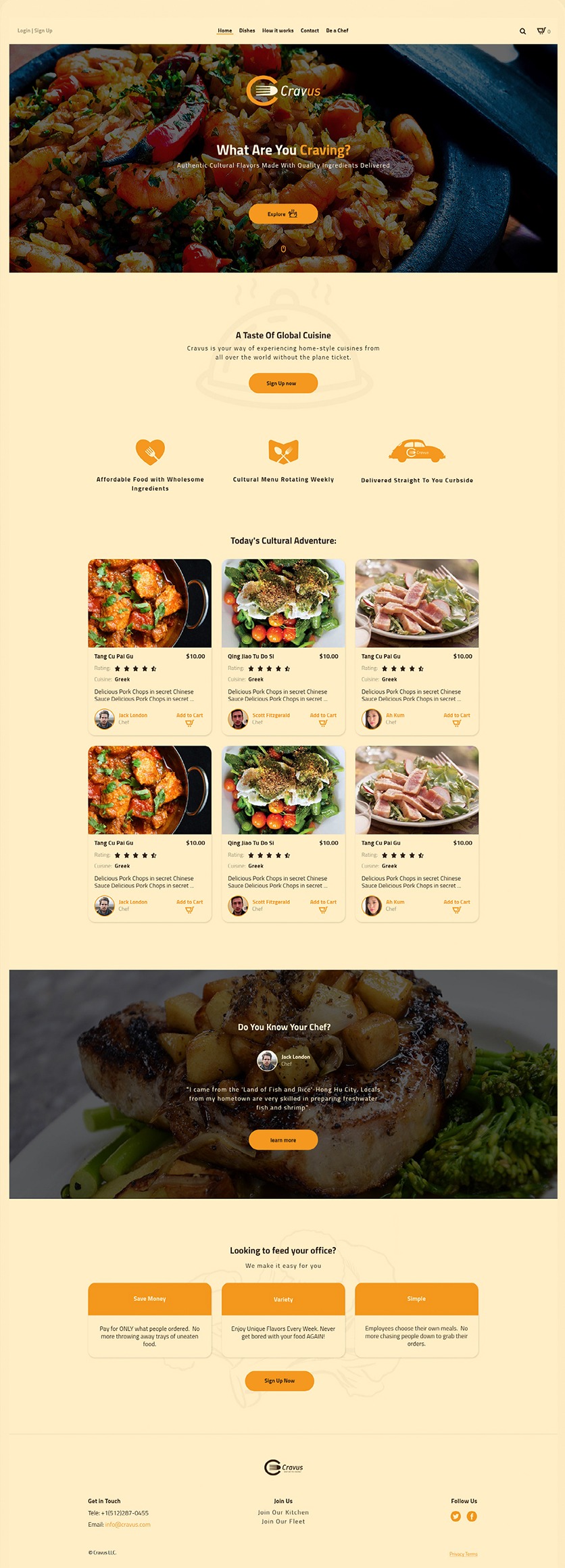
Login and sign up, the menu (Home, Dishes, How it works, Contact, Be a Chef), search and the cart.
First screen
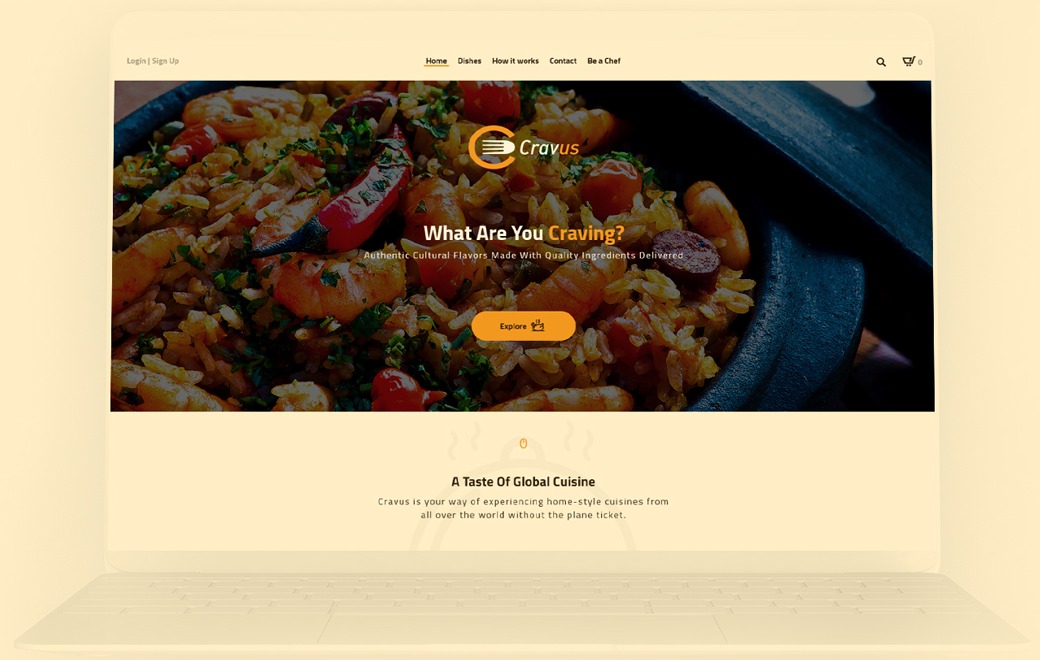
The logo and “What Are You Craving?” over a food photo, with an Explore button.
About
“A Taste of Global Cuisine” with three points: affordable food, a menu that changes weekly and delivery to the curb.
Today’s dishes
Six dish cards from the day’s menu.
Chef story
“Do You Know Your Chef?” with a quote from one of the chefs about their home town.
Offices
“Looking to feed your office?” with three reasons and a Sign up button.
Footer
Phone and email, links to join the kitchen or the delivery fleet, and social links.
02–09
Inner pages
Besides the main page, the app has eight pages. Every page uses the same header, cards and footer.
02 / 09
Sign up and profile
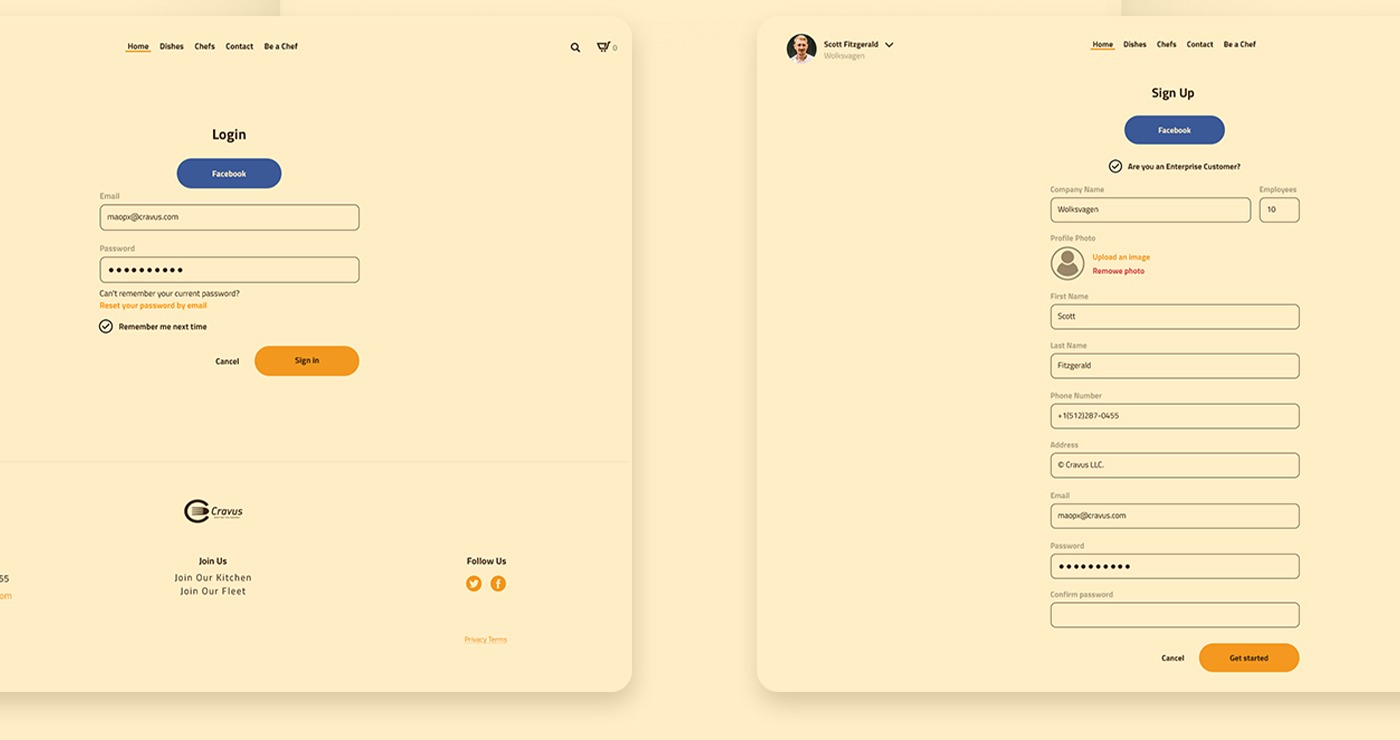
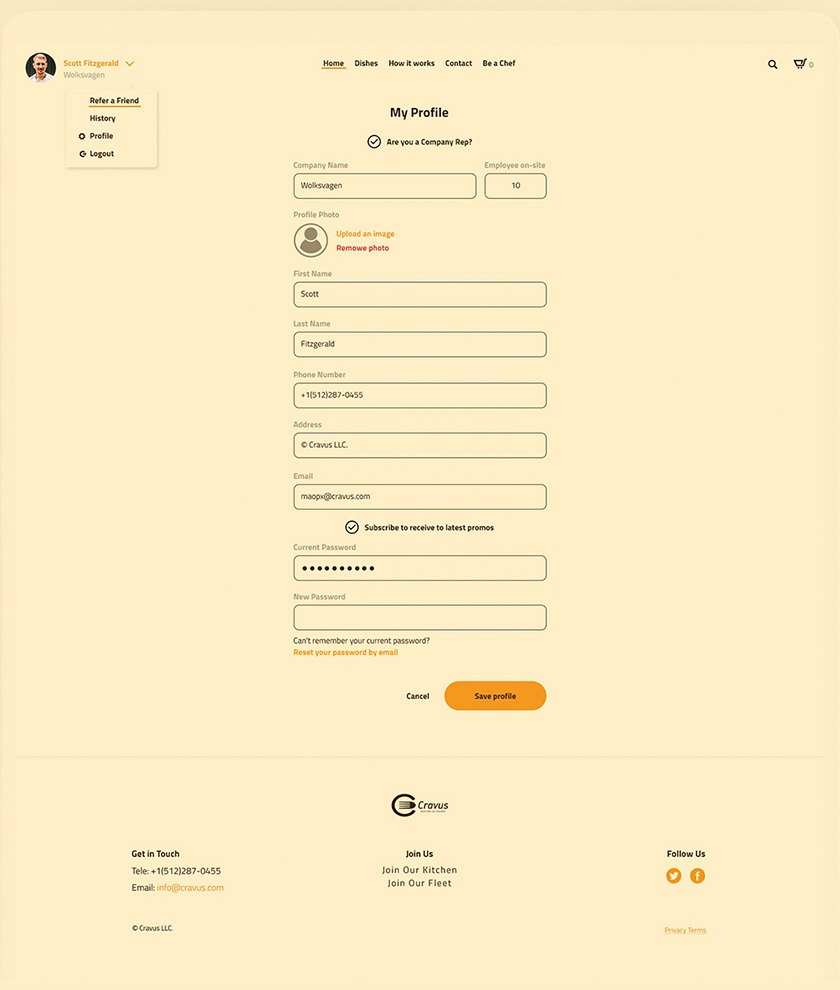
Customers sign up with Facebook or email. A checkbox marks enterprise customers, who add the company name and the number of employees. The profile has the same fields, plus promo emails and a password change. The menu under the user’s name links to Refer a friend, History, Profile and Logout.
03 / 09
Dishes
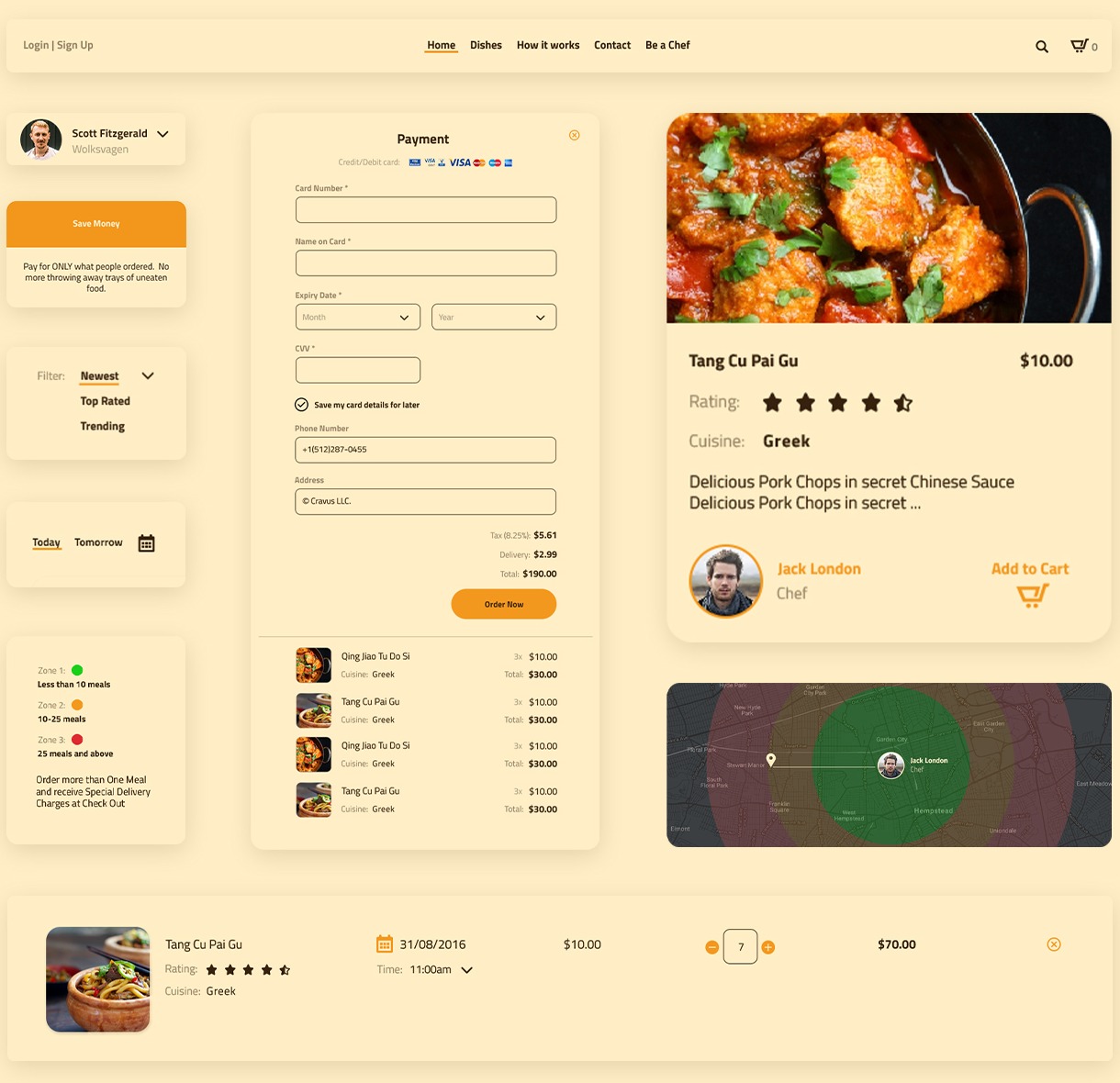
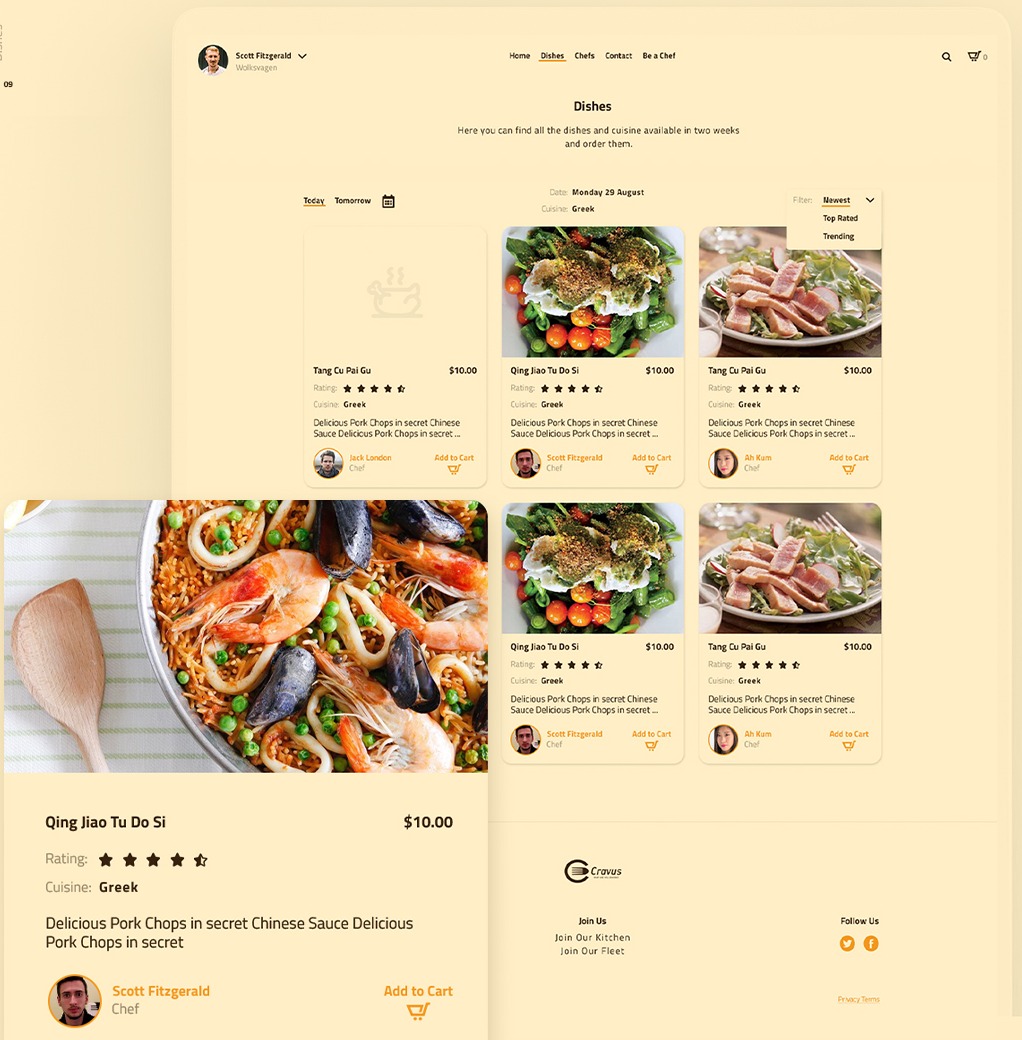
The menu for today, tomorrow or a date picked in the calendar, with the cuisine of that day. Dishes can be sorted by newest, top rated or trending. Each card shows the photo, price, rating, cuisine, a short description, the chef and an Add to cart button.
04 / 09
Chefs
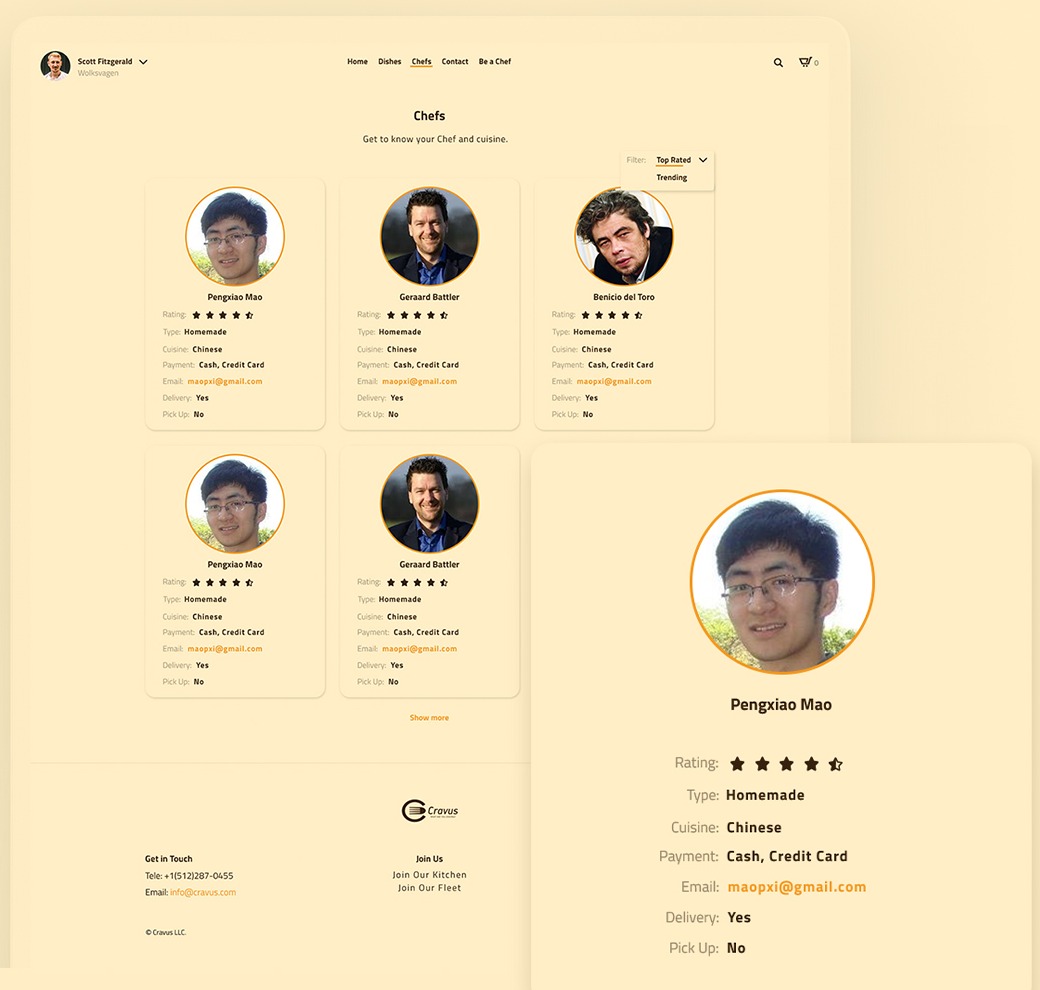
Chef cards list the rating, type of cooking, cuisine, payment methods, email, and whether the chef delivers or offers pick-up.
05 / 09
Chef page
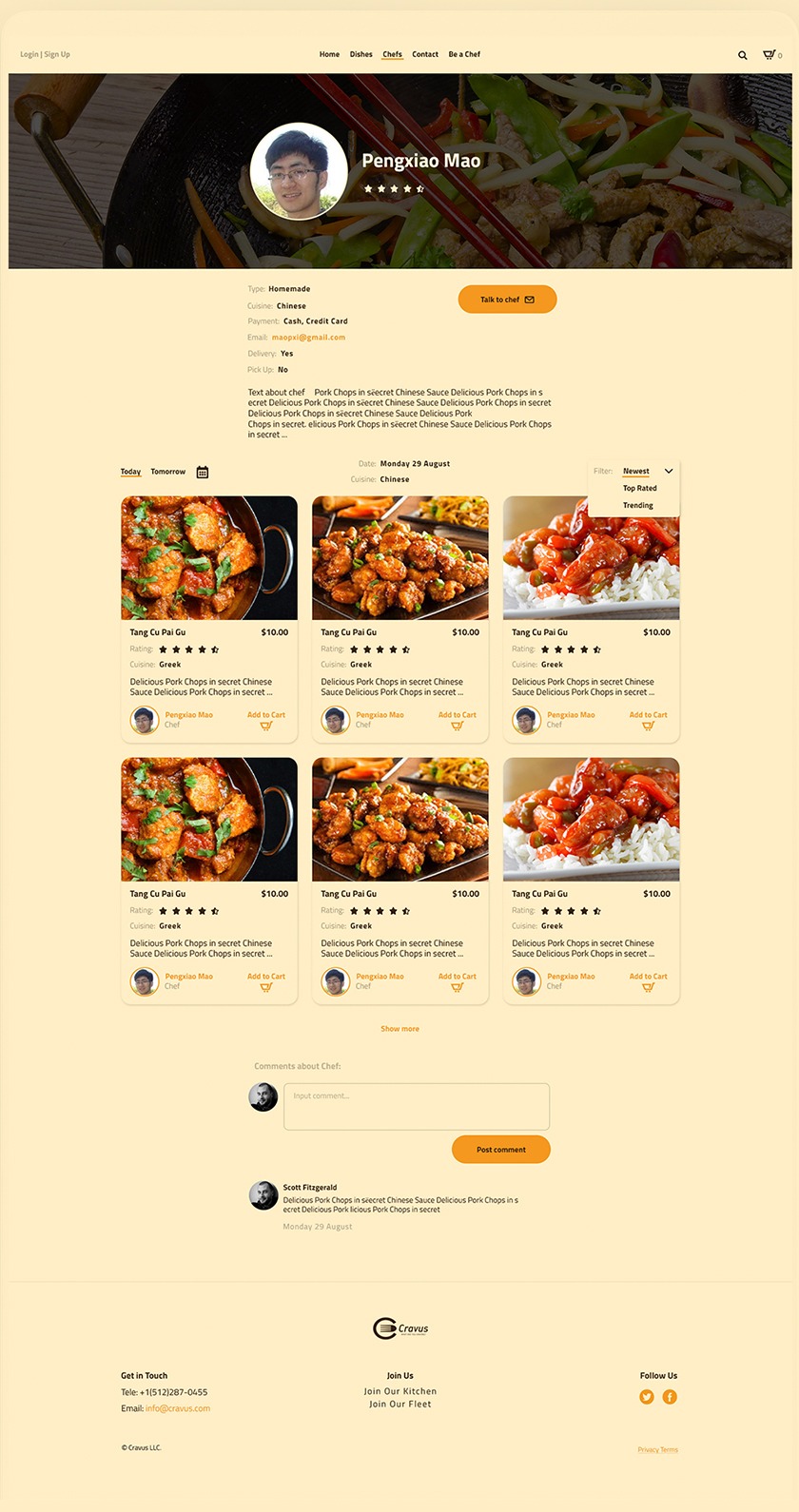
A photo header with the chef’s name and rating, then their details, a Talk to chef button and a short bio. Below are the chef’s dishes and comments from customers.
06 / 09
Cart and payment
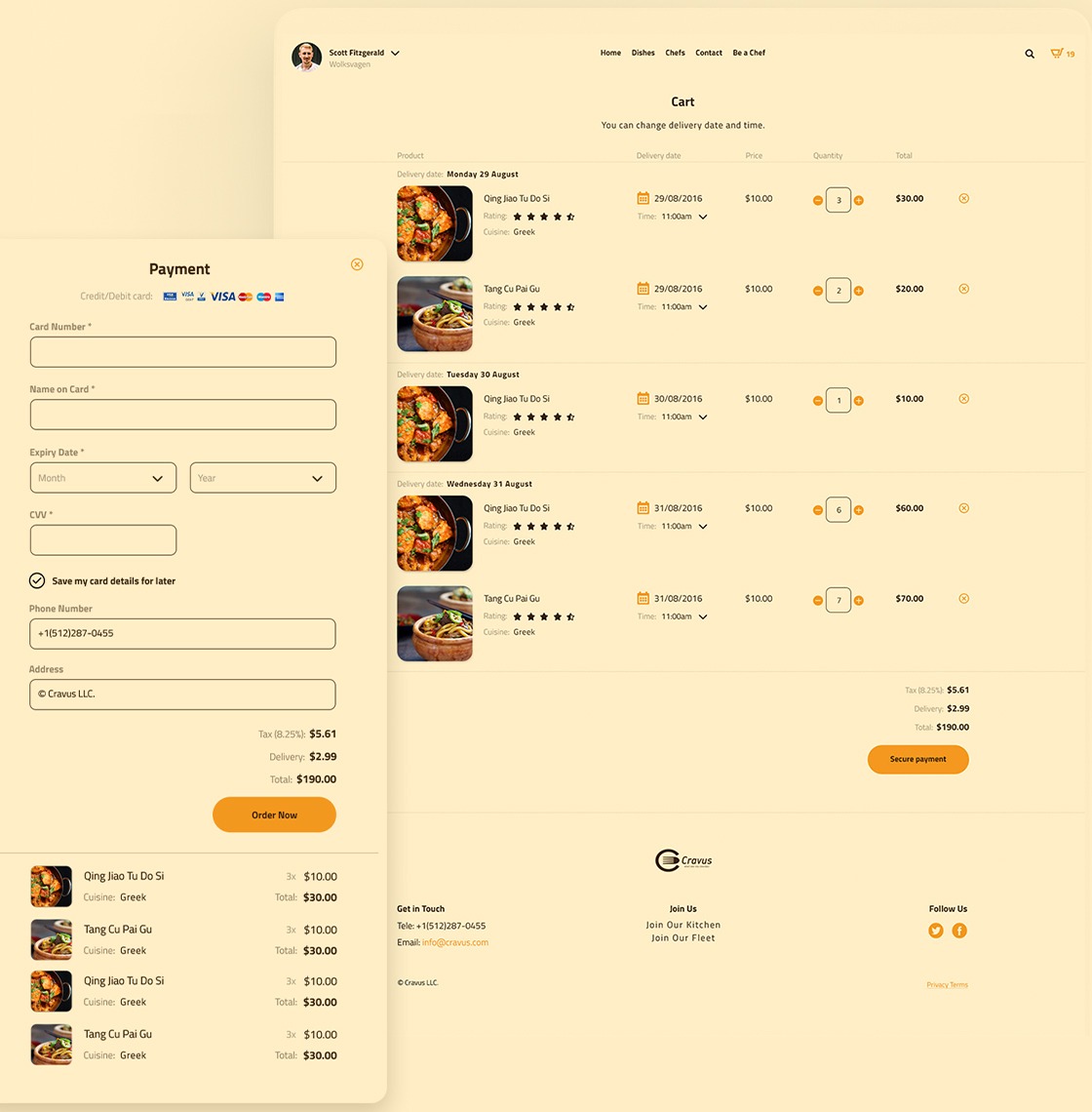
Items are grouped by delivery date. Each item has its own date, time and quantity, so one order can cover several days. Secure payment opens a panel with card details, phone, address and the order summary.
07 / 09
Order history
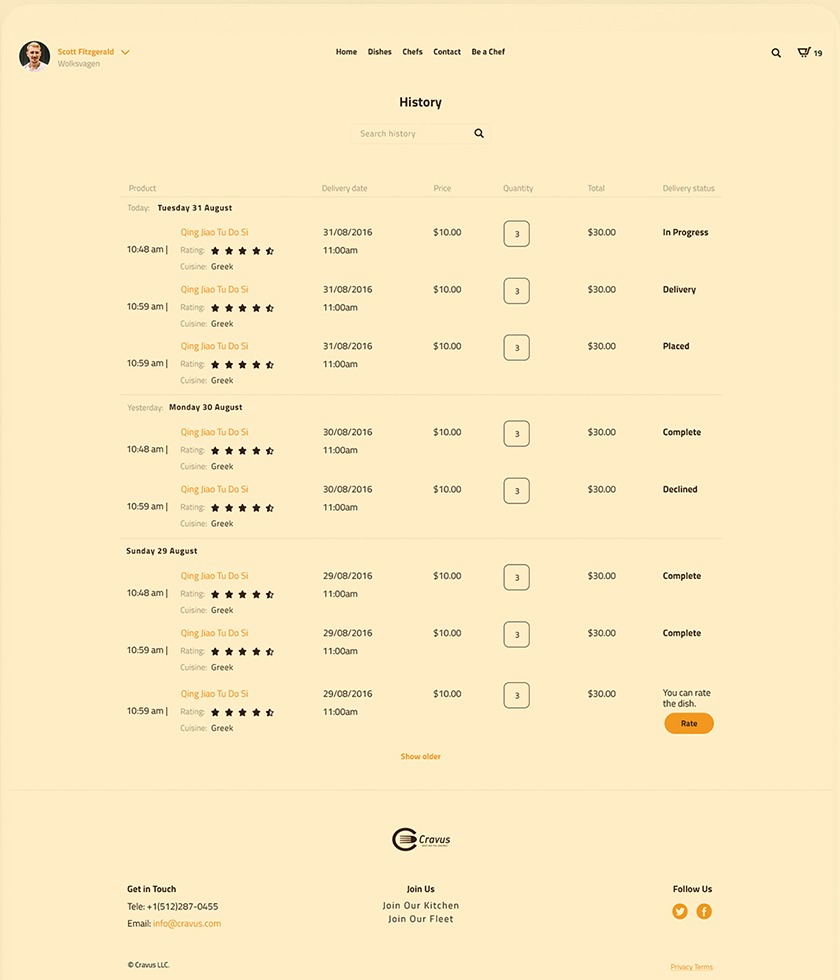
Past orders grouped by day, each with a status: placed, in progress, delivery, complete or declined. After a delivery the customer can rate the dish.
08 / 09
How it works
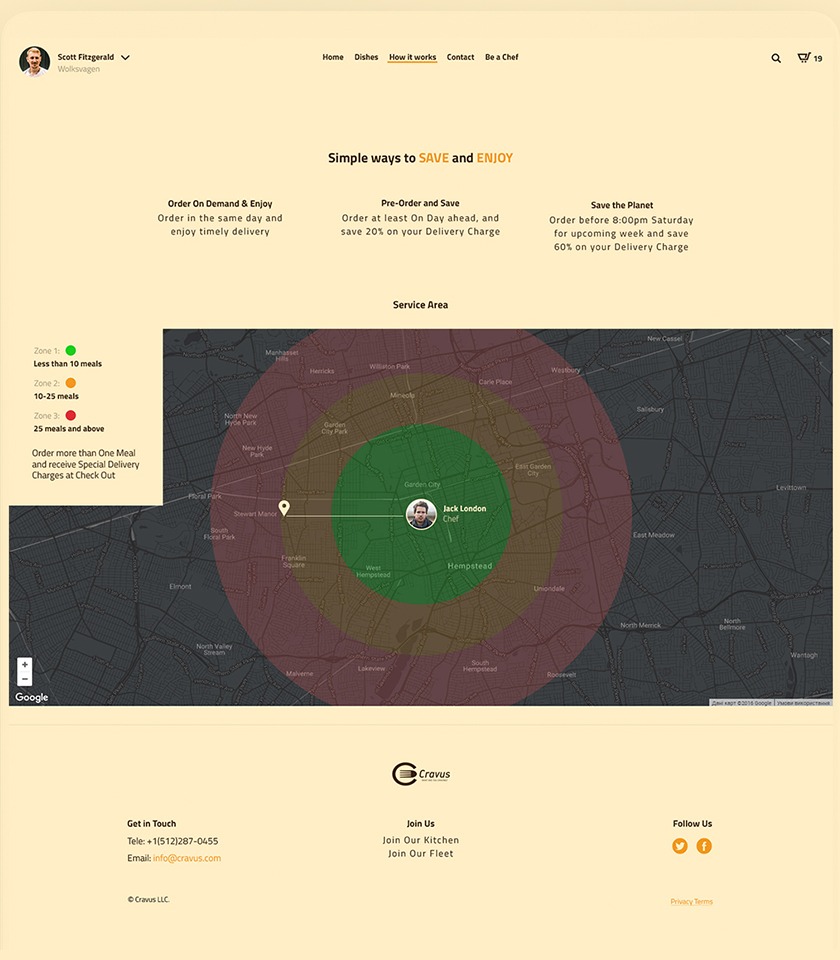
Three ways to order: on demand for the same day, a day ahead to save 20% on delivery, or for the whole next week before 8:00pm on Saturday to save 60%. The service area map has three zones around the kitchen: under 10 meals, 10–25 meals, and 25 meals and more.
09 / 09
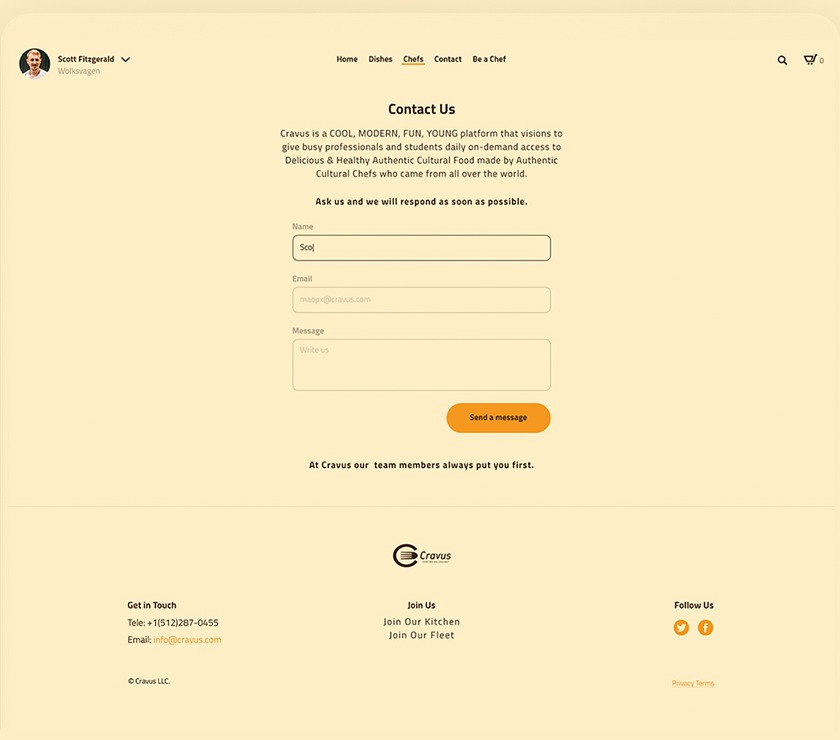
Contact
A short description of Cravus and a form with name, email and message.
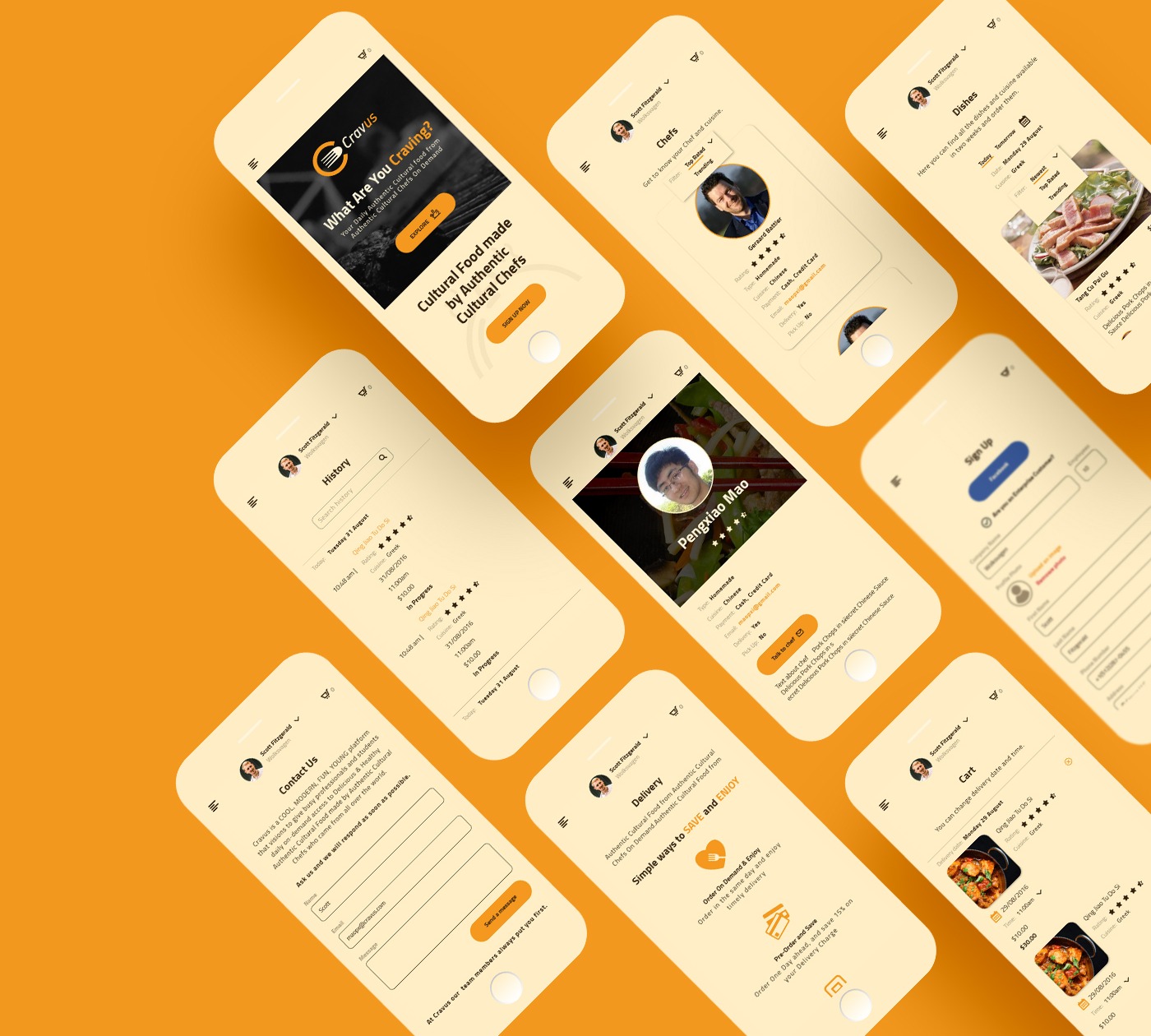
Mobile
Phone layouts
320px +
Every page has a phone layout. The menu folds into a button in the top-left corner, and cards and tables stack in one column.
Style guide
Colour, type and UI elements
Colour
- Buttons, links and icons
#F3981E - Text
#36210D - Background
#F9E8BF
Typography
Titillium Web · 40px
What Are You Craving?
Titillium Web · 26px
Today’s Cultural Adventure
Titillium Web · 18px
Delicious pork chops in secret Chinese sauce
Titillium Web · 14px
Cravus is your way of experiencing home-style cuisines from all over the world without the plane ticket.
Icons
Grid
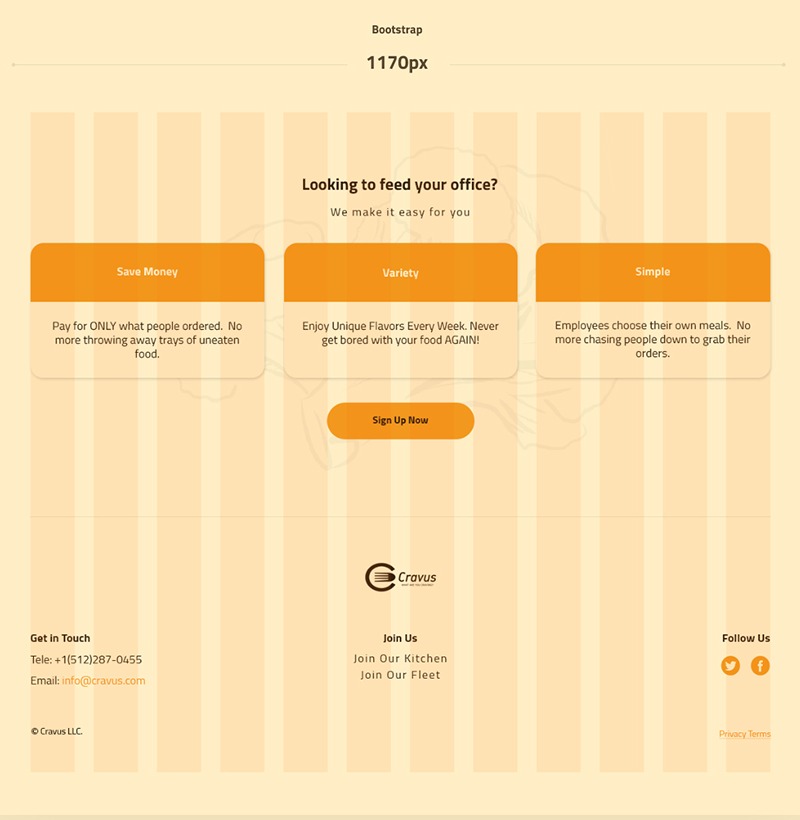
- Container
- 1170px
- Columns
- 12
- Framework
- Bootstrap
UI elements