Datagpt
DataGPT lets business teams ask questions about their data in plain English and get answers with charts, drawn from their own data warehouse.
Hi, I'm Nazar
Launched B2B products from 0 → 1, improved their adoption and helped grow ARR. Love solving complex problems.
01 / Selected work
I worked on each one from research to launch.
DataGPT lets business teams ask questions about their data in plain English and get answers with charts, drawn from their own data warehouse.
I designed, built and launched App.
Upload a Short, Reel or TikTok. Hooko scores the hook against the creator's niche, breaks down audio and visuals, and writes three reshootable alternatives backed by real videos from the same niche.
Designed and launched a no-code contact center from scratch. Scaled from MVP to a core SaaS product.
Voximplant Kit is a cloud contact center with a drag-and-drop scenario editor and AI call automation.
An online gift shop for Hutsul souvenirs from the Carpathians: embroidered shirts, painted wooden boxes and boards, amulet dolls, ceramics and Carpathian tea.

Website for Peak Hotel, one of the highest hotels in Dragobrat, a ski resort in the Ukrainian Carpathians.
Yellow Leaf is a software agency from Ivano-Frankivsk, Ukraine. They build web and mobile products for businesses in Europe and the US.
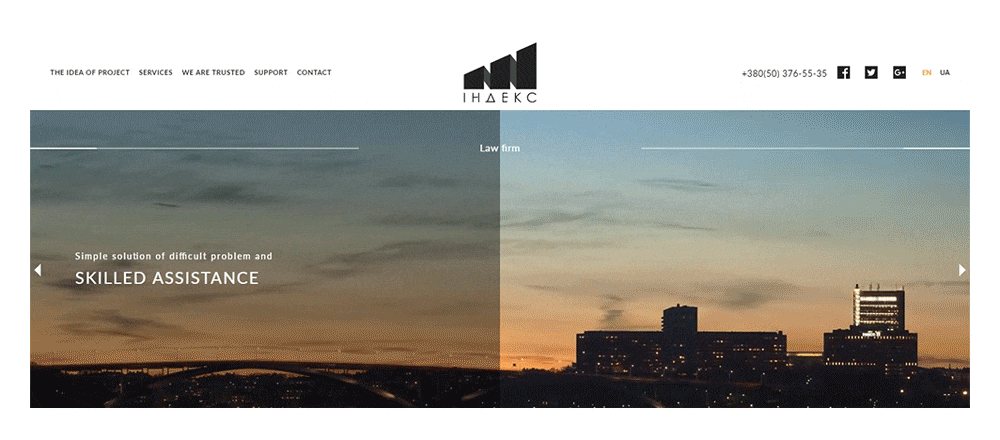
A website for Index, a law firm in Ivano-Frankivsk, Ukraine. The firm gives legal advice, drafts documents and represents people and companies in court.
A website for Blaustrom, a Bavarian company that sells solar power systems for homes: solar panels, batteries and EV charging stations.

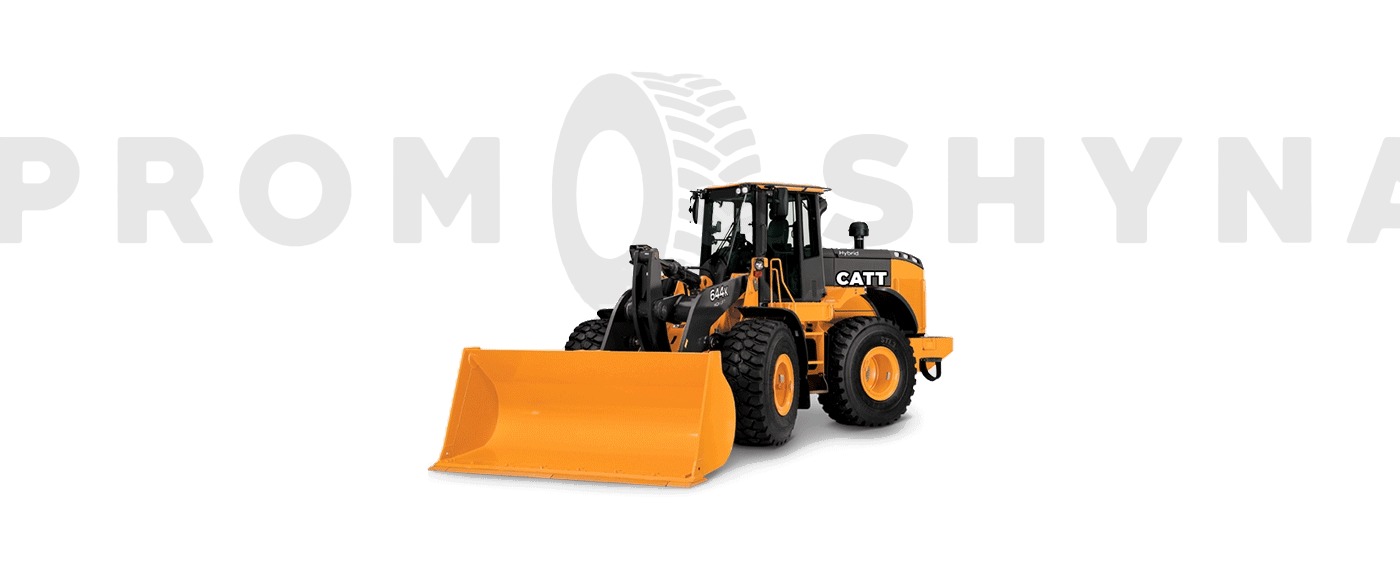
An online store for PromShyna, a shop in Ivano-Frankivsk that sells tires and wheels for special machinery, such as loaders, excavators, forklifts, tractors and trucks, and delivers across Ukraine.
A web app for Cravus, a food delivery startup for busy professionals and students.
A recruiting site for Team Sternfit, the team behind three fitness projects: Motiny, Trainy and Sternfit. Sternfit is a platform where athletes view and share each other’s workout programs.
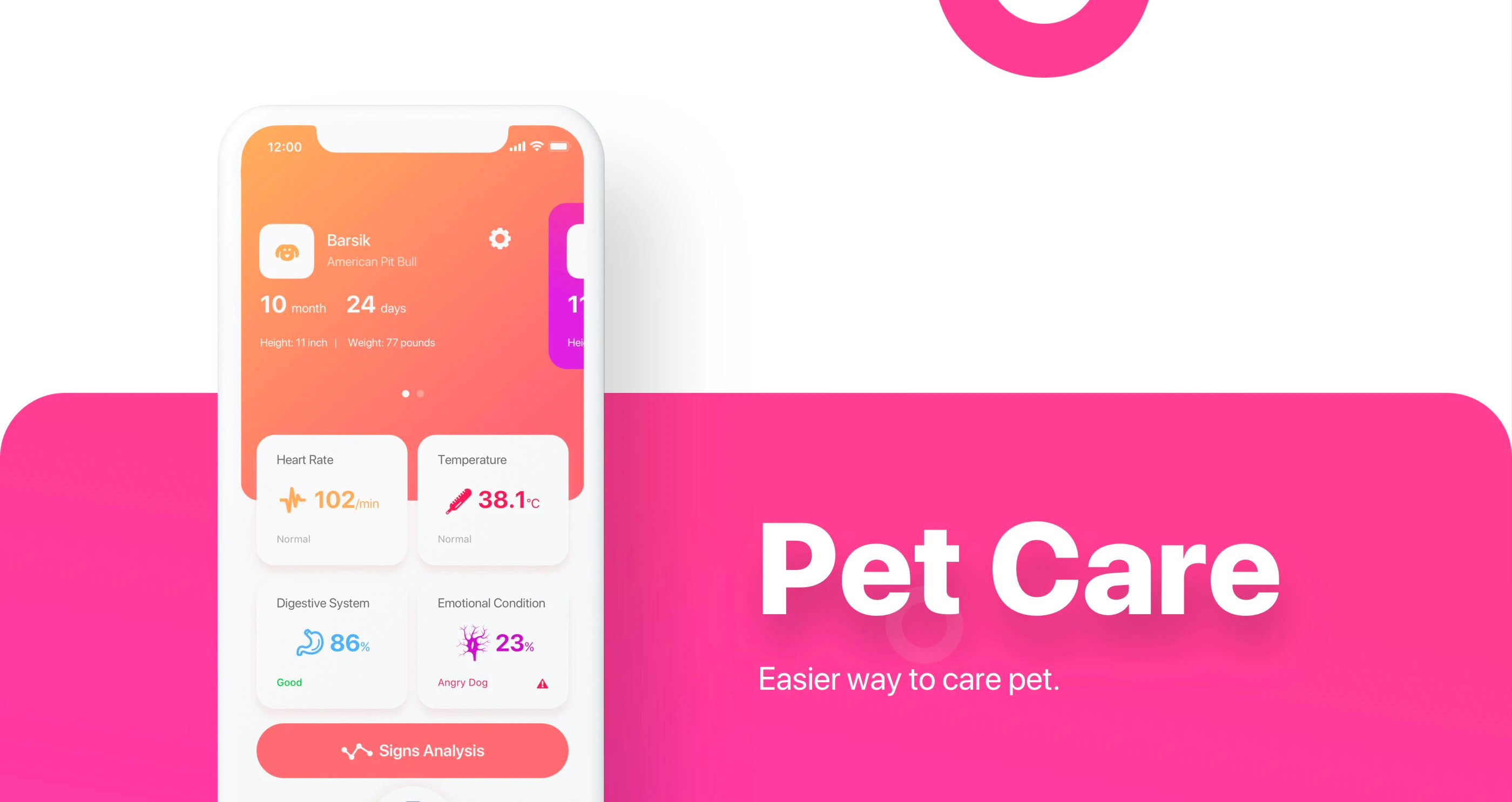
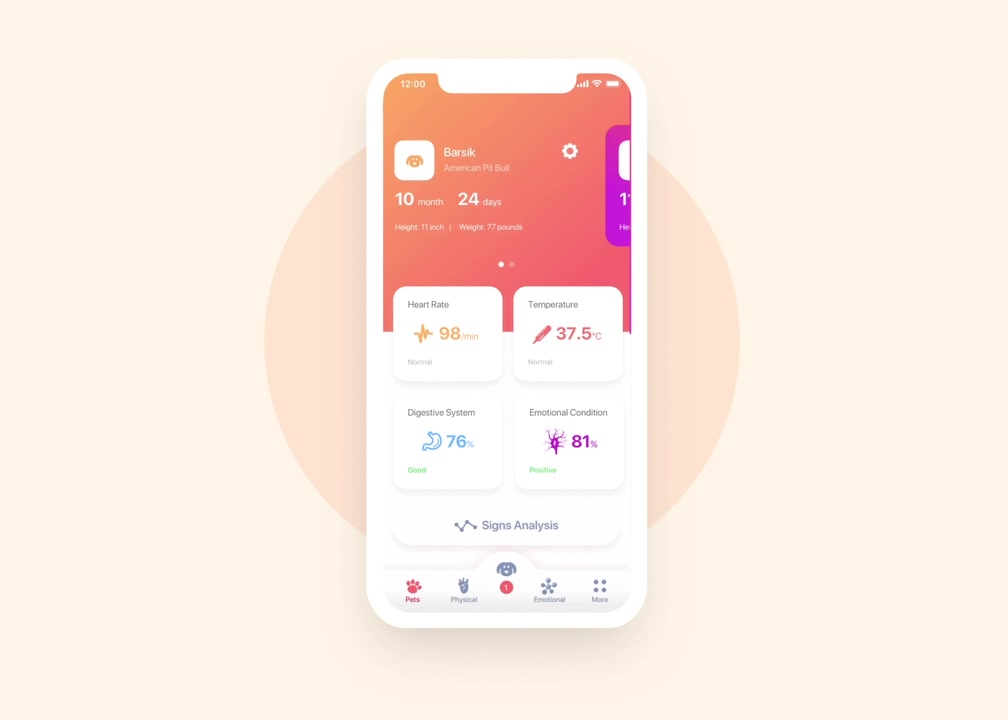
Winner of a design competition. App concept for pet care.
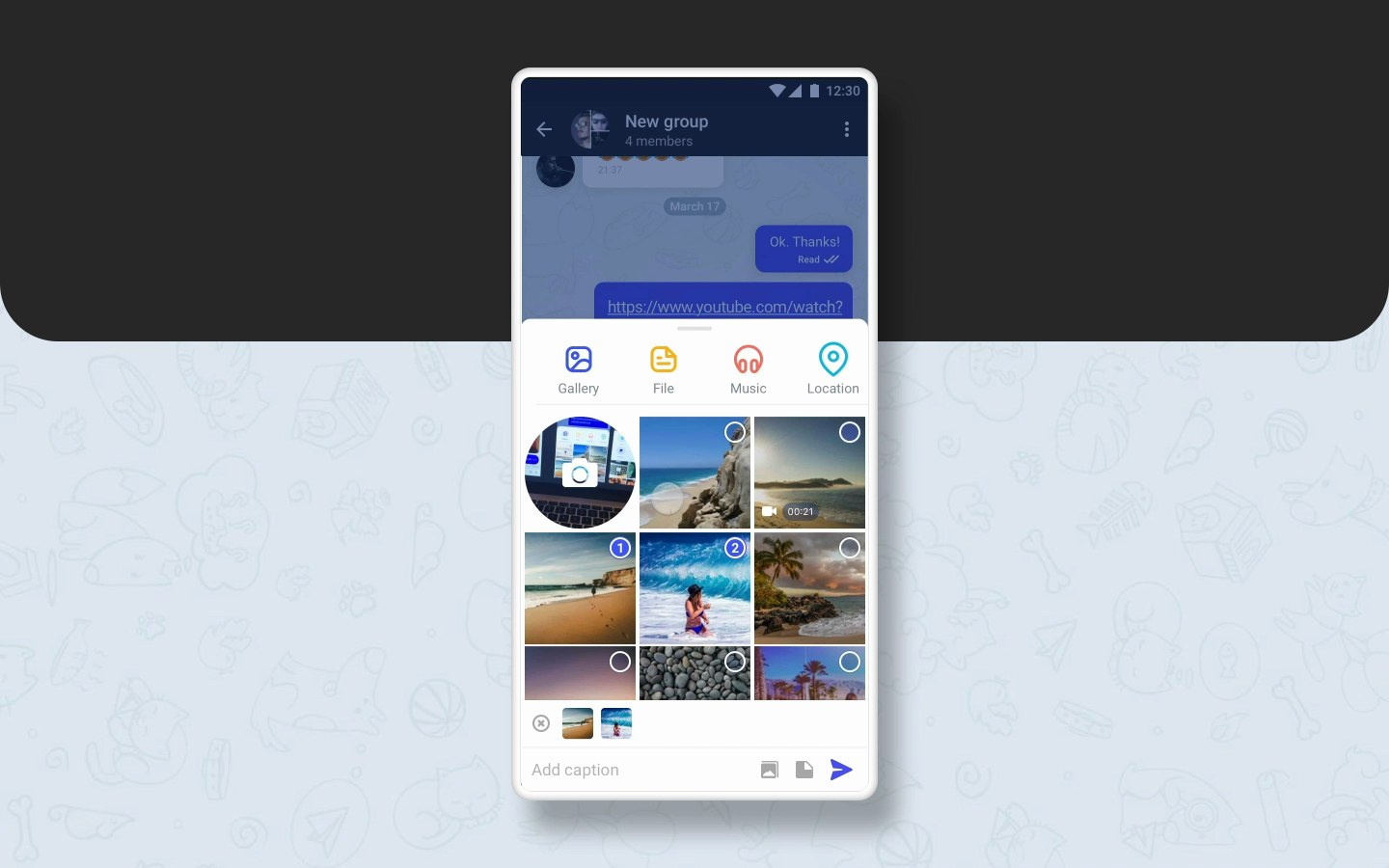
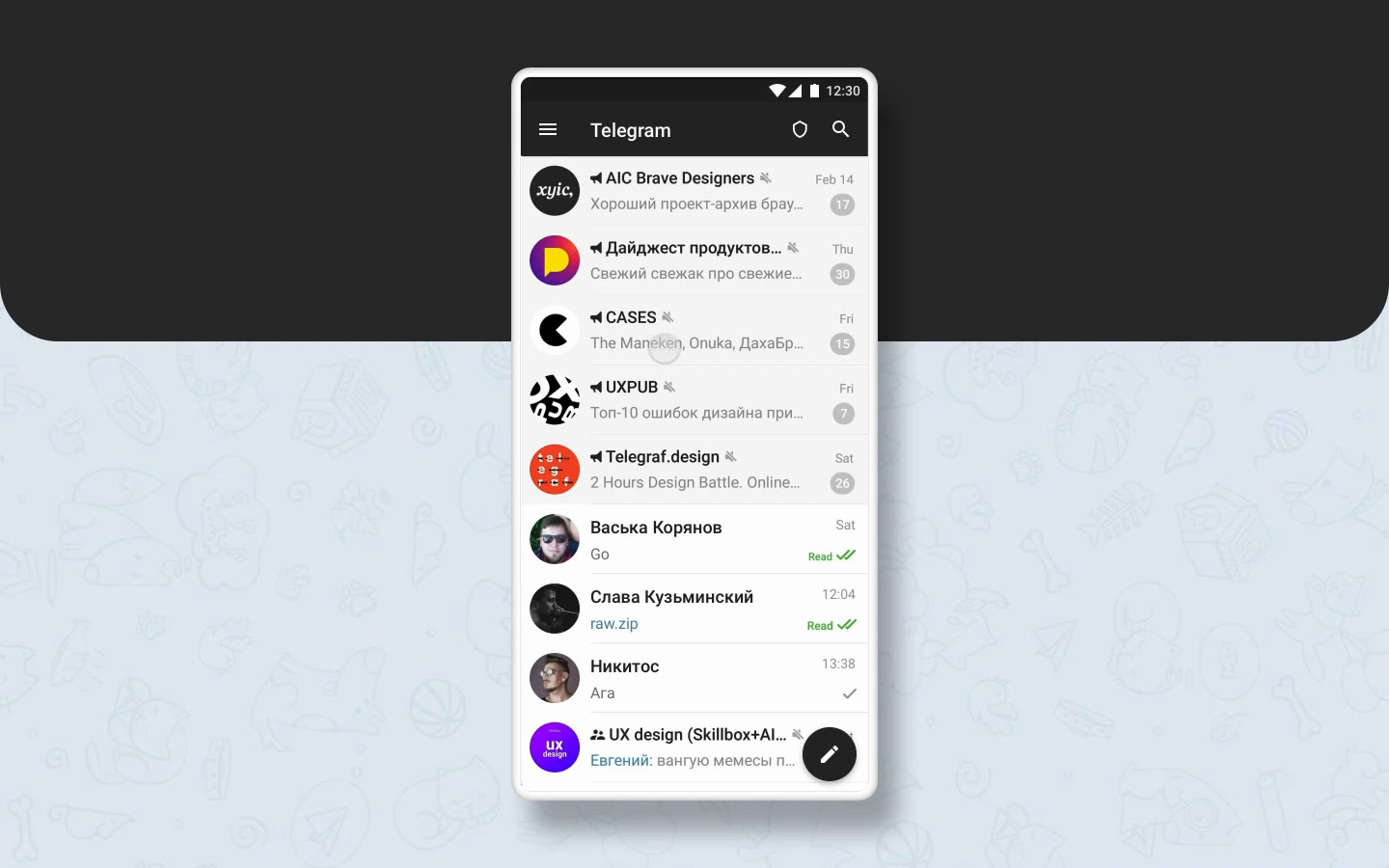
Winner of the Telegram design competition.
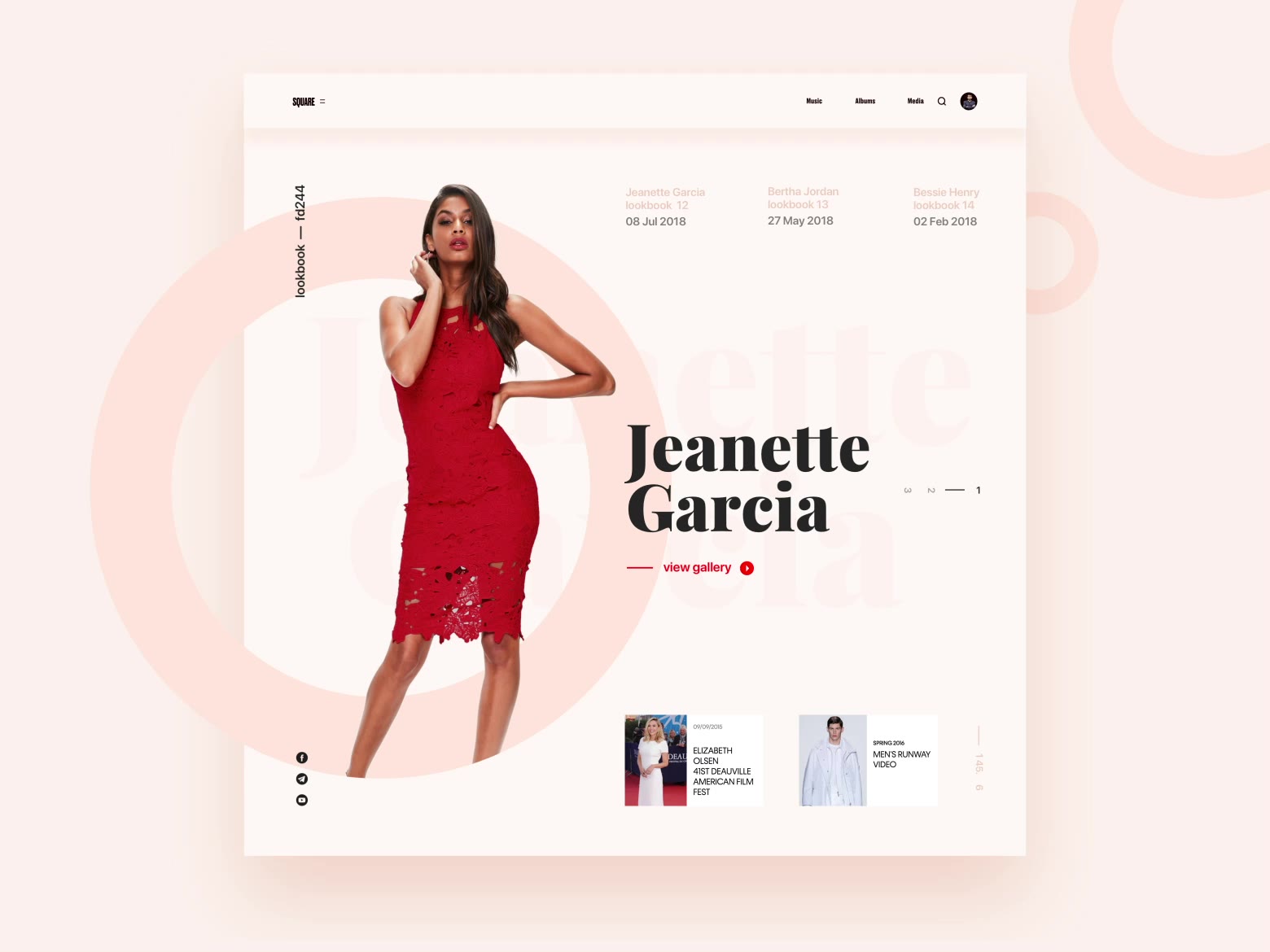
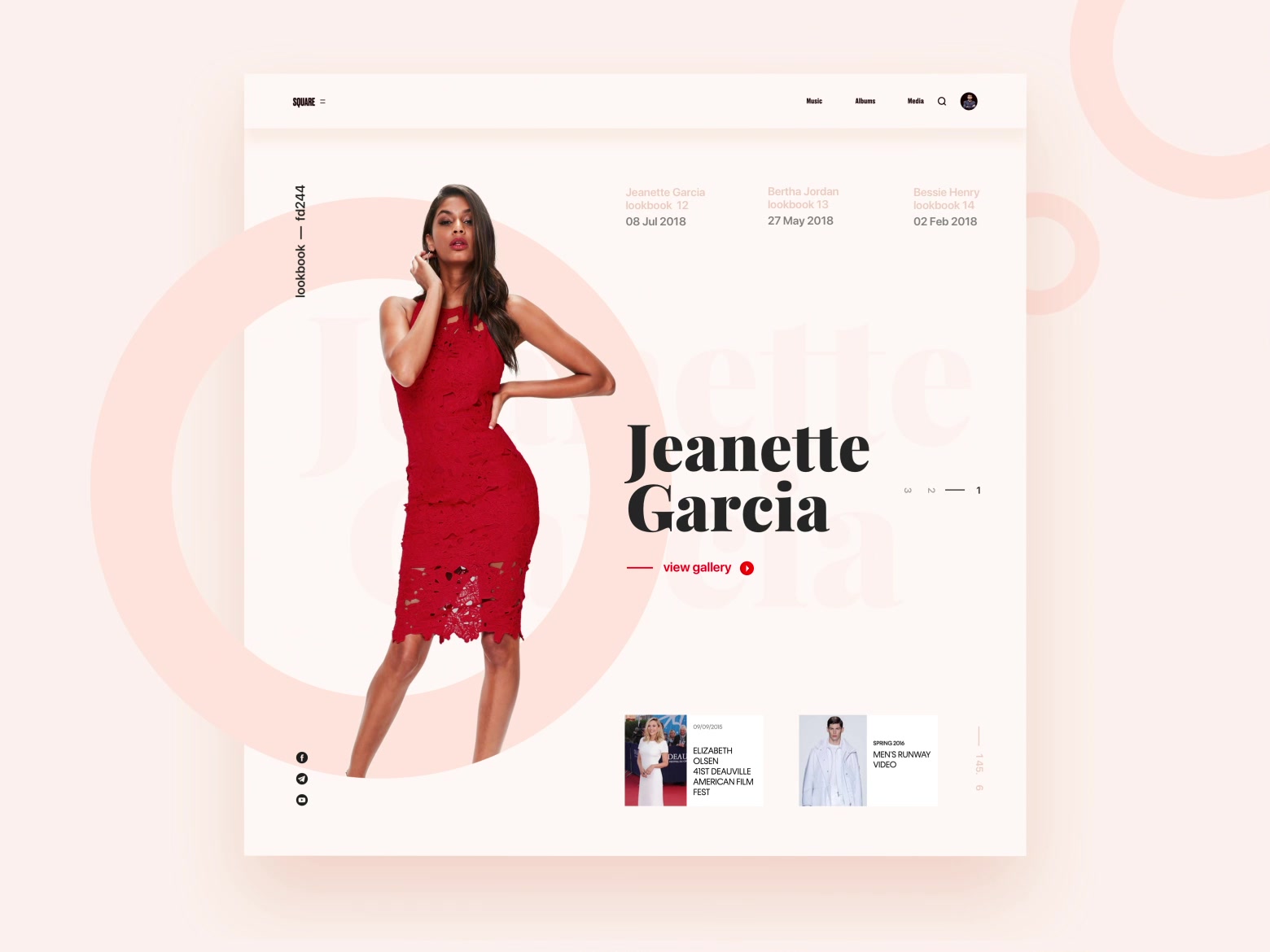
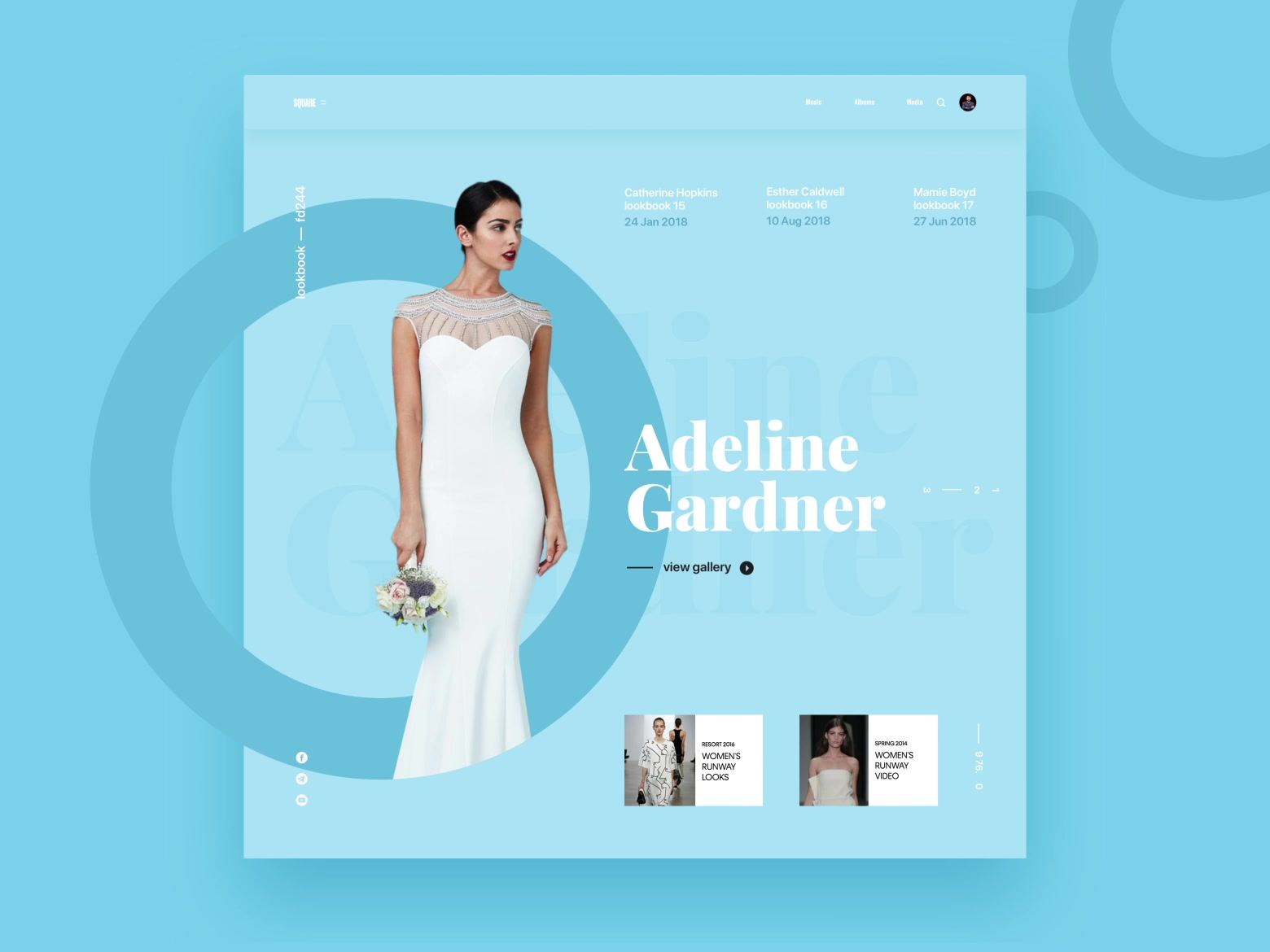
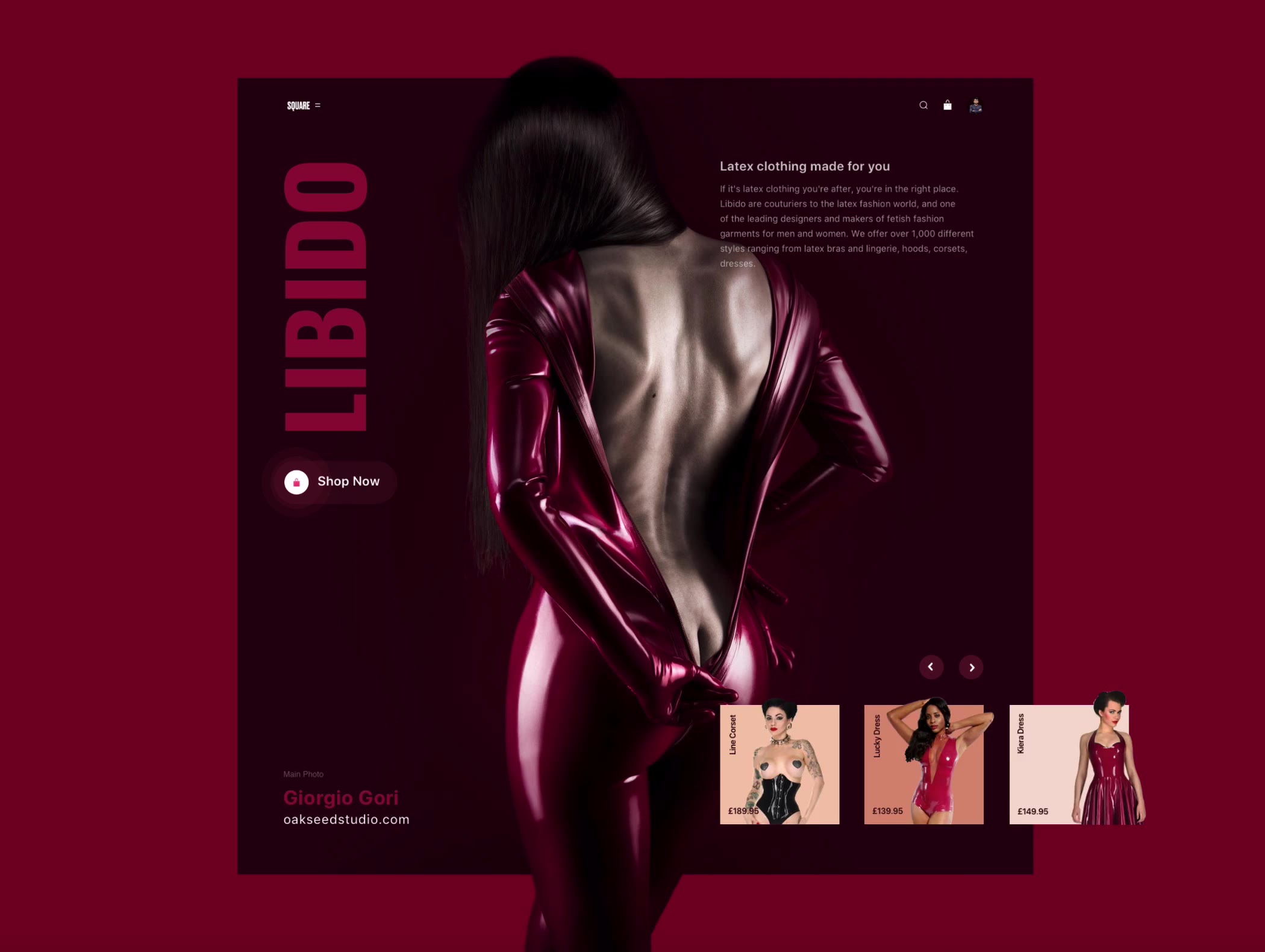
Two fashion concepts for SQUARE, an open interface challenge by Slava Kornilov of Geex Arts.
Chatbot concept for a smart kitchen. I made it in one day, as a challenge during my internship at a design agency.

Landing page for Design Cup, a concept competition for beginner and experienced interface designers, run by Mail and Skillbox.

Landing page for Voximplant’s IVR order tracking. Customers call, say a waybill number or their name, and hear where their order is.

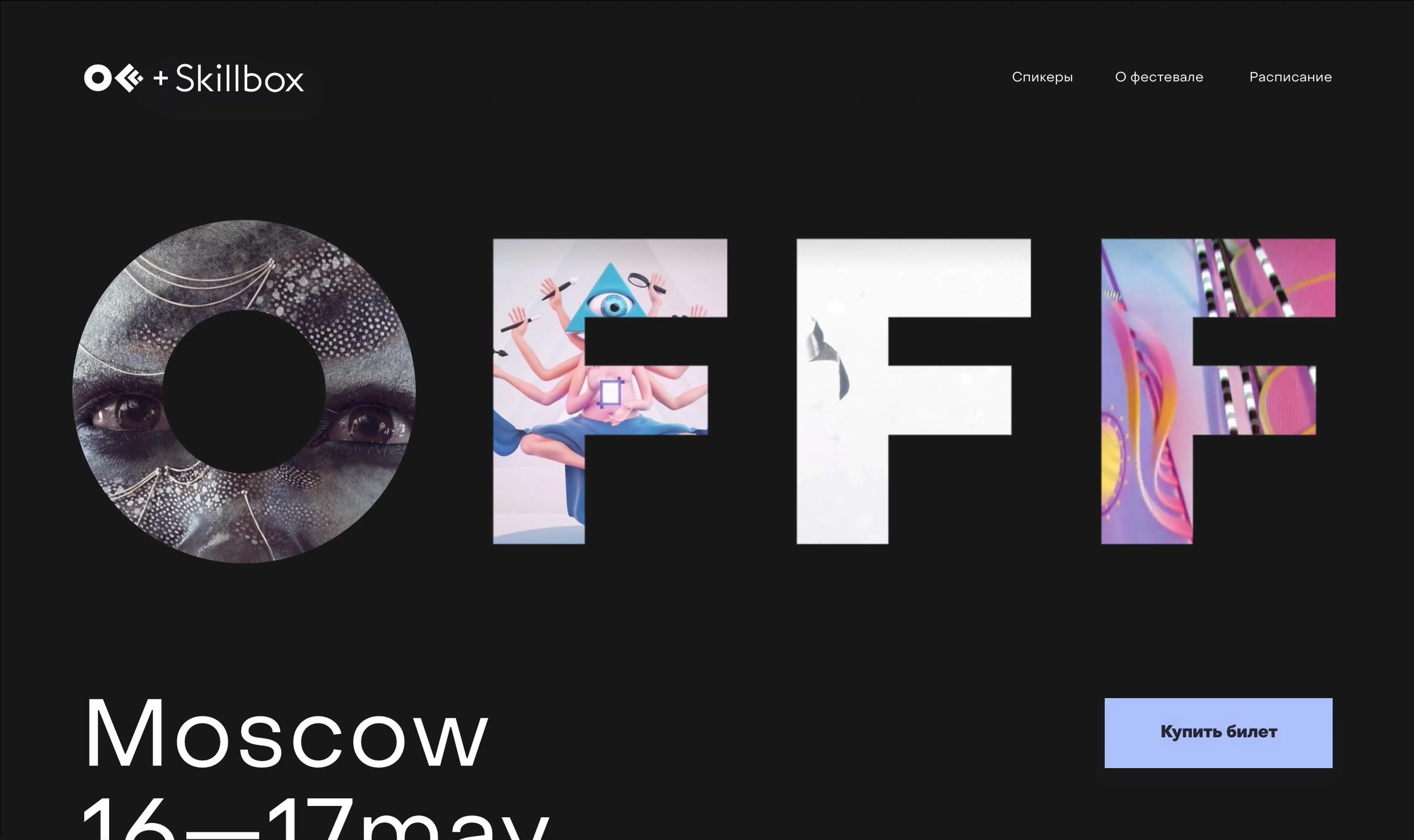
Landing page for the OFFF conference, made for Skillbox. OFFF brings together digital artists, illustrators and designers. It started in Barcelona and travels to other cities.
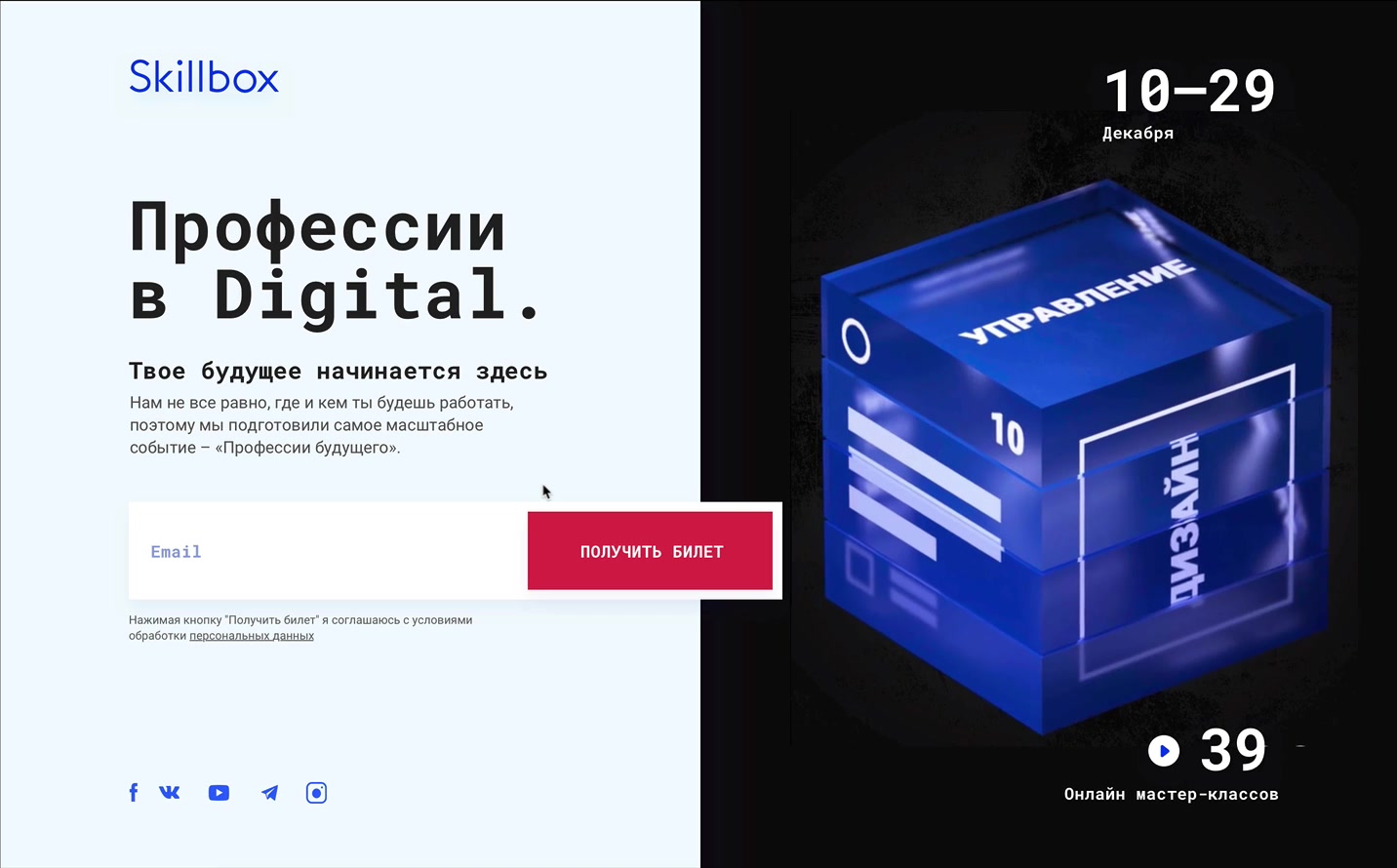
Landing page for Professions in Digital, an online marathon by Skillbox. Over three weeks, 33 speakers gave 39 master classes on design, code and marketing.
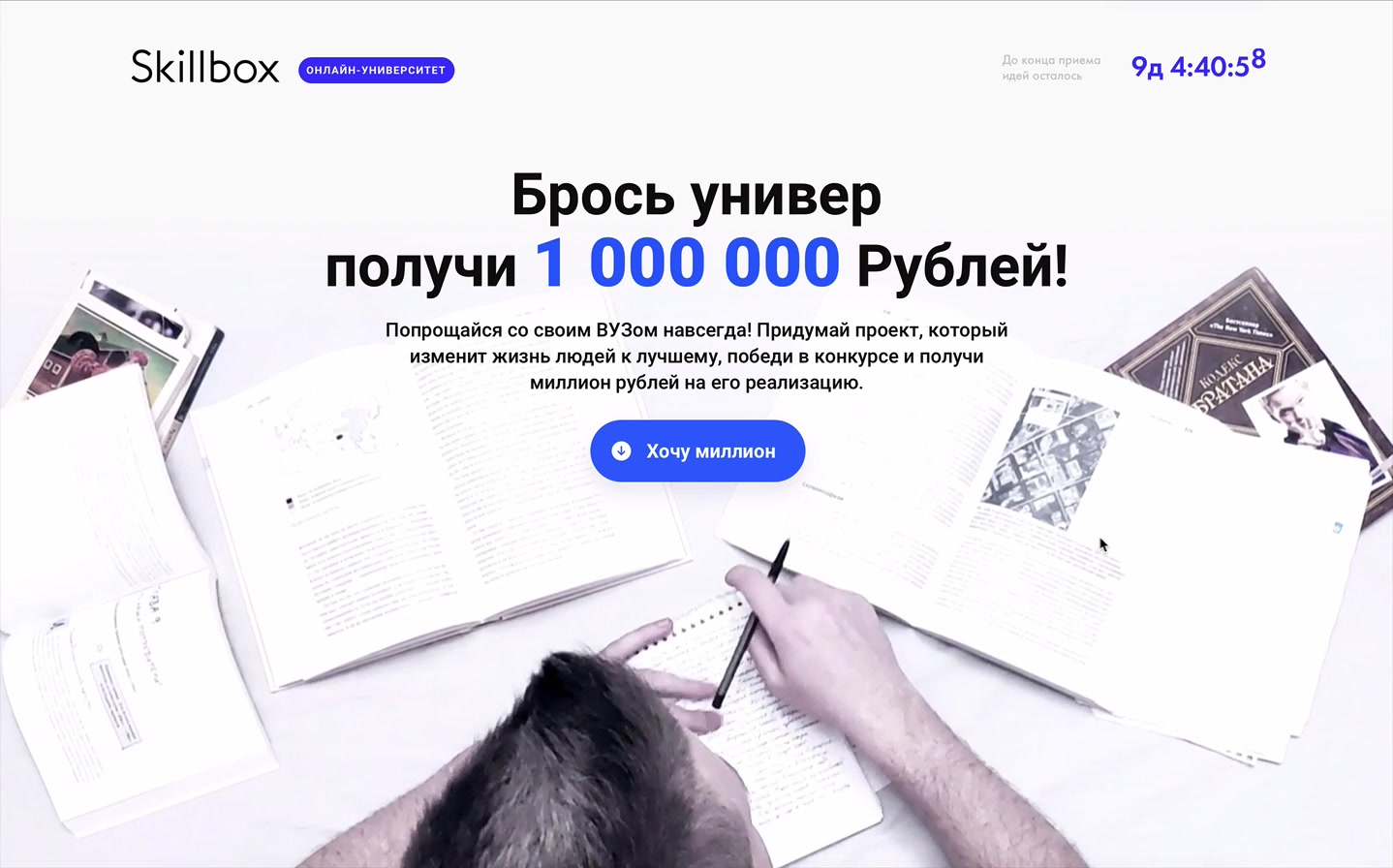
Landing page for a Skillbox contest. Students sent in project ideas, and ten finalists went to a public vote.
DataGPT lets business teams ask questions about their data in plain English and get answers with charts, drawn from their own data warehouse.
Solo product designer
Problem
Companies spend heavily on BI tools, but getting from data to a decision still went through a data team. Dashboards were static, and business users couldn't ask follow-up questions.
Executives waited for the next meeting to learn why revenue moved. Analysts were "drowning in ad hoc requests". Marketers pieced a story together from dozens of reports.
Let anyone ask a complex question in plain English and get an answer they can trust.
Why did revenue drop? I don't want to wait for the next meeting for answers. Revenue opportunities are going missed.
We spend so much time on dashboard building and maintenance, and next week the questions change.
We are drowning in ad hoc requests.
Discovery & Research
I started with stakeholder interviews and a review of the conversational-analytics market. Executives, data analysts, marketers and product managers described the same problem. They wanted answers when the question came up.

Insights arrived days late. By the time a dashboard was built, the question had changed.
Only BI experts could drill deeper. Business users felt locked out and sent ad hoc requests instead.
People pieced a story together from dozens of reports instead of simply asking "Why did X happen?"
Most users only ask questions. A smaller group connects the data and defines what the metrics mean. DataGPT had to serve both.
VP or C-level. Owns revenue and growth targets. Lives in meetings and Slack.
Why did revenue drop last week?
The cause, not a chart, and before the next meeting.
Dashboards show what happened. The why goes into the data team's queue.
Runs campaigns and channels. Compares periods and segments several times a week.
Which channel drove signups this month?
Quick comparisons by period, channel and segment, without learning a BI tool.
Dozens of reports to piece together and a queue for anything custom.
Mid-size SaaS company. SQL, BigQuery, Tableau, Python. Spends 40–50% of their time on repetitive reporting.
Show retention by segment for last quarter.
Fewer repetitive pulls and consistent metrics across teams.
Constant Slack requests. Rigid BI tools. Every team defines KPIs differently.
Owns the warehouse: BigQuery, Snowflake or Databricks. Maintains pipelines and data models.
What does "conversion" mean to the AI?
Connect sources and define tables, metrics and dimensions without custom code, and control refresh schedules.
Every new business question means a new model or dashboard to build and maintain.
Competitor mapping
We compared conversational analytics tools, from large BI suites to new AI startups:
An early pioneer in natural language search for data. Great at connecting to various data sources, but NL Q&A yields only single charts and requires pseudo-code-like queries. Users often have to iterate question by question, without deeper “why” analysis.
A powerful BI suite with new AI features, yet its natural language Q&A felt limited. It often misunderstood nuances (synonyms, time phrases) and struggled with multi-step questions. The heavy interface (PowerQuery, DAX formulas) meant a steep learning curve for non-analysts.
Dozens of text-to-SQL startups promised to translate questions to SQL. In reality, none could handle enterprise-scale data or complexity – they’d break on big data volumes, or return only basic facts. Hallucinations (made-up answers) were a serious risk.

Most tools could parse a question but returned "what happened" charts. Nobody went on to "why" and "what next" in the same conversation.
The powerful options needed modelled datasets, DAX or SQL. They were built for analysts, not the people waiting on them.
Black-box answers and hallucinations were the main objection. Showing the source of every answer became a design requirement, not a nice-to-have.
Chat or dashboard?
Before committing to a direction, I tested two ways for people to work with their data through AI.

Ask in natural language and get a written summary with charts. Fast and approachable, for non-technical users.
“Where is this data coming from?” “How do I verify this?”
Simple but not trustworthy.
A structured environment: pick metrics, filters and dimensions to build a query. Full control and full transparency.
“Safe but rigid.”
Good for precise queries, too slow for ad hoc exploration.
One screen, two ways. Type "Why did revenue drop on Friday?", or click Revenue and then Friday in the navigator, whichever feels easier.
Easy to start, and still able to answer open-ended questions.
What shipped?
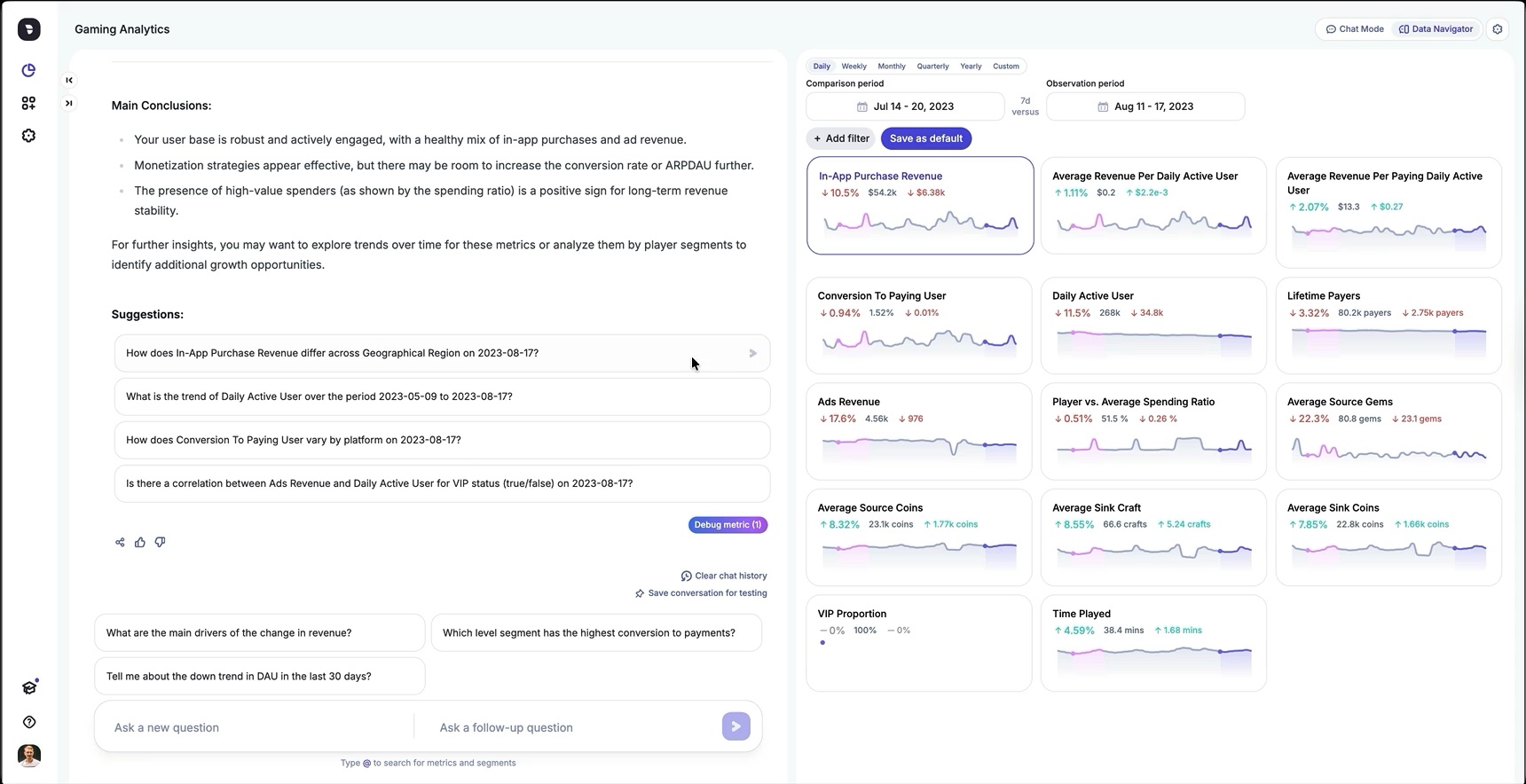
User asks a question and DataGPT replies with a short written answer, a table and charts. Every answer states its date range and comparison period. Suggested follow-ups keep the analysis going.

A metric dashboard that's always one click from the chat. Each metric card shows the change between the comparison period and the observation period, and any card can be sent back to the chat as a question.

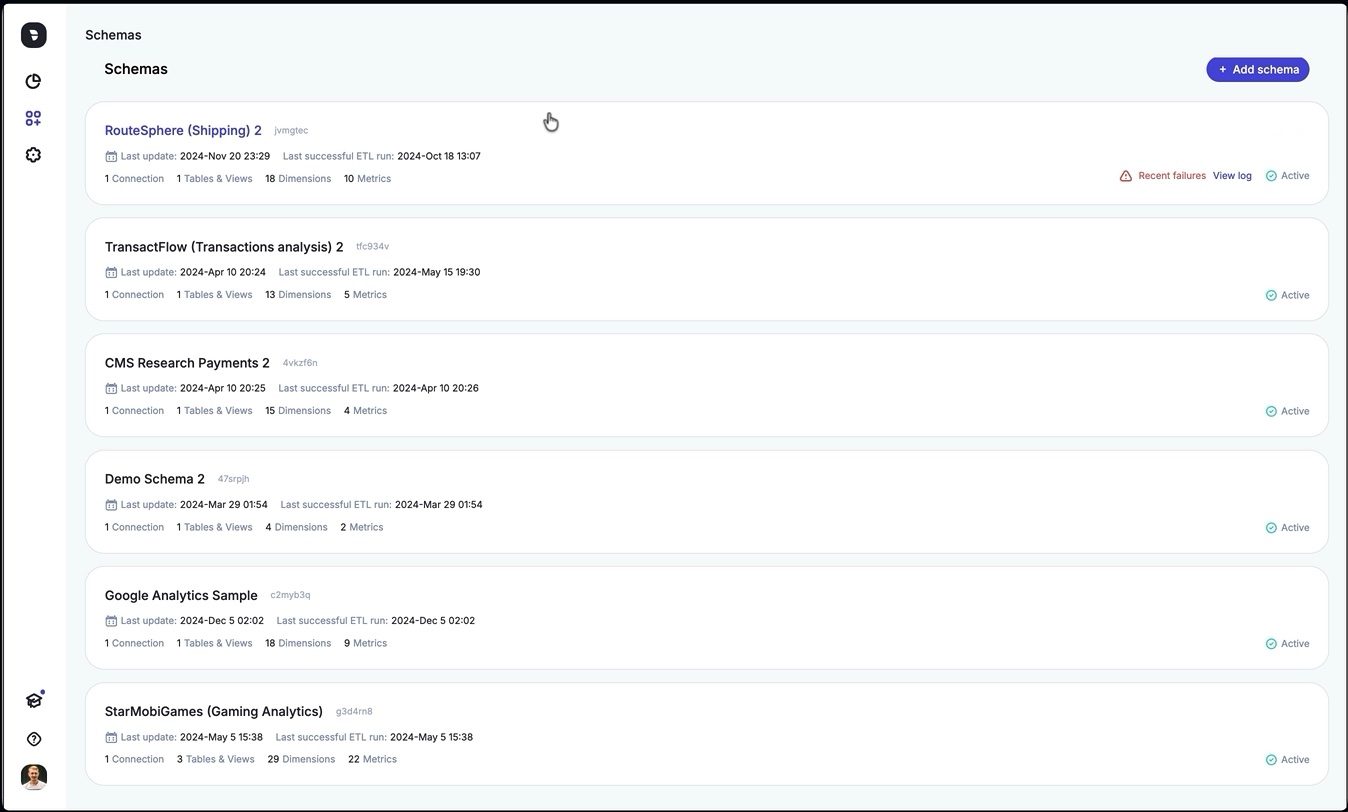
Admins connect a data source, set the ETL schedule and history length, and describe the company and its data. Each metric and dimension is a row they can edit, with a description, a format and synonyms. "Conversion rate" can also be "CR" or "conv rate".
Every component shipped with interaction states, usage guidelines and behaviour rules. Engineers could build new features, from conversation flows to charts.

Pilot launch
We rolled DataGPT out to a small group of pilot customers, including Papa John's, to test usability, accuracy and fit with their workflows before full release. I ran testing during the pilot and again after release.
1 Problem
Pilot users often phrased questions in ways that could be read more than one way.
What's my best-selling product?
Coffee is your best-selling product.
"Best-selling" could mean most units, most revenue or highest margin. The model picked units, while the user meant revenue. The answer was technically correct but wrong for the question, so people had to rephrase or ask follow-ups, and insights took longer.
I designed a way for admins to add business logic and definitions in the Schema Editor. For example, "conversion" means the conversion-rate metric, and "best-performing product" means highest revenue.
2 Problem
The date picker and filters lived only in the Data Navigator. When it was collapsed, they disappeared. "Show me revenue" might use "last 30 days", and nothing in the chat said so. The numbers were right, but the missing context made people doubt them.
A persistent global header above both Chat and Data Navigator:

Impact first year
DataGPT's first year: 20% month-over-month revenue growth and zero customer churn in the last six months.
Other BI tools show you what happened. DataGPT helps you understand why and what to do about it. It's like having a personal data analyst at my fingertips.
Customers reported a 60% average reduction in pending data requests. Teams that used to wait days for an answer got insights daily, even hourly. Adoption spread on its own: departments outside the original use case started using DataGPT, because it needed no training. You just ask a question.
With DataGPT, we finally have a more complete view of our retail data across web and app, giving us a clear view of customer journeys, purchase behaviours, and product performance, all in one place.
In the UK division, DataGPT became a standard part of weekly executive meetings. Automating daily and weekly performance summaries freed analysts from more than 20 hours of manual reporting a week and got insights to marketing and operations faster.
Marketing
I designed the website, the promo videos and the marketing materials. The site shows a demo conversation with DataGPT.
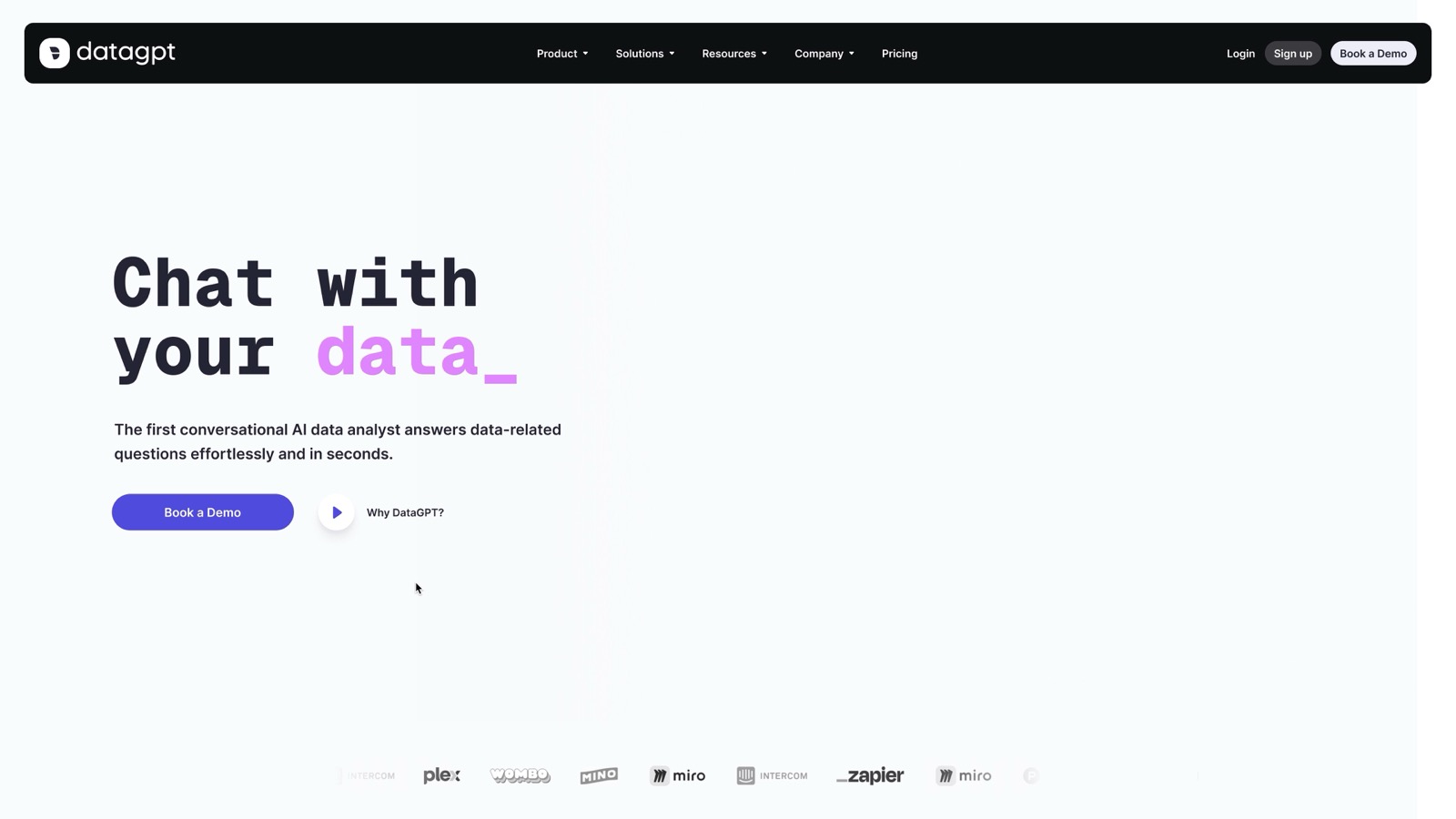
DataGPT started as a chat concept. It shipped as one screen where technical and non-technical users ask a question, see which data and dates the answer used, and check it in the Data Navigator.
Three changes came out of testing
Allowed users to explore metrics and follow up through conversation within the same screen.
aligned AI responses with business terminology, cutting ambiguous interpretations by 64%.
Saved date ranges for recurring analyses, shown above Chat and Data Navigator.

I designed, built and launched App.
Upload a Short, Reel or TikTok. Hooko scores the hook against the creator's niche, breaks down audio and visuals, and writes three reshootable alternatives backed by real videos from the same niche.
Solo builder
I wanted to build and ship a whole app on my own. I also noticed that most apps for creators just give a score and stop there. I wanted to make one that tells what to actually change in the creator's video.
Problem
On TikTok, Reels and Shorts, people decide in the first 3 seconds whether to keep watching. When a video gets few views, creators usually don't know why. Was it the first line, the first shot, the pacing or the caption?
Most virality apps I looked at give you a score or a percentage, like "62% viral". That doesn't tell you what to fix, so you're still guessing before the next video.
With Hooko, I wanted every score to come with a clear tip you can use when you film again.
Product

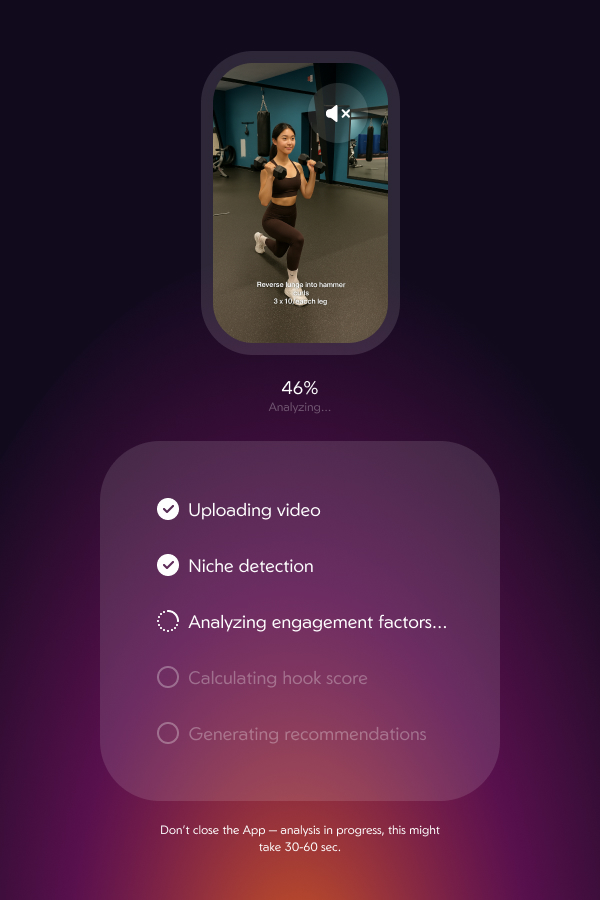
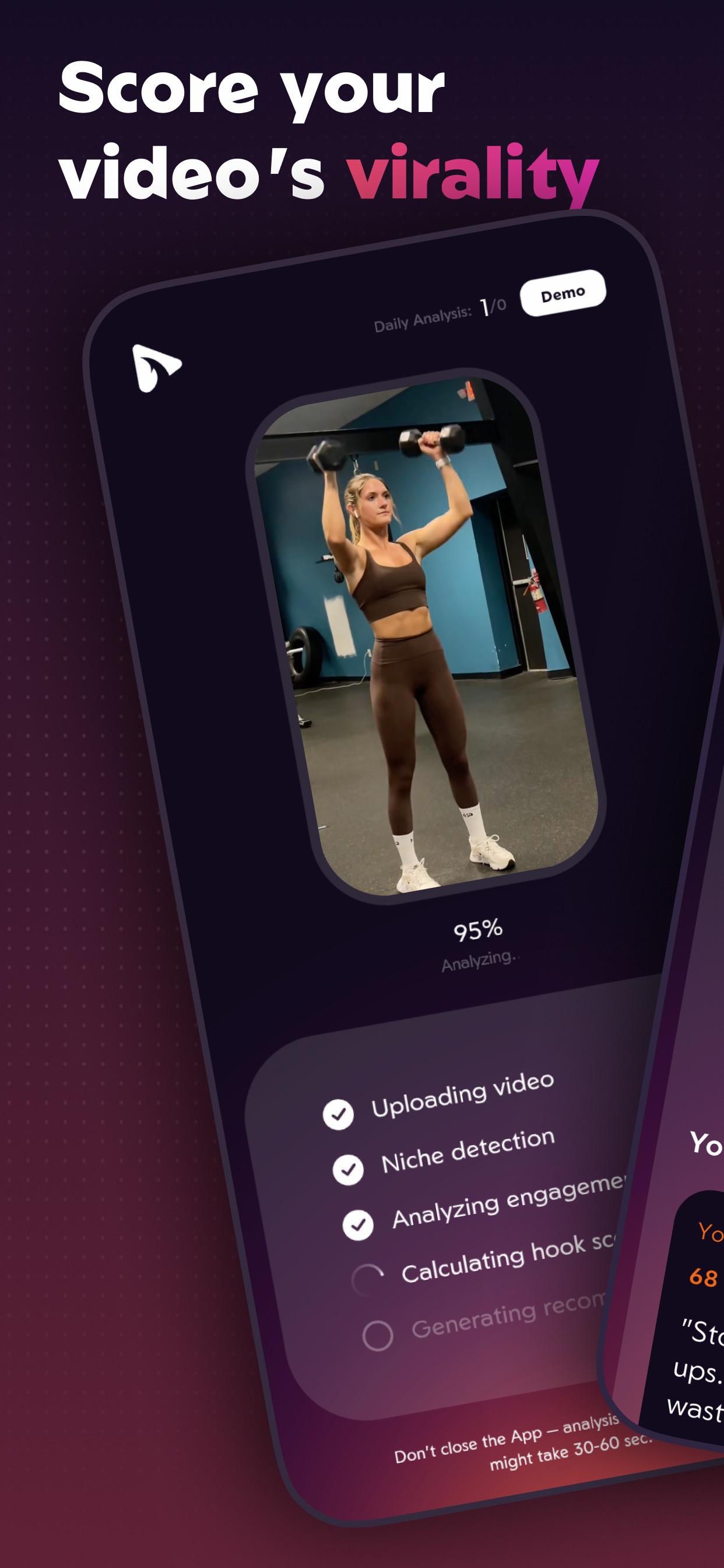
Upload any short video. A live checklist shows each stage while the analysis runs for 30 to 60 seconds.
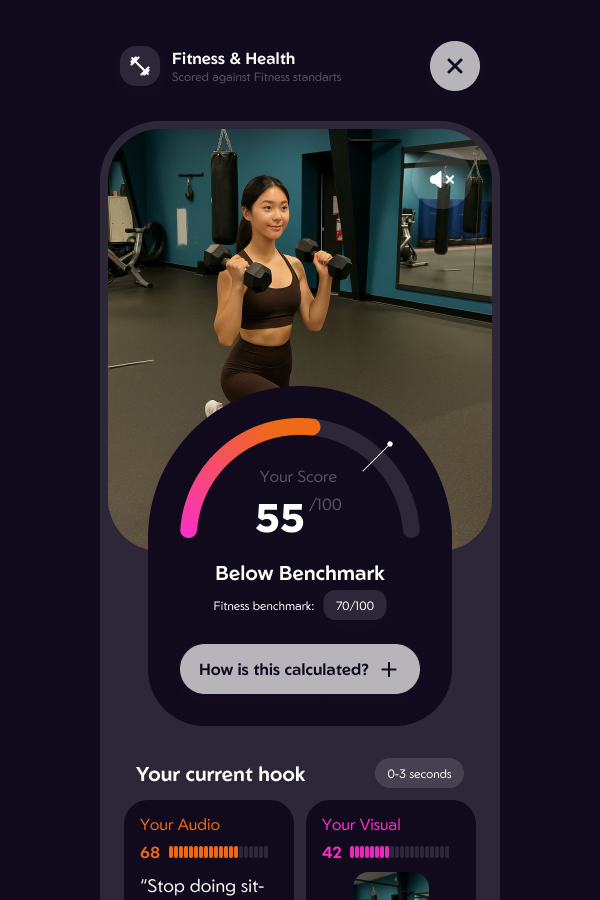
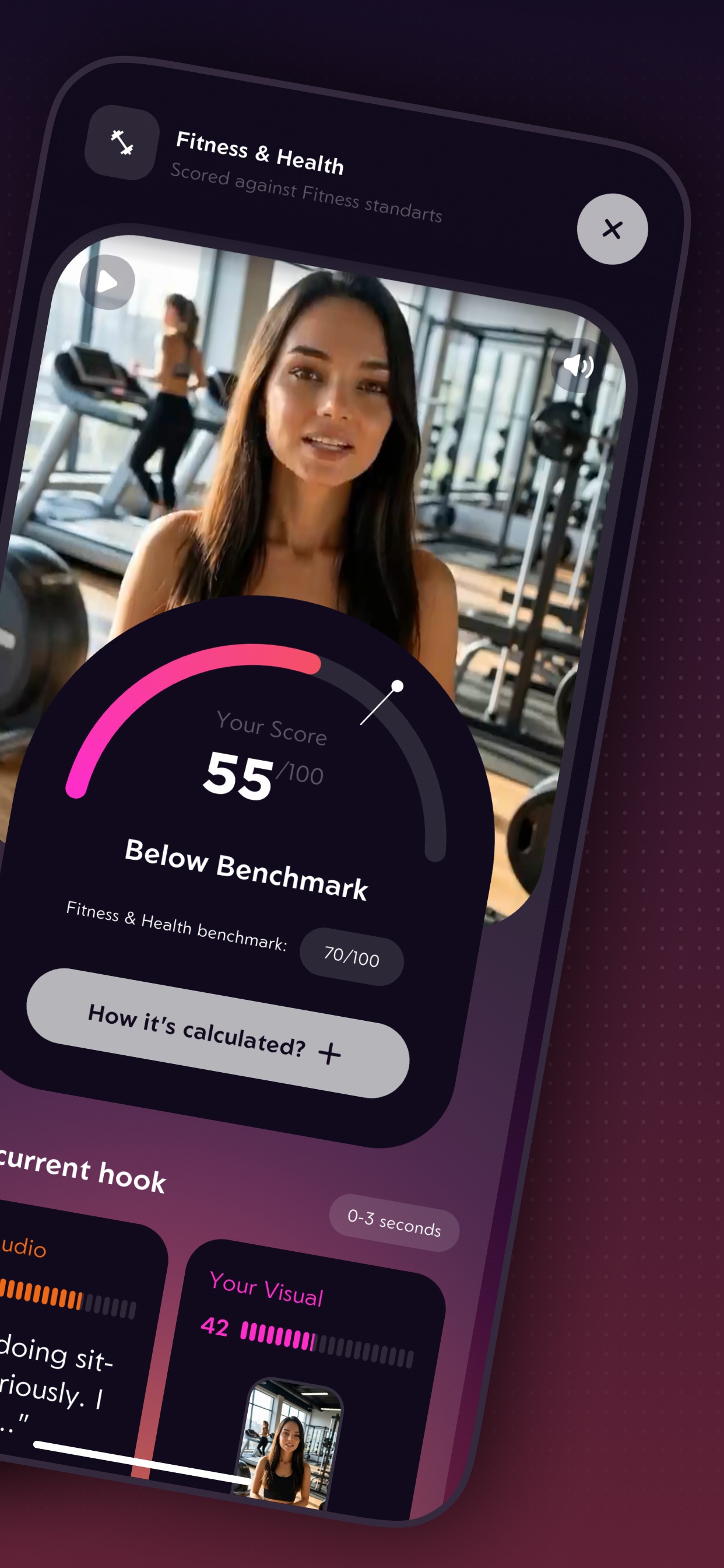
The hook is scored against the benchmark for the detected niche, with separate audio and visual scores for 0–3 seconds.
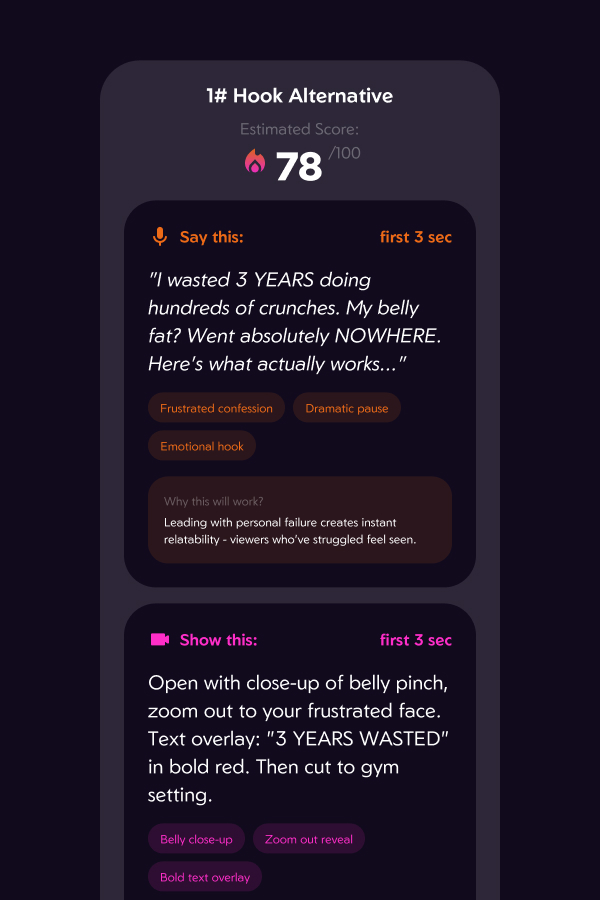
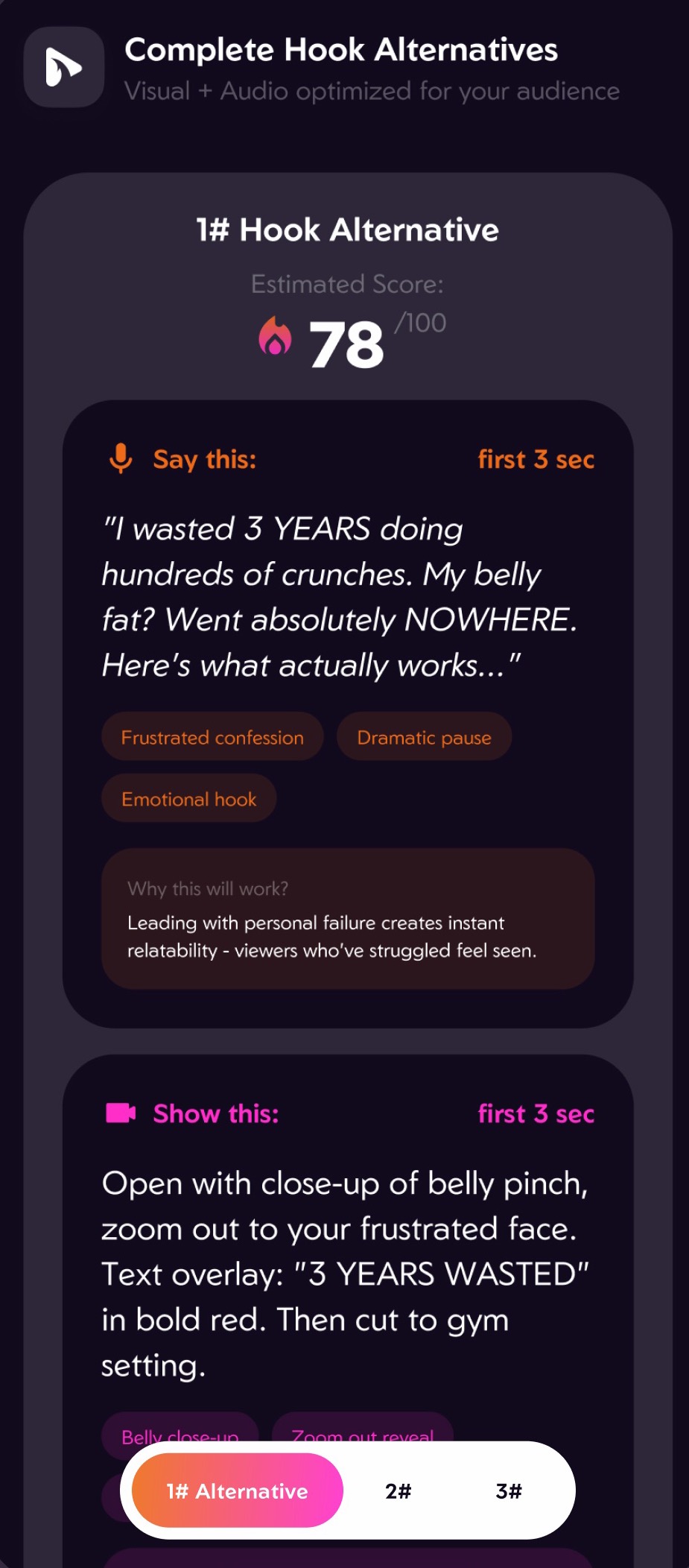
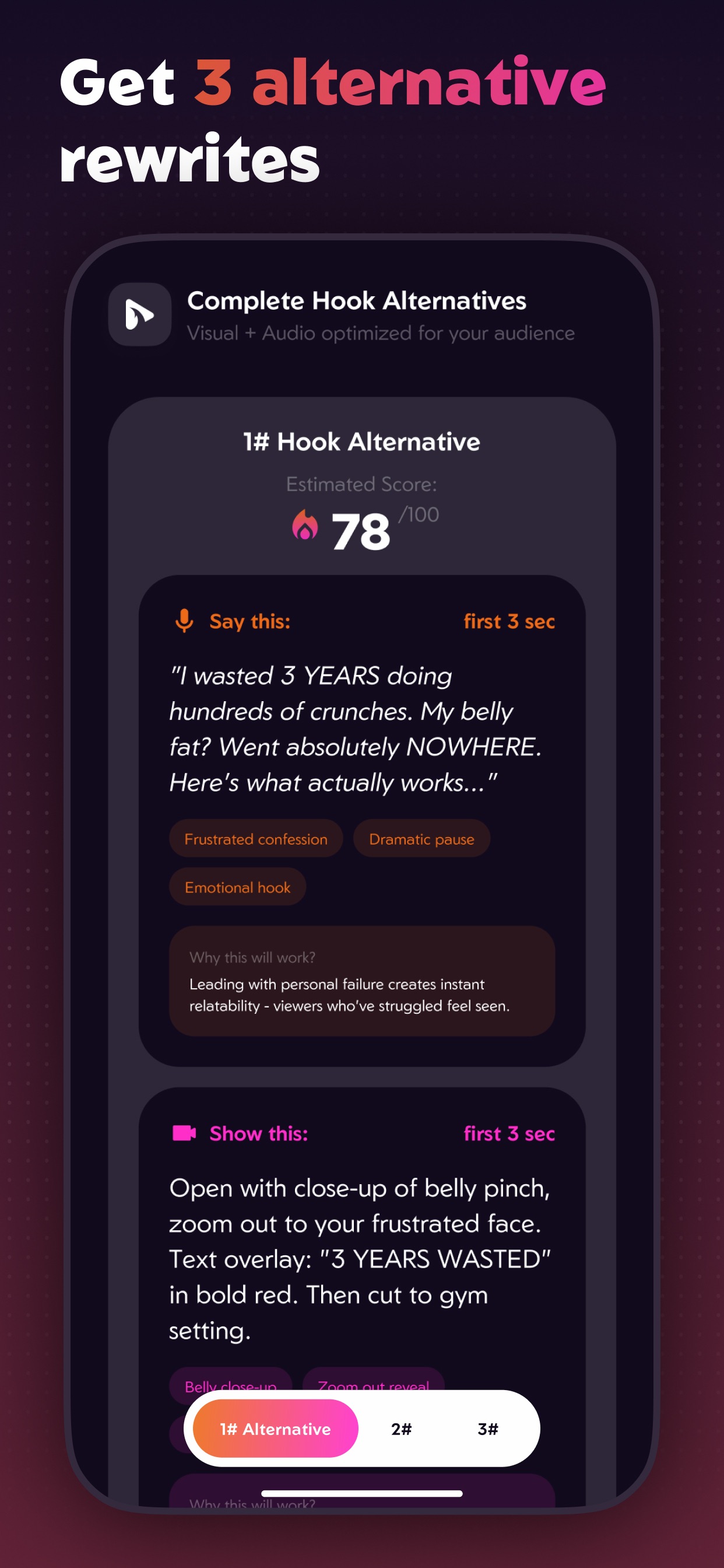
Three alternative hooks, each with a script to say, a shot to film, technique tags and an estimated score.
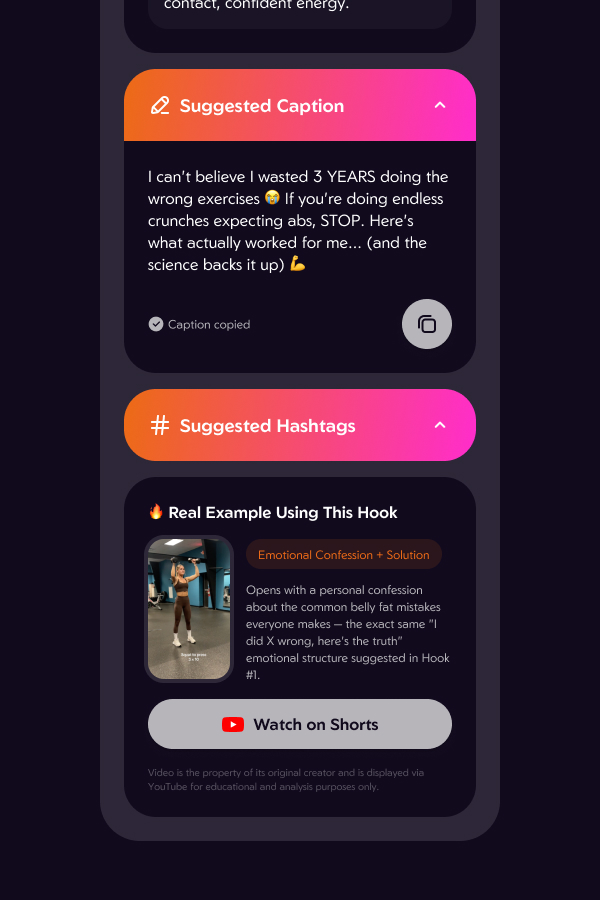
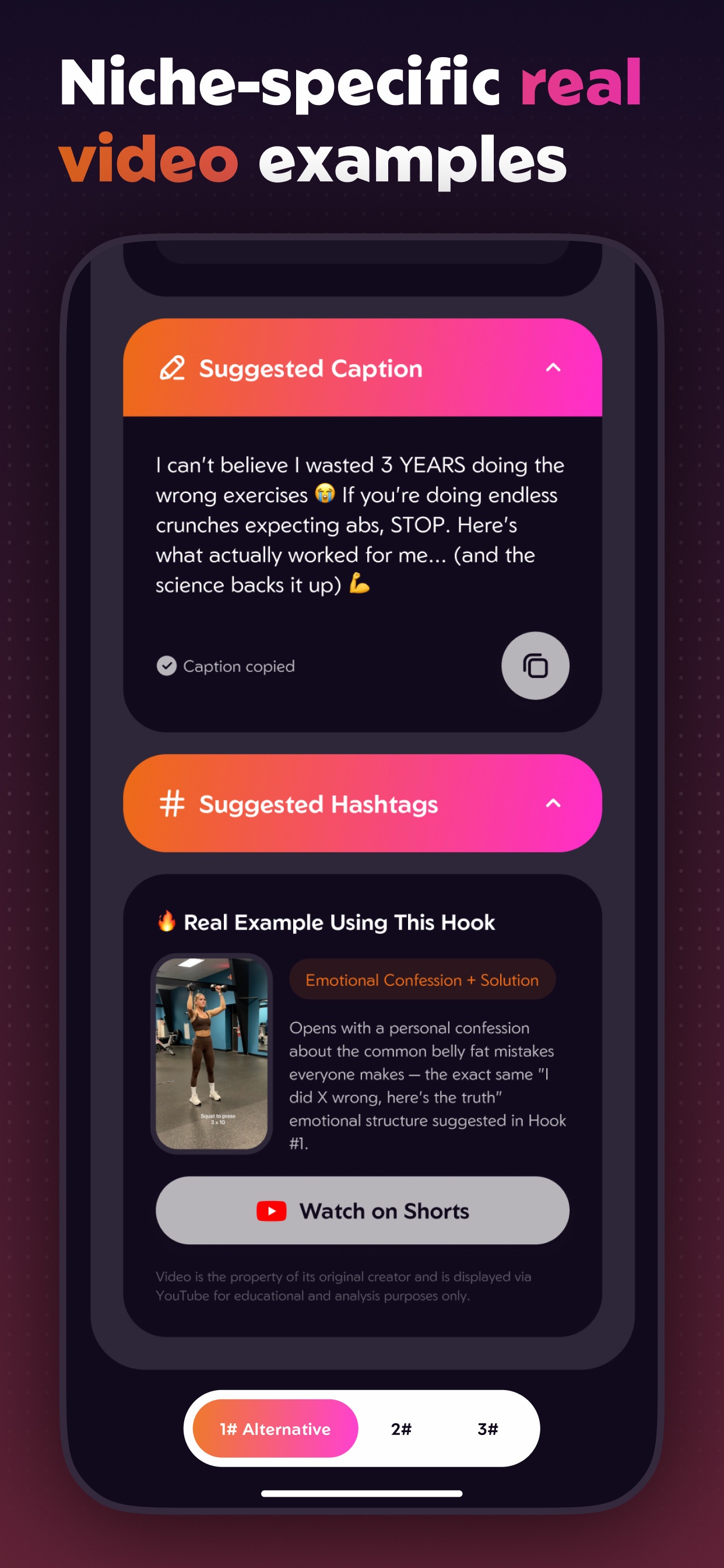
A ready caption and hashtags, plus a real Short from the same niche that uses the same hook structure.
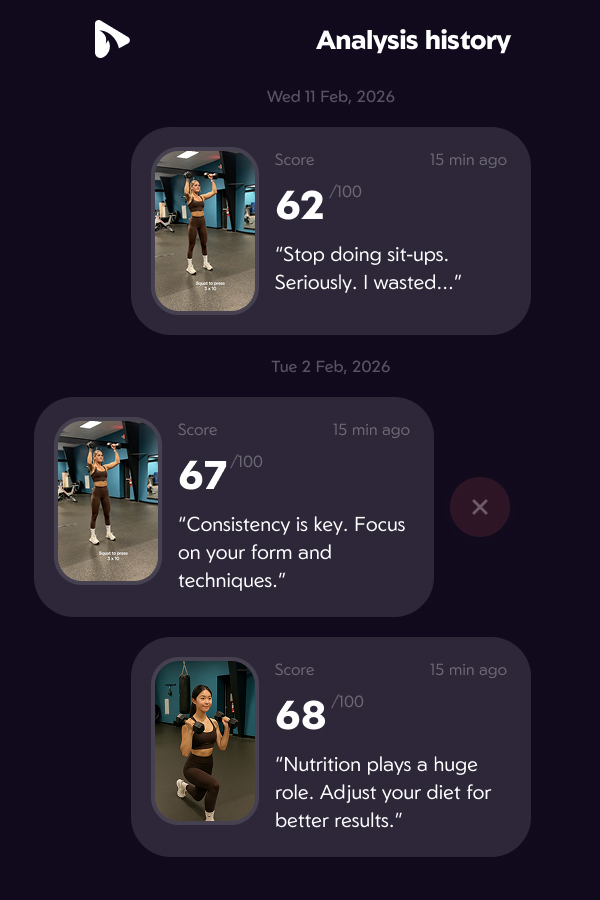
Every analysis is kept in a history, so creators can see whether their hooks are getting better.
Design
Each decision answers the same question a creator has after a flop: what exactly do I change?
Context
A score of 55 means nothing alone. Hooko first detects the niche, then compares the hook with that niche's benchmark: "Below benchmark, Fitness & Health 70/100". A "How it's calculated?" control opens the method.
Clarity
A creator controls two things in the first 3 seconds: the words and the picture. The result is split the same way: an audio score and a visual score, and every rewrite gives a script to say and a shot to film.
Trust
Each rewrite ends with "Why this will work?". Under it sits a real YouTube Short from the same niche that uses the same structure, tagged by technique, with a link to watch it and an attribution note.
Waiting
Video analysis takes 30 to 60 seconds. A spinner over that long looks broken, so the screen lists the real stages and checks them off: Uploading, Niche detection, Analyzing engagement, Calculating hook score, Generating recommendations.
Privacy
There is no registration screen. An anonymous identity is created on first launch, and uploaded videos are deleted from the server once the analysis finishes. Subscriptions go through RevenueCat and are tied to the user's Apple ID, so they survive a reinstall without an account.
Build
I designed all the screens and decided how the app works, what it checks in a video and what the results look like. I wrote the code with Claude Code. That includes the Flutter app, the Supabase backend, the Gemini prompts and the RevenueCat and YouTube connections.
I started with iOS, but I want to release Hooko on Android too. Flutter lets me use the same code for both, so I don't have to build the app twice.
Build
Wrote the app, backend and integrations with me, from first screen to release builds.
App
The iOS app, with one codebase ready for Android.
AI
Watches the video: niche, hook, audio, visuals, pacing, rewrites, caption and hashtags.
Examples
Finds real Shorts from the creator's niche that use the suggested hook structure.
Backend
Anonymous users, video upload, the analysis pipeline, daily limits and stored results.
Payments
Paywall, subscriptions and in-app purchases.
Website
Generated and iterated the hooko.app landing, terms and privacy pages.
Hosting
Hosts and deploys hooko.app.
Distribution
Release, store listing, ASO and search ads.
The app uploads the video to Supabase storage under the anonymous user.
Gemini watches the video and picks its niche. The niche sets the benchmark the hook is scored against.
Gemini scores the first 3 seconds and the rest of the video: audio, visuals, pacing and on-screen text.
The app searches YouTube Shorts in the same niche for real videos that use the suggested hook technique.
Gemini writes 3 alternative hooks with what to say and show, plus a caption and hashtags.
The video is deleted from the database once the result is ready. User videos are never kept.
Launch
On the App Store, the name, subtitle and hidden keyword field are what search indexes. I treated them as one 160-character budget and never repeated a word across them, because Apple counts each word once.
I split my Apple Ads into four campaigns. Each one targets a different kind of search, so I could give each its own budget and see which searches actually bring installs.
Exact match
Shows the ad when someone searches for Hooko by name. It's cheap and stops other apps from taking those searches.
Exact match
Searches for what Hooko does, like "hook analyzer". This campaign got most of the budget.
Exact match
Shows the ad when someone searches for a similar app by name. It has its own campaign so I could check if it was worth the cost.
Broad match
Finds new search terms I hadn't thought of. Keywords I already target in other campaigns are blocked here, so I don't pay for them twice.
Reflection
The most important thing I designed was the list of what every analysis gives back: a score, the niche benchmark, what to say, what to show, why it works and a real example. Once that list was clear, the AI prompt, the database and the screens were much easier to build.
With AI I could take Hooko from an idea to a paid app in the App Store without an engineering team. My design decisions ended up in the product exactly as I made them.
Building the app was faster than getting people to find it. ASO, store screenshots, Apple Ads and onboarding needed as much design attention as the analysis screens.
Designed and launched a no-code contact center from scratch. Scaled from MVP to a core SaaS product.
Voximplant Kit is a cloud contact center with a drag-and-drop scenario editor and AI call automation.
Only designer for the first 1.5 year, then lead when a second designer joined.
I owned the product end to end:
Problem
Voximplant is a cloud communications platform with voice, video and messaging embedded through APIs and SDKs. But its customers' contact-center teams are not developers.
“Setting up a contact center required complex code and dedicated developers, lengthy delays, and high development costs.”
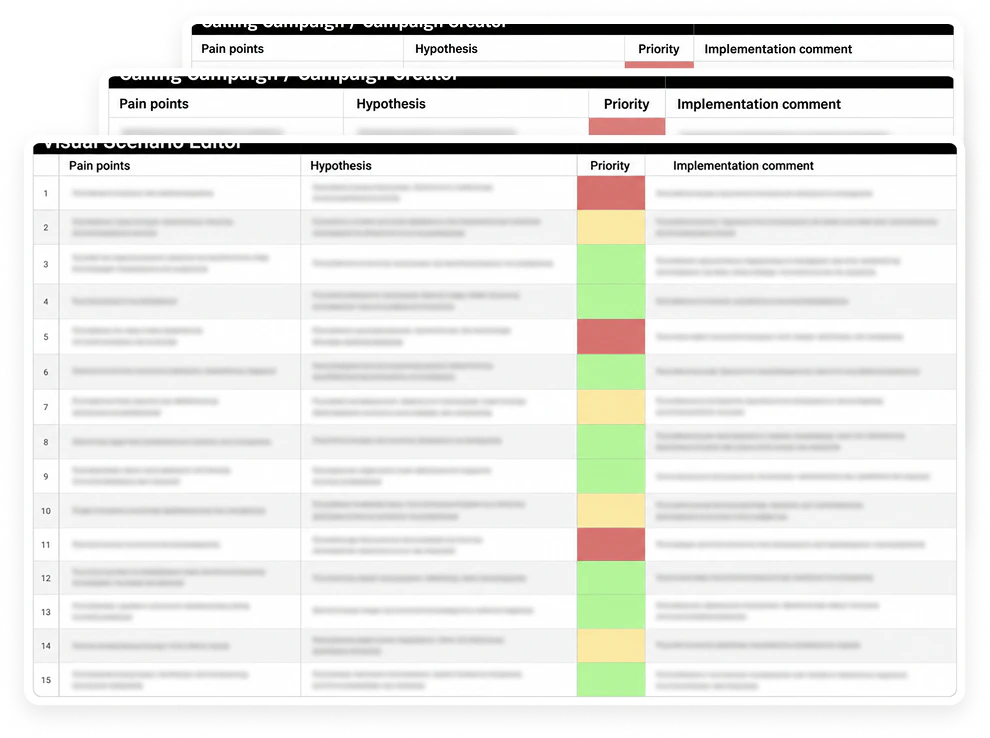
Kit existed as a rudimentary MVP. Interviews with current and potential users gathered every pain point and barrier, and were paired with a hypothesis and a priority.
Two audiences had different needs: the business that buys and configures the product, and the agents and supervisors who live in it every day.
Process
With the product manager, I built user portraits from the interviews, then buyer personas. Later I ran usability tests on the MVP and interviewed call-center managers to validate the flows and the terminology.
I put every finding into a table, one per product area, and compared Kit with competitors.
The interviews split the audience in two:
Each group had different tasks and different problems, and the product had to serve both without a developer in between.
Small and mid-size company, 10 - 200 people. IT services, finance, education, delivery, retail, car dealers.
A working contact center in days, not months, without hiring developers. Predictable pricing.
Custom code on the platform, a dedicated engineer, months of delay and a large bill.
Marketing or operations specialist who designs IVR menus and outbound campaigns. Not a programmer.
To build call logic, check it and change it without waiting for engineering.
Logic lived in code. Every change was a ticket, and the only way to test is to publish and call the number.
Runs the team: queues, shifts, quality and reporting.
A live view of every call and chat, a way to step into a conversation, and reports by agent and queue.
Calls and chats in separate tools, so no single view of the team and no way to coach in real time.
Handles calls and messages all day across phone, SMS, Whatsapp, Telegram, Messenger, Viber and web chat.
One call and message interface for every channel, the customer's details, and a fast transfer.
A different tool per channel and no shared customer profile.
We benchmarked Kit against the products a small or mid-size company would choose across the workflow for a non-technical team: setup and learning curve, the visual scenario editor, outbound campaigns, channels, entry price, and best fit.
Six products covered: developer platforms (Twilio Flex, Amazon Connect), enterprise suites (Talkdesk, Genesys Cloud CX), an outbound specialist (Five9), and a cloud phone system (Aircall).
| Product | Setup and learning curve | Visual scenario editor | Campaigns | Channels | Entry price | Best fit |
|---|---|---|---|---|---|---|
| Twilio Flex | A programmable platform: developers build the contact center on it. Implementation projects start around $10k. | Twilio Studio: strong no-code/low-code flow builder for IVR and SMS. | No native campaign tool. Outbound is built with APIs or partners. | Voice, SMS, WhatsApp, chat and more through Conversations. | $1 per active user-hour or $150 per user/month, plus usage. | Teams with developers who want full control. |
| Amazon Connect | AWS account and console. Fast if you know AWS. | Contact flow editor: drag-and-drop, capable. | Outbound campaigns added in 2021, priced for high volume. | Voice and chat; SMS and other channels came later. | Pay as you go, about $0.018–0.038 per minute, no seat fee. | Teams already on AWS with cloud engineers. |
| Talkdesk | Sales-led. Contracts, historically with multi-year minimums. | Talkdesk Studio: low-code flow designer for admins. | Dialer sold as an add-on. | Voice in the base plan; digital channels as an add-on. | From $75 per user/month in 2021, $85+ later. | Mid-market teams that need deep CRM integrations. |
| Genesys Cloud CX | Enterprise rollout. Powerful and long to learn. | Architect: full flow builder for voice and digital. | Built in: predictive, progressive and preview dialing. | All channels, but only from the CX 2 tier. | $75 (voice) to $115 (omnichannel) per user/month. | Large contact centers. |
| Five9 | Sales-led onboarding. | IVR designer, voice-centric. | The strongest dialers: predictive, power, preview. | Voice first; digital channels on higher tiers. | From about $149 per user/month. | Outbound-heavy sales and collections teams. |
| Aircall | Self-serve, set up in minutes. | Drag-and-drop IVR menus only. No scenario logic. | Power dialer for call lists, no campaign automation. | Voice and SMS. | $30–50 per user/month. | Small teams that mostly take calls. |
Outcome
Process
Every interview finding went into one table per product area.
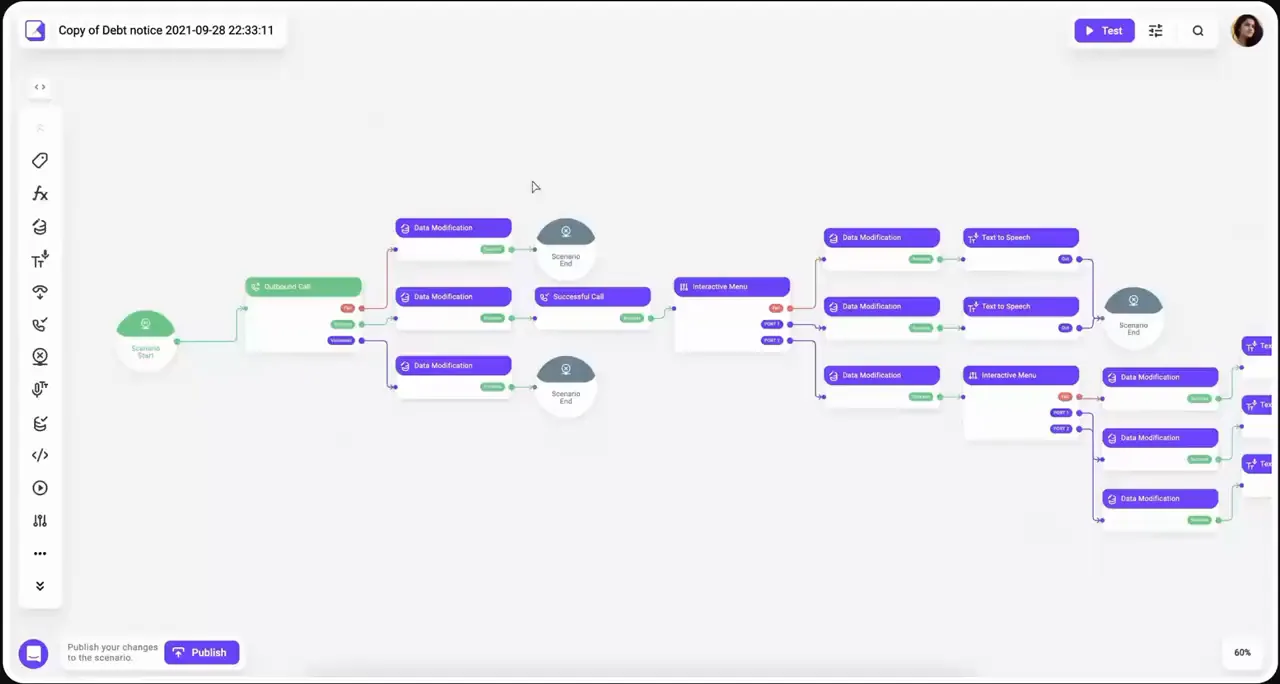
Create visual scenario editor.
Add test mode.
Add template gallery: meeting confirmation, order confirmation, NPS, CSI surveys etc...
Create four-step campaign creator: strategy, contacts, variable mapping, summary.
Add numbers, to onboarding flow.
I structured and validated the information architecture, confirmed the core functionality with the team, and mapped primary and secondary flows for every key interaction. A user-story map set the priorities for the first release.

Clickable prototypes covered full journeys, from the start page to password recovery: 10+ core pages with 30+ screens each. Testing ran in two formats. Corridor tests inside Voximplant gave fast answers on single screens. Moderated sessions with current MVP users, potential customers and call-center managers covered whole tasks: build a scenario, launch a campaign, handle a call.

A non-technical team launches a contact center in ≤ 30 minutes (Voximplant).
Five enterprise clients: Rappi, KFC, Burger King, Hyundai, Jaguar run production call flows built on the canvas
Simulation highlights the active block in real time. Users test a scenario in the same place they build it, without publishing it first.
Validated in usability sessions with call-center managers before visual design. After launch, users reported better task completion and faster onboarding on the redesigned flows.
Ready-made scenarios for common business goals — meeting confirmation, order confirmation, NPS and CSI surveys — so a first campaign starts from a working flow.
Skyeng runs 20,000 automated outbound calls a month on templated campaigns, with a 17% average lift in call volume.
Automated outbound engagement is up to 50% higher and 30% more cost-effective than human calls (BusinessWire).
Solution


Solution
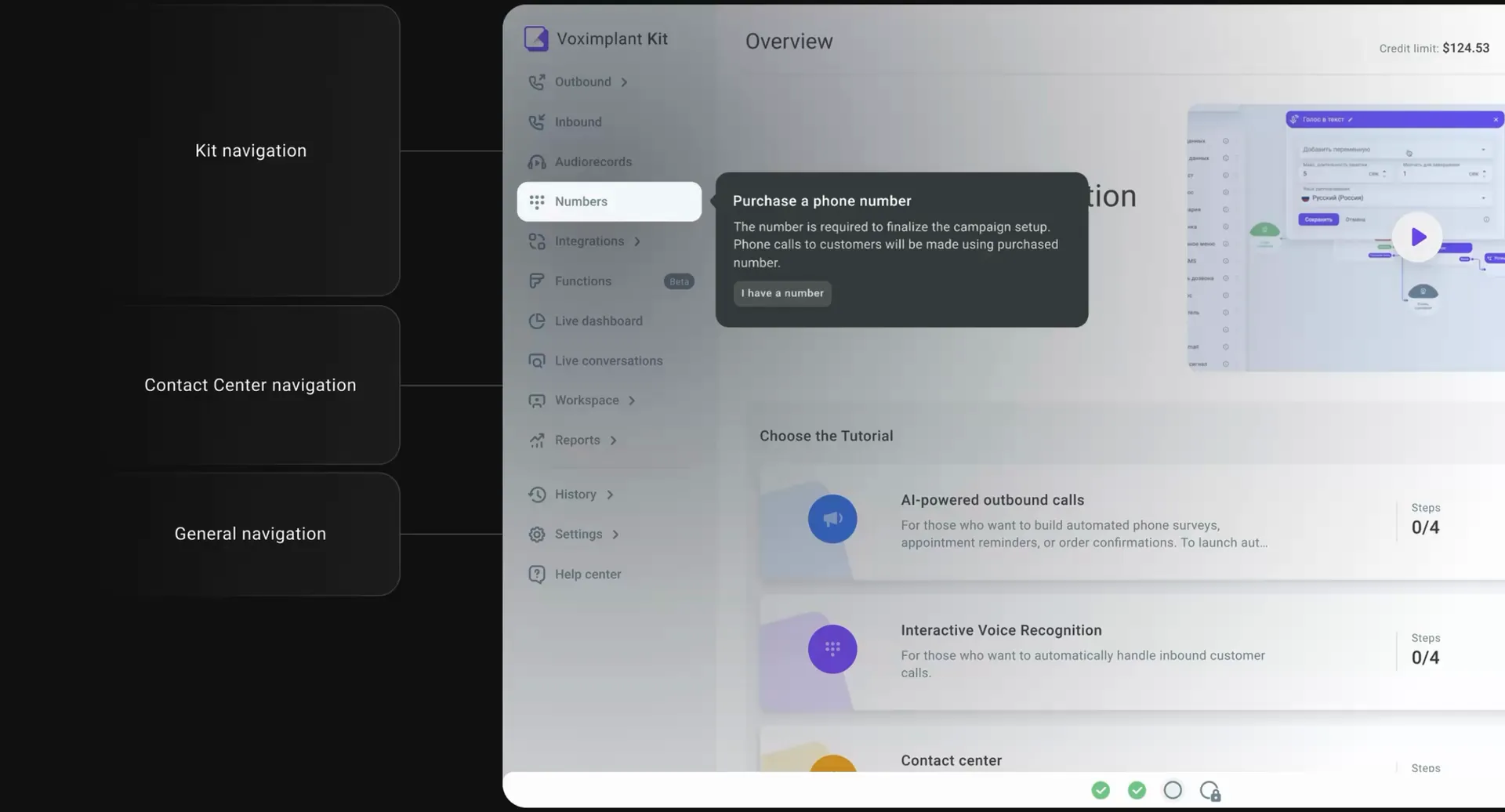
One cloud contact center for every channel. Calls and chats from WhatsApp, Telegram, Messenger, Viber, SMS and web chat come into one workspace, and routine work is automated.


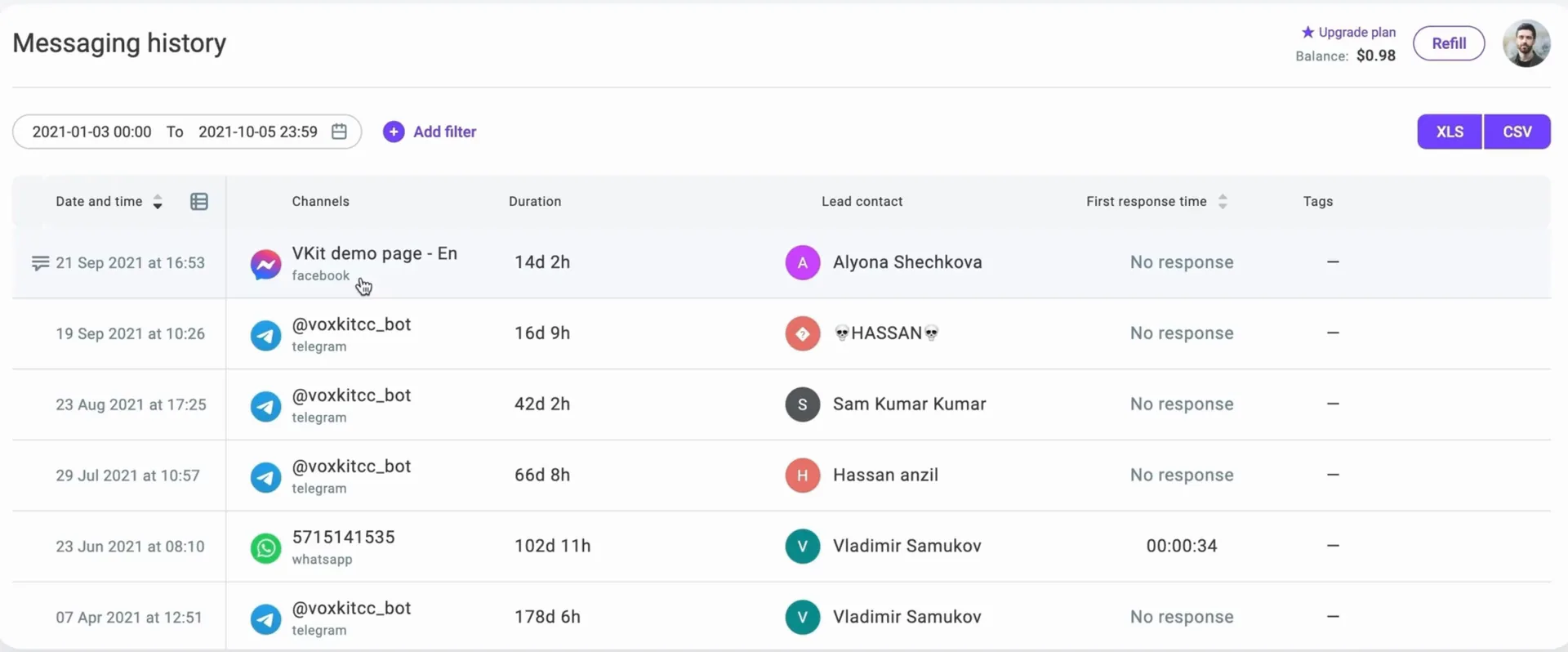
A searchable log of every chat. Filter by date, queue, channel or tag, see the lead contact and first response time, and export to XLS or CSV.


Impact
Results from Voximplant Kit, a product I designed from scratch and took to launch.
An online gift shop for Hutsul souvenirs from the Carpathians: embroidered shirts, painted wooden boxes and boards, amulet dolls, ceramics and Carpathian tea.
Designer
Branding
Gutsul Made sells traditional Ukrainian goods, so its logo comes from a traditional ornament, the rhombus with hooks. It is one of the oldest motifs in Ukrainian embroidery. Stitched on shirts and rushnyky, it stands for a sown field and a wish for a good harvest.

A traditional Ukrainian vyshyvanka, a linen shirt embroidered by hand, with rows of red rhombuses on the sleeves and hem.
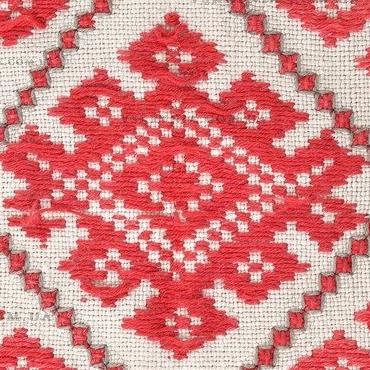
One rhombus picked from the sleeve. It has a small dotted rhombus on top, a dotted centre and hooks curling out on both sides.
The first idea, drawn by hand on paper. The rhombus, its dots and the hooks were sketched as simple outlines to see which parts carry the motif and which can go.
The motif redrawn stroke by stroke on a square grid turned 45°, in one colour.
One line closes around the motif and becomes its frame.
The final version, approved by the client. Two of these motifs, one turned upside down, joined into one mark.
Home
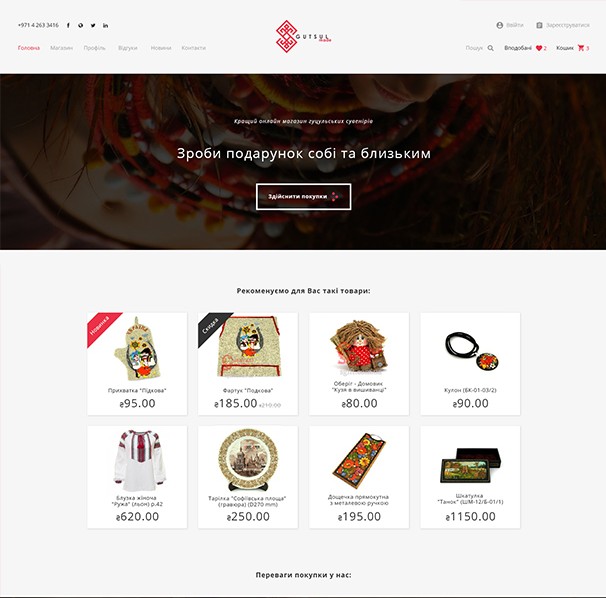
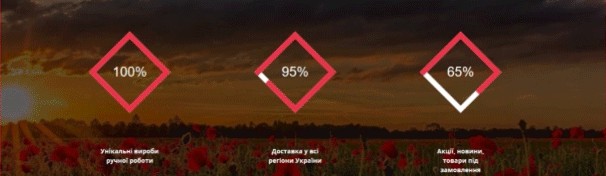
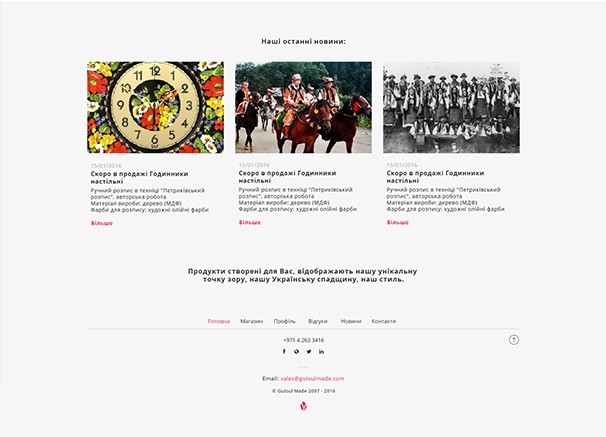
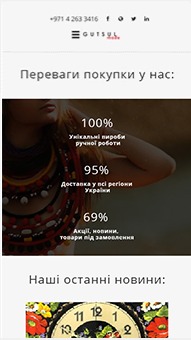
The page opens on a dark photo of a beaded necklace with the store's headline, which asks visitors to make a gift for themselves and their loved ones, and a button to start shopping. Products come right after it, then the reasons to buy here, the latest news and the footer.
Catalog
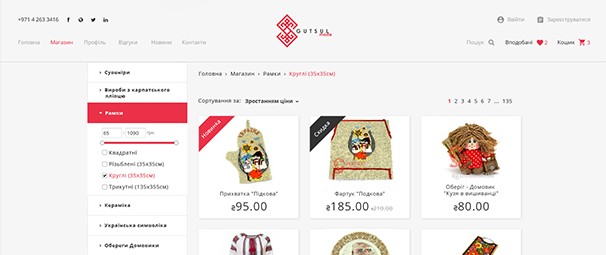
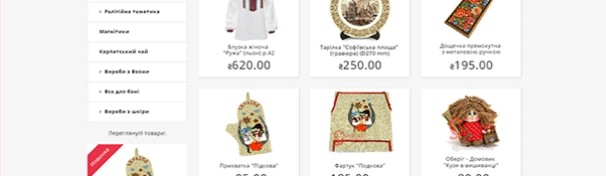
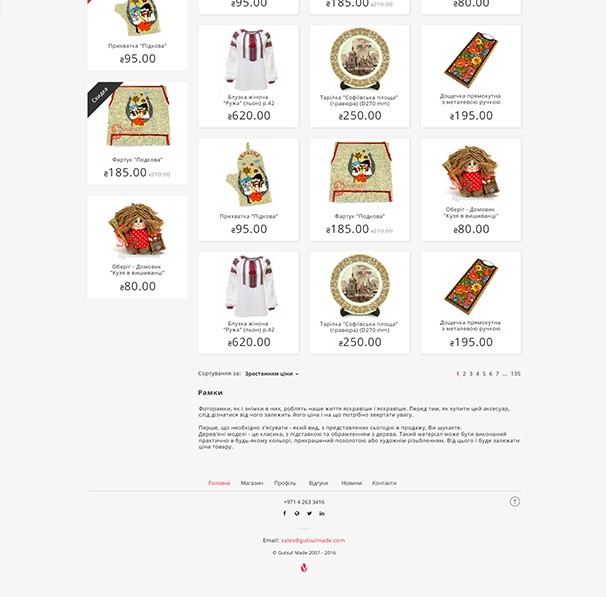
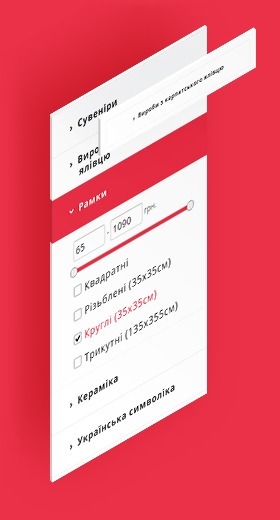
Categories run down a sidebar on the left. The open category turns red and shows its filter. Products sit three to a row, with sorting by price and page numbers above and below the grid, and a short text about the category at the end.
Product
The same card is used on the main page, in the catalog and under the product page. It has the photo, a New or Sale ribbon, the name and price, a round cart button for buying in one click, and icons for the wish list and quick view.

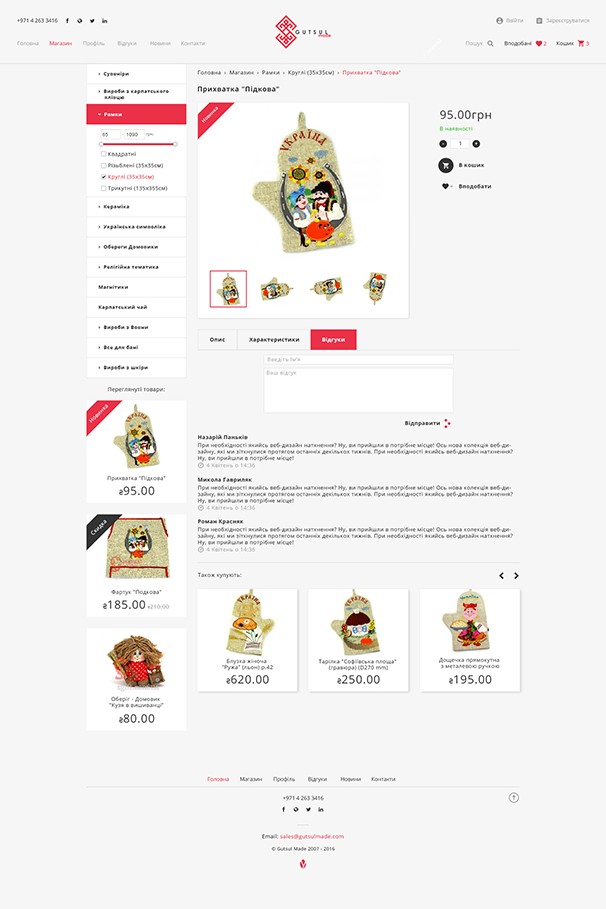
The page keeps the catalog sidebar, so the buyer can move to another category without going back. Next to the photo and its thumbnails are the price, stock status, quantity, and the cart and wish list buttons. Tabs below hold the description, specifications and reviews, with a form for a new review. Products that other buyers also bought close the page.
Inner pages
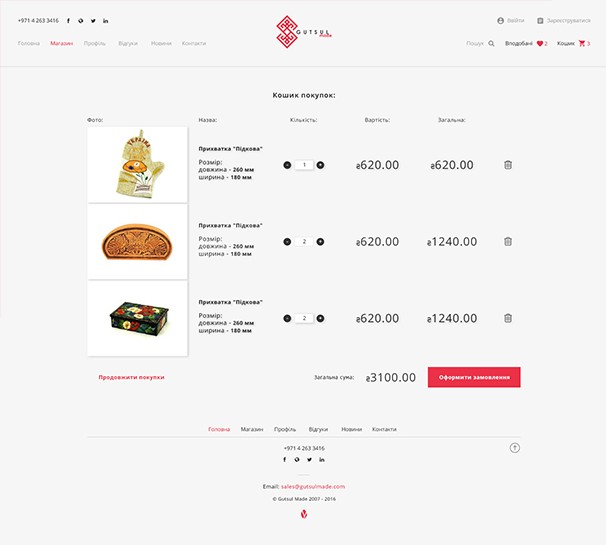
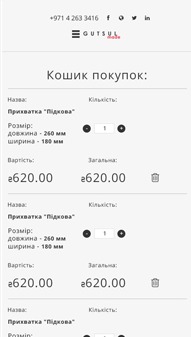
Each item is a row with its photo, name and size, a quantity stepper, the price, the sum and a delete icon. The total and the order button are at the bottom, next to a link back to shopping.
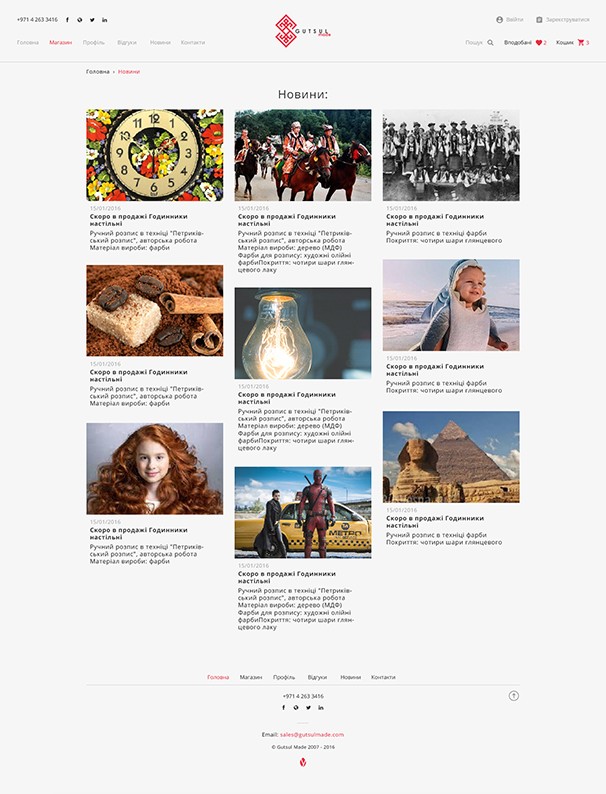
New arrivals and store news in three columns. Each post has a photo, a date, a title and a few lines of text.
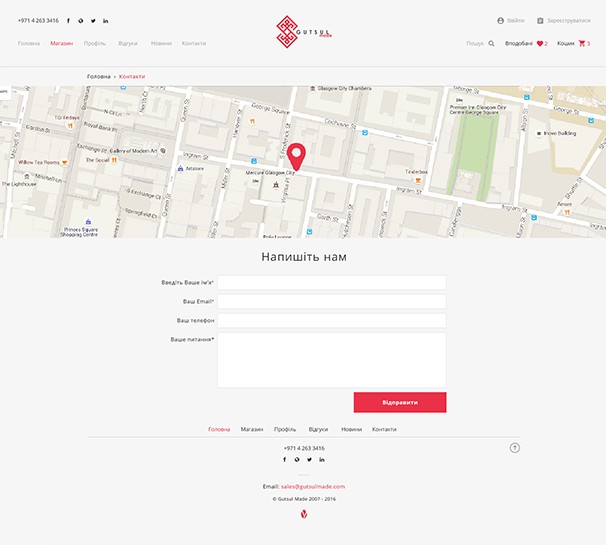
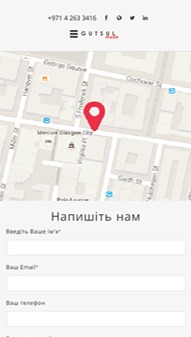
A map with a pin on the store, then a form with name, email, phone and message.
Responsive
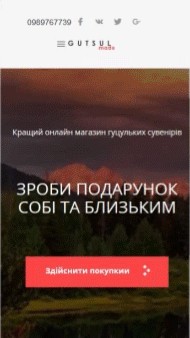
On phones the menu opens from the left as a white panel with the logo, the page links and sign in. The counters drop their frames and stack in one column, and each cart item becomes a block with its size, quantity, price and sum.
Style guide
The store uses one icon set, one typeface and three colours.

Account, cart, quick view, wish list, orders, menu and search, plus the four dots from the shopping button. Each icon comes in red and in dark grey.
Open Sans
Regular & Bold
Open Sans in two weights: Regular for text, Bold for product names, prices and buttons.
#EB3148#333333#A6A6A6Red for the logo, the active menu item, New ribbons and order buttons. Dark grey for text, Sale ribbons and the cart button. Grey for secondary text and old prices.
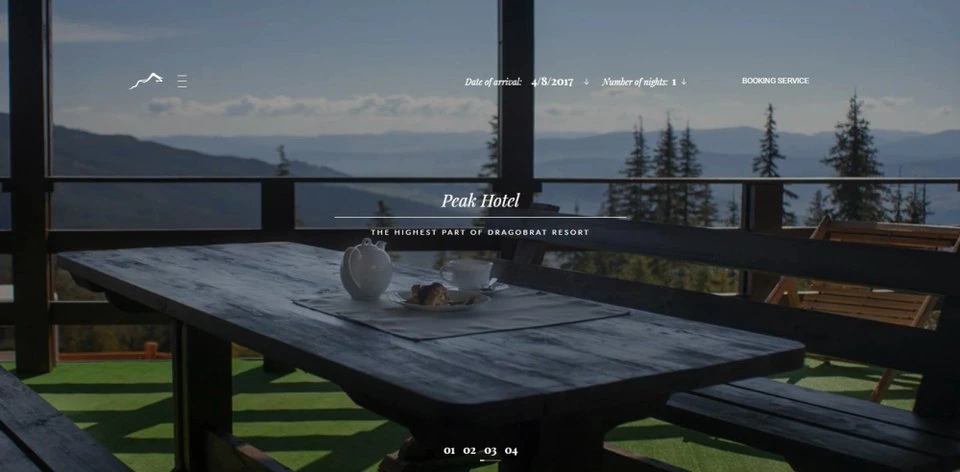
Website for Peak Hotel, one of the highest hotels in Dragobrat, a ski resort in the Ukrainian Carpathians.
Freelance designer.
I worked directly with the hotel. The hotel's engineering team built the site.
Idea
Peak Hotel stands in the highest part of Dragobrat, and the Carpathian peaks are right outside the windows. That's why the look of the site mattered so much on this project.
Every page opens with a full-screen photo. Text sits on dark panels over the photos, and copper is kept for buttons, icons and other UI elements.
Pages
The main page works like a short tour of the hotel. Every block leads to its own page.
The hotel name over a full-screen photo slider, with the booking bar on top.
A short line about the individually furnished rooms.
A photo with a dark text panel and a link to guest reviews.
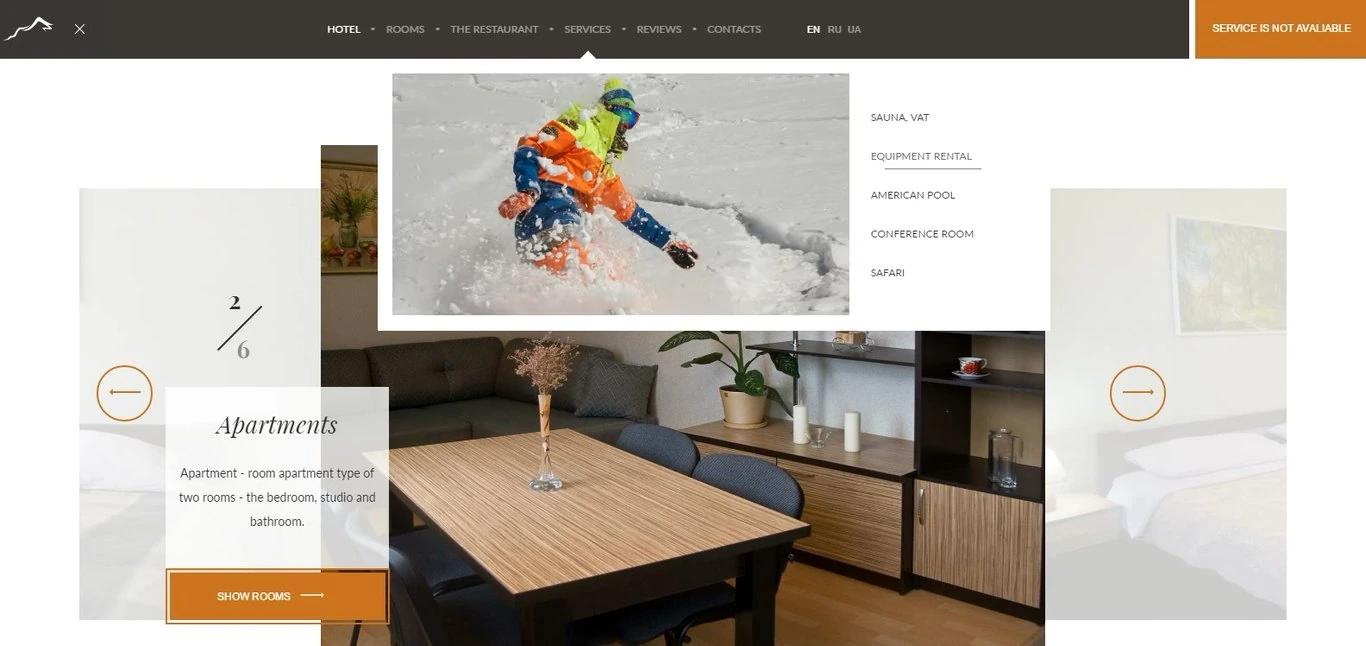
A slider that shows one room type at a time, with a counter and a button to view the room.
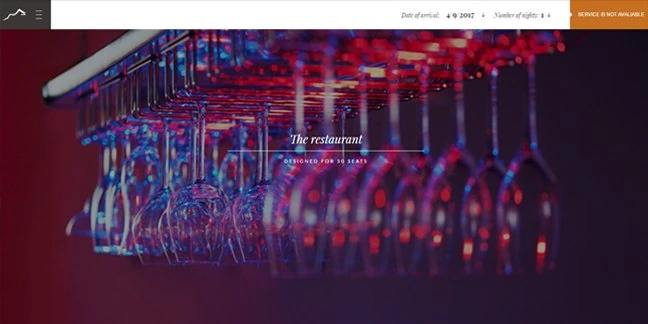
The café-bar on the ground floor, with views of the mountains.
A newsletter sign-up and the latest guest review.
Social links, contacts and the current weather at the resort.

Pages

Each room type with photos and a list of what's in the room.

Guests can leave a review right on the page. All reviews are listed under the form.

A map showing where the hotel is, with a contact form next to it.


Interaction
The menu opens on top of the page. Each section shows a photo and its sub-pages. The language switch for English, Ukrainian and Russian is right next to it.
Responsive
On smaller screens the menu turns into a full-screen list. The booking bar is still at the top, right under the logo.

Components
In the booking bar, arrival date opens a calendar and nights opens a short list. A booking card shows the room, the number of guests and the price.


Style guide
#C66F21#3B3736#302C2B#FFFFFFPlayfair Display · headings
Italic
In the highest part of Dragobrat
Bold
European service
Lato · body and buttons
Regular
The spacious rooms are equipped with comfortable furnishings.
Black
Book your stay
One icon above each section title. The last one is the mountain from the logo.


Yellow Leaf is a software agency from Ivano-Frankivsk, Ukraine. They build web and mobile products for businesses in Europe and the US.
Designer
Adobe XD, Photoshop and After Effects.
Idea
The team builds web and mobile apps, CRM and CAD systems, online stores and data tools.
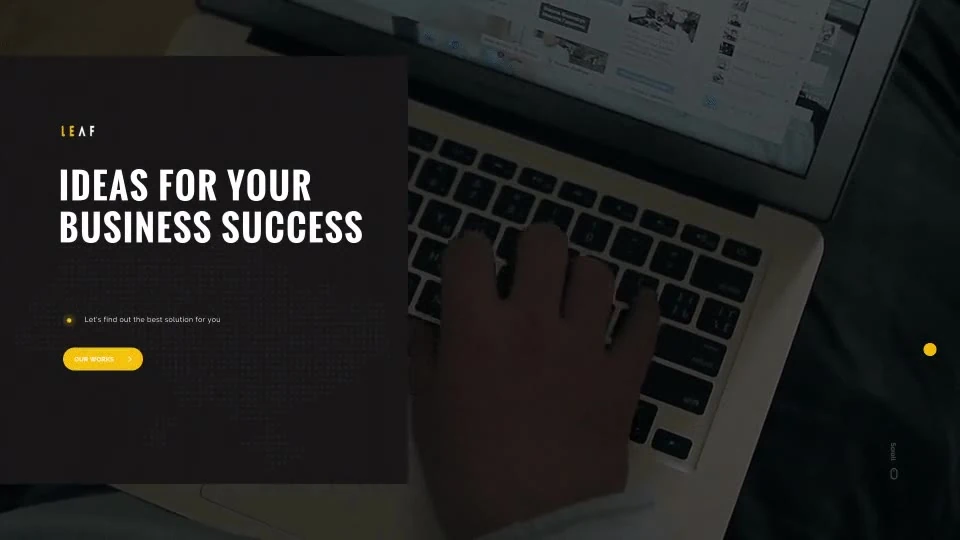
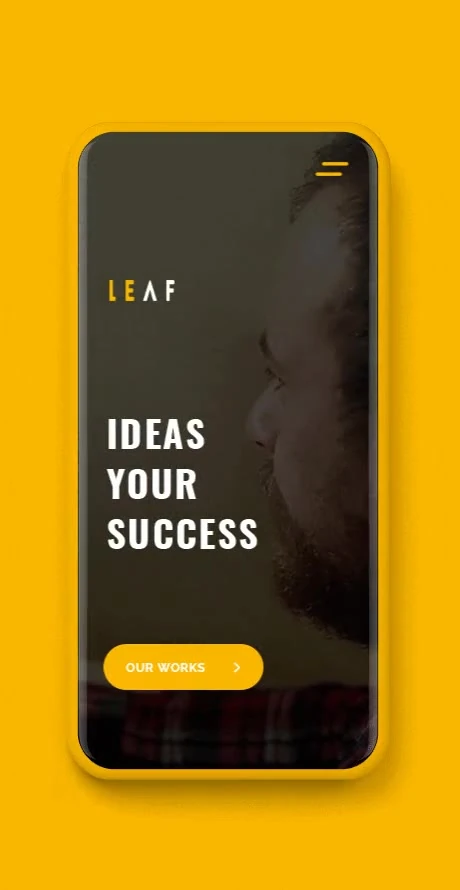
The agency builds complex systems, so the site had to feel simple and friendly. Pages are light, headings are bold condensed capitals, and yellow is kept for buttons and accents. Scrolling is smooth, and blocks fade in as you reach them.
Pages
The header stays the same on every page: the logo, an Estimate project button and the menu.
A counter runs from 0 to 100 while the page loads.
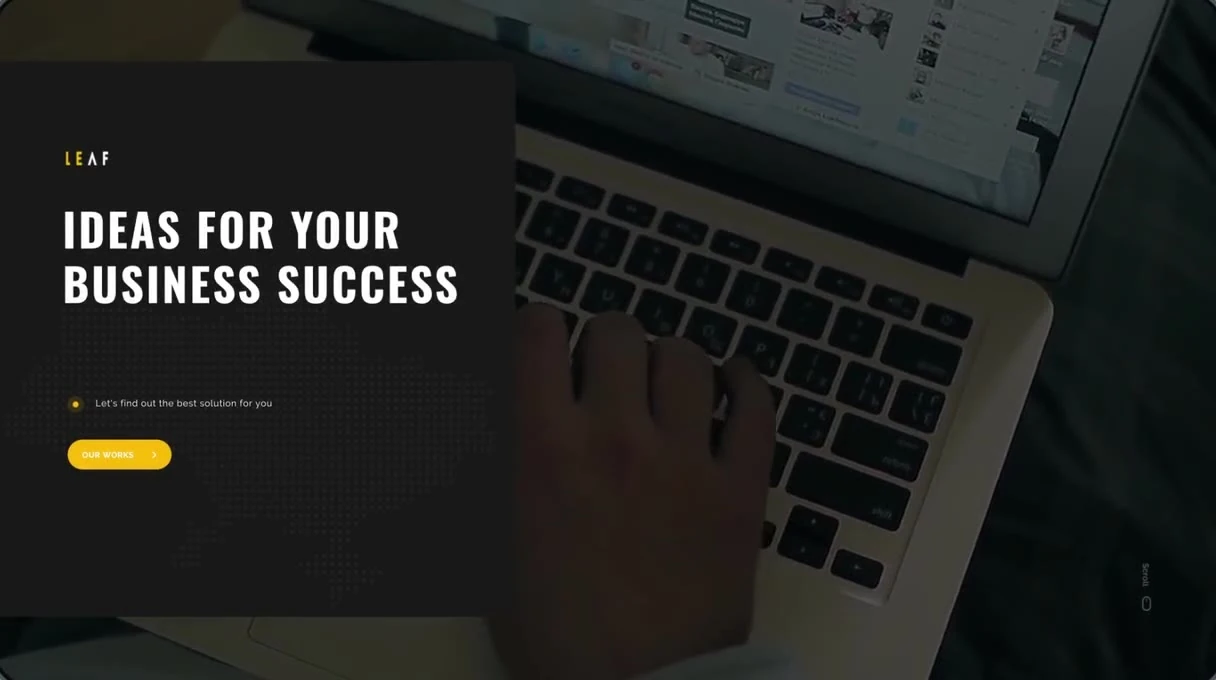
“Ideas for your business success” over a background video, with a button to the agency's work.
“We develop complex interface systems for web, mobile and VR”, next to an illustration of a yellow tree.
Recent projects as cards with the project name, services and a cover image.
A quote from a client.
An Estimate project button, social links, the address and contacts.


Feature
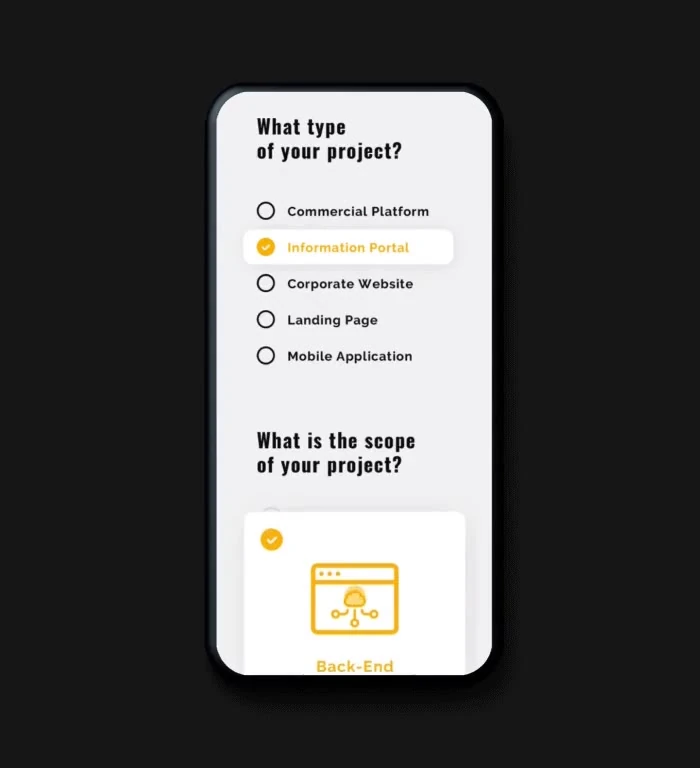
The team decided to add an estimate form. A client picks the kind of project and its scope, leaves their contacts and gets an approximate budget. The form opens from the Estimate project button in the header and the footer.

Commercial platform, information portal, corporate website, landing page or mobile app. A short note explains each option.
Front-end, back-end or design, shown as cards with icons.
Name, email, phone, company and a short description of the idea. Errors show right under the field.
A thank-you screen with a link to the agency's work.

Interaction
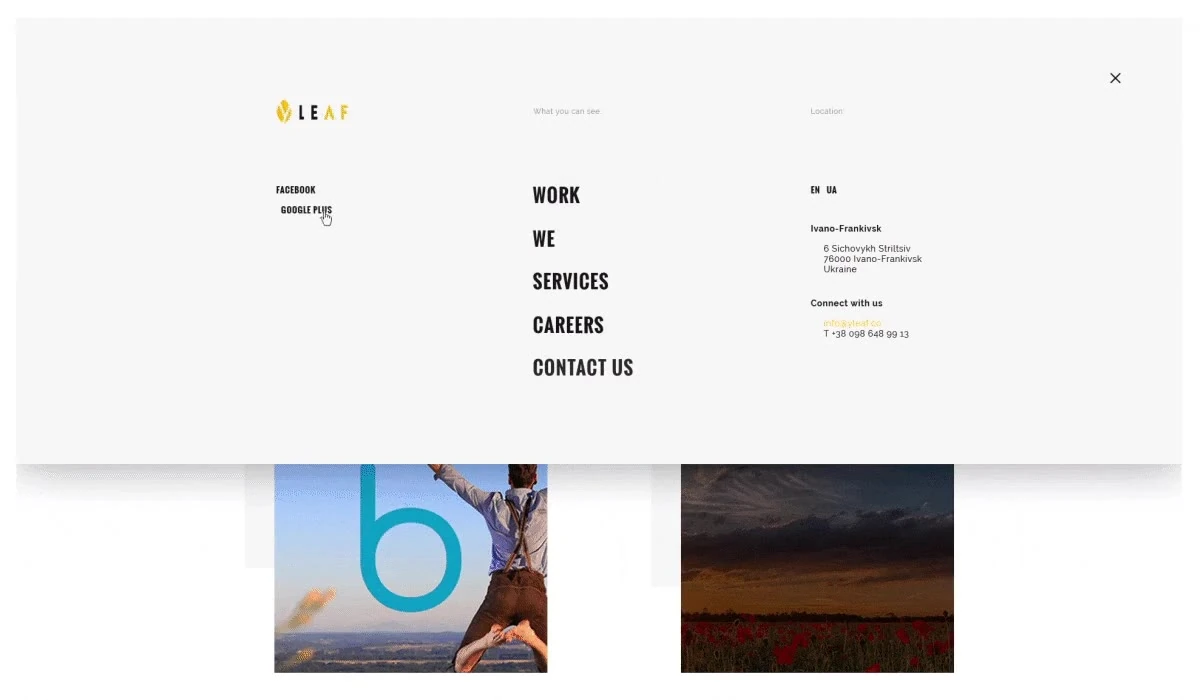
The menu opens over the page. The five sections are in the middle, social links on the left, and the language switch, address and contacts on the right. On hover, a yellow line crosses out the item.
Responsive
Every page was also designed for small screens. On a phone the hero keeps its background video, and the menu becomes a single column with the language switch under it.


Pages

All projects in two columns. Each card shows the project name, the services and a cover.

Open roles with short descriptions, and a photo of the office.

Five services, from commercial platforms to mobile apps, each with an icon and links to related projects.
The agency's story, three values and the team. Each person in the team row is shown with their role. The page ends with a photo of the office and a Let's talk link.

Branding
The brand was made together with the agency's first website. The logo is a leaf for Leaf, cut by the letter y for Yellow. It was made in colour first, and the site's colours came from it.



Style guide
#F7BC11#191919#F5F5F5#FFFFFFOswald · headings and menu
Bold, capitals
Developing complex solutions
Medium
What type of your project?
Raleway · body and buttons
Regular
Yellow leaf is a full-service digital agency, busy designing and building digital products.
Bold, capitals
Estimate project
A website for Index, a law firm in Ivano-Frankivsk, Ukraine. The firm gives legal advice, drafts documents and represents people and companies in court.
Freelance designer
I worked directly with the law firm. Yellow Leaf, a web studio from Ivano-Frankivsk, built the site from my designs.
The firm asked for a simple, lively website. The client didn't know exactly what they needed, so I designed a few options from scratch. They picked one, and it became the site.
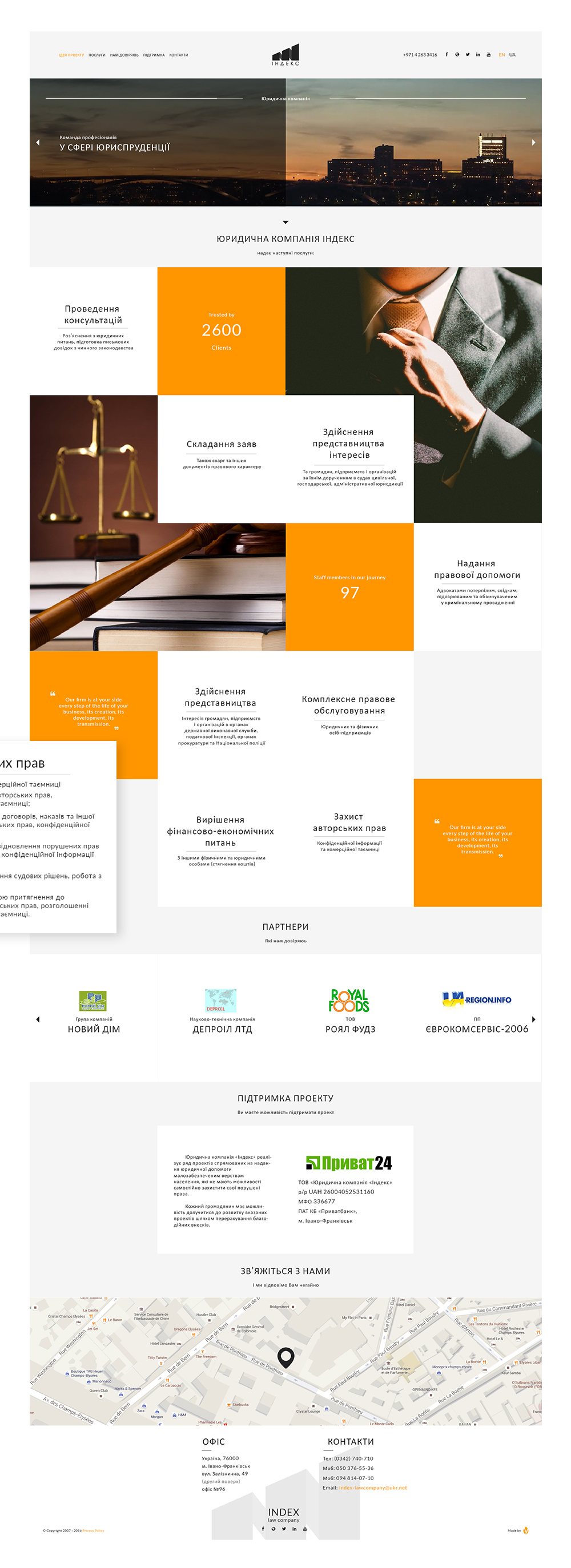
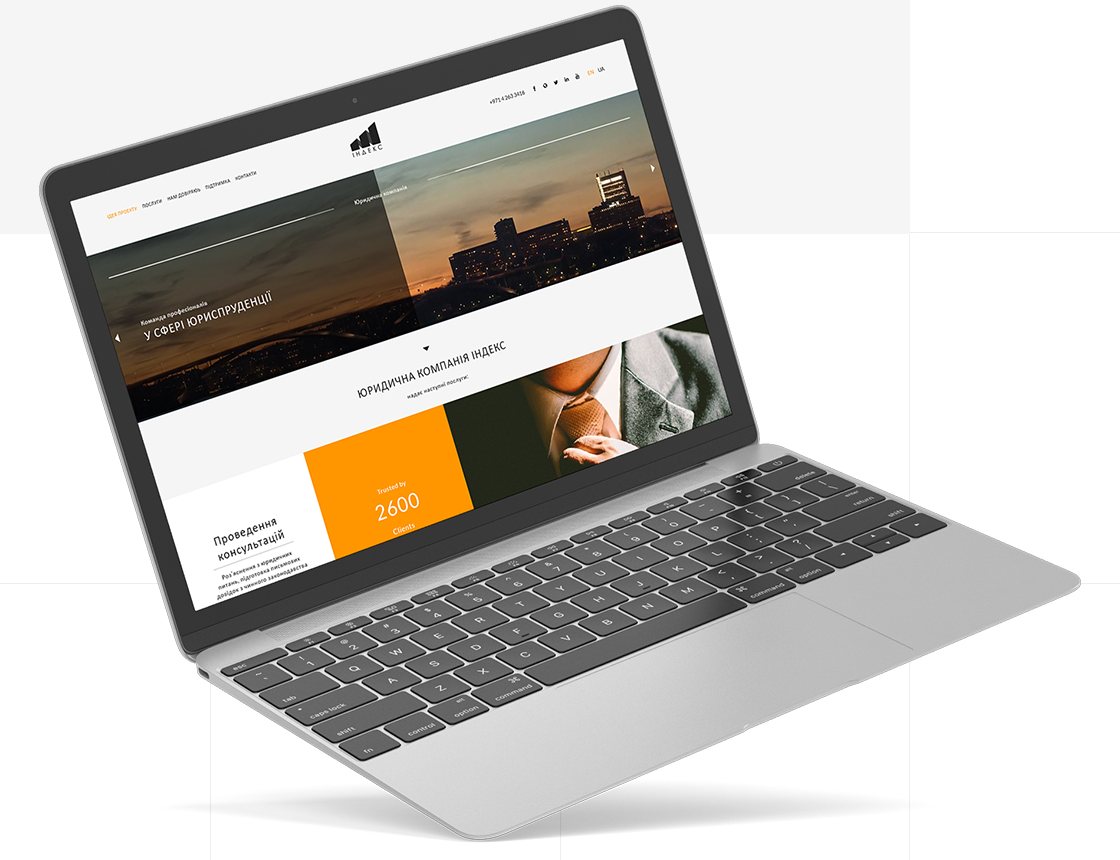
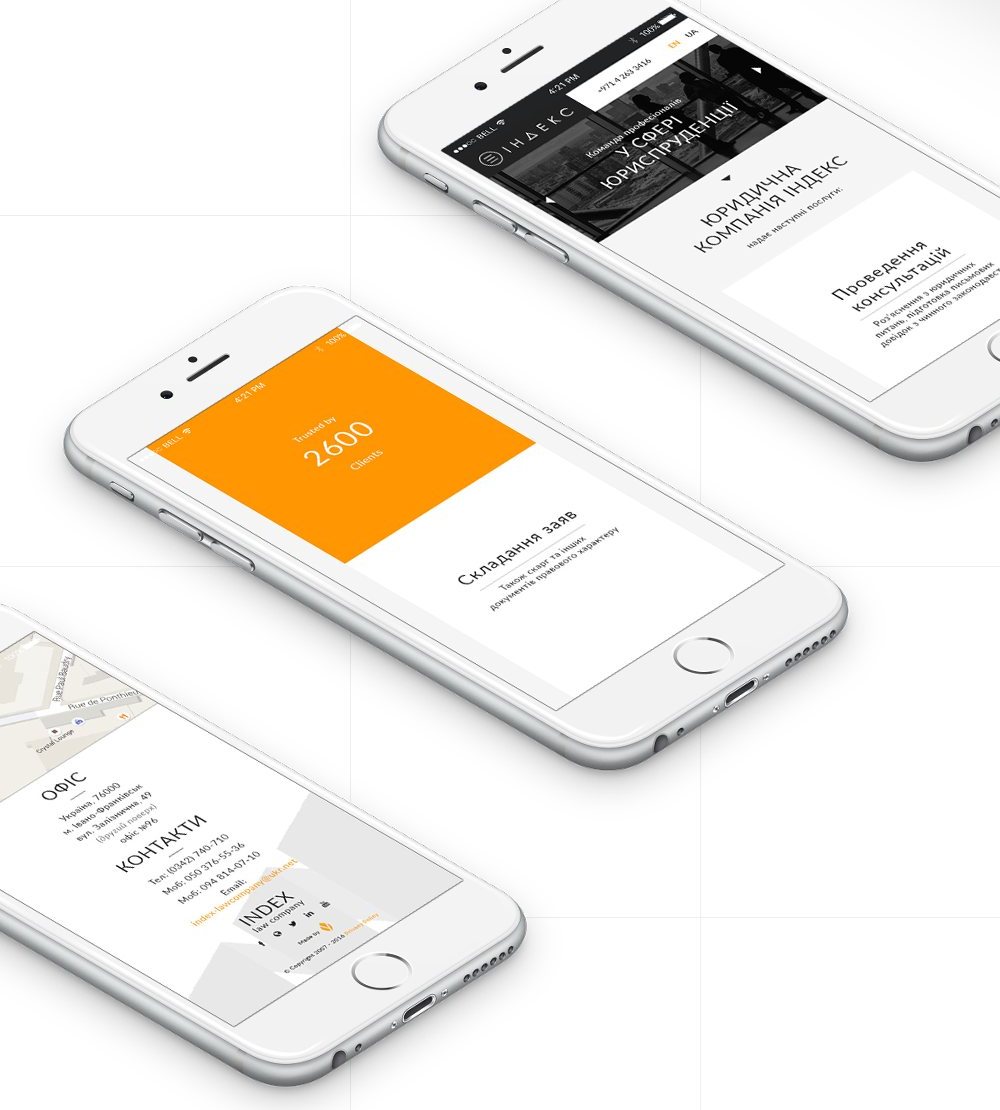
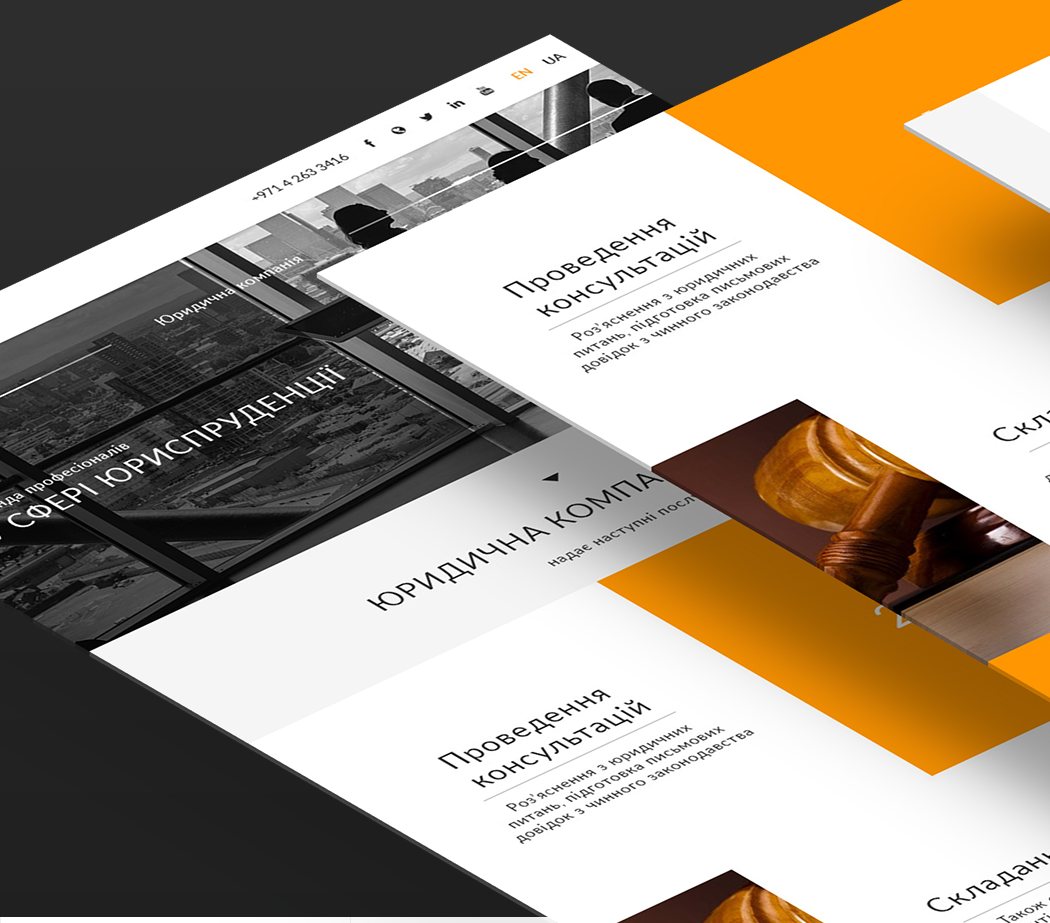
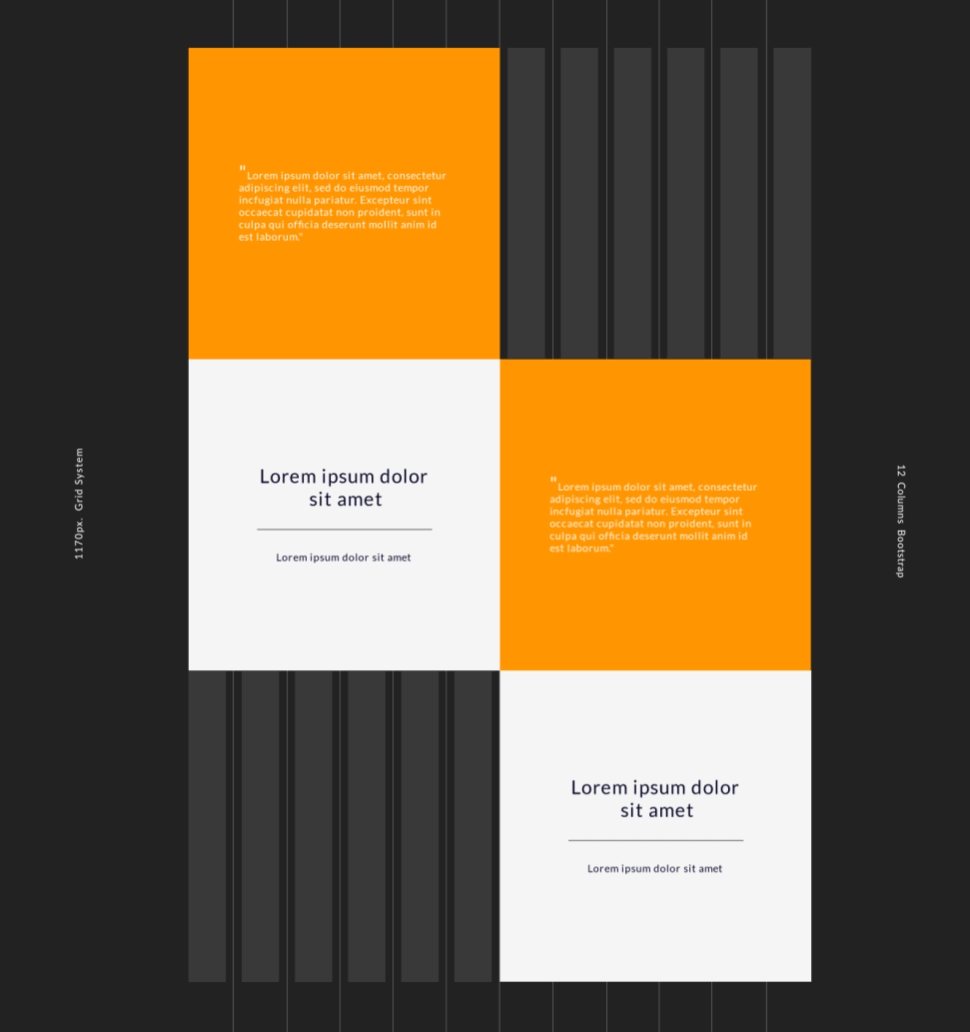
The site is one page built from square tiles. Services, photos, quotes and numbers each take a tile, so a long list of legal services is easy to scan. The palette is dark grey and white, and orange marks the numbers, quotes, links and hover states.
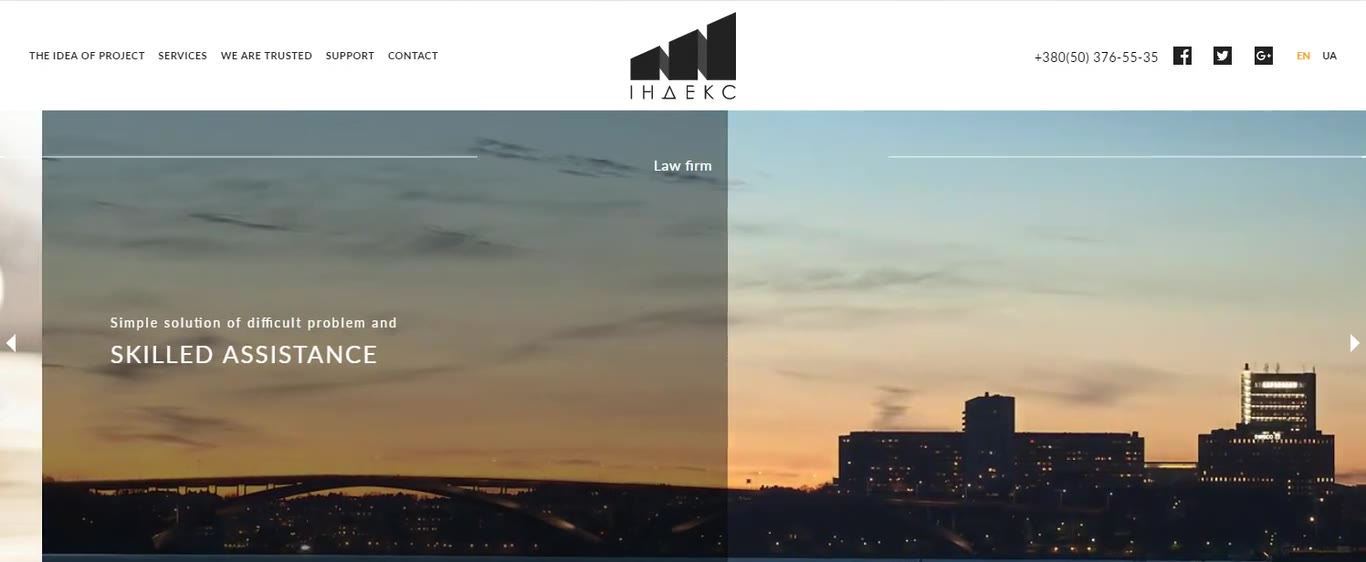
The menu scrolls to each section. The site has English and Ukrainian versions.
Menu, phone number, social links and the EN / UA switch, with the logo in the middle. When you scroll, the header sticks to the top and the logo becomes the name in a dark block.
Photos of the city at sunset with short lines about the firm, such as “Skilled assistance” and “Individual approach”.
Eight service tiles mixed with photos, quotes and two numbers: 2600 clients and 97 staff members.
A slider with the logos of companies that work with the firm.
The firm's free legal help for people on low incomes, with the bank details for donations.
A map, the office address, phone numbers and email.
The logo, social links and the studio credit.
Interaction
Each tile shows a service and a short line about it. On hover the line under the title turns orange and a plus appears. A popover shows what the firm does in that area. Hover a tile below to see its details.
Advice on legal issues and written notes on current law

Complaints and other legal documents
Civil, commercial and administrative cases

A lawyer in criminal proceedings
The strength of arguments is not in their number but in their importance.
Tax office, prosecutors and police
Companies and individual entrepreneurs
Falseness oppresses and depresses, but the desire to fight it grows.Hryhorii Skovoroda
Debt collection from people and companies
Confidential information and trade secrets
When justice disappears, nothing is left that could give value to human life.Immanuel Kant
Advice on legal issues and written notes based on current law.
Complaints and other legal documents.
For people, companies and organisations in civil, commercial and administrative courts.
A lawyer for victims, witnesses, suspects and defendants in criminal proceedings.
For people, companies and organisations at the State Executive Service, the tax office, the Prosecutor's Office and the National Police.
For companies and individual entrepreneurs.
Collecting money from other people and companies.
Confidential information and trade secrets.
320px +
The layout works from 320px wide. On phones the tiles stack in one column, the header turns dark and the menu folds into a button next to the logo.
Style guide
#222222#FF9600#F5F5F5Lato Regular · display
26px
Representation in court
Lato Regular · UI and copy
14px
Consultation and clarification of legal issues, with written notes on the current law.
Section titles
Uppercase, wide spacing
Law
firm
Index
A website for Blaustrom, a Bavarian company that sells solar power systems for homes: solar panels, batteries and EV charging stations.
Designer
I was the only designer and worked with Blaustrom’s founder. Their developers built the site.
01 / 05
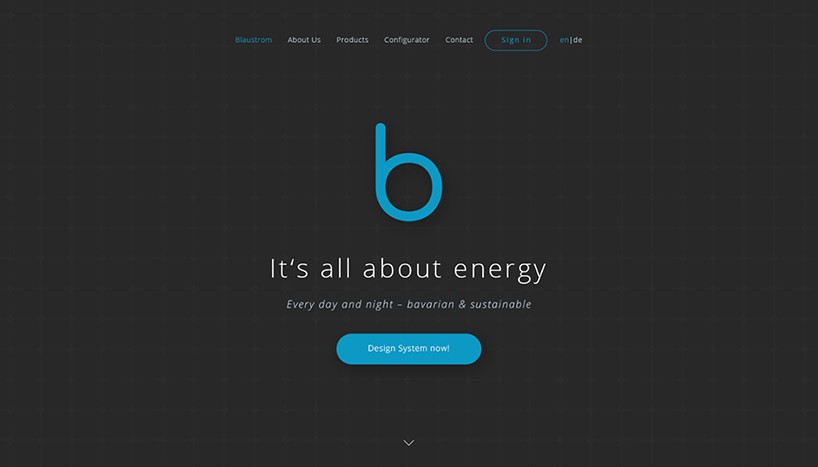
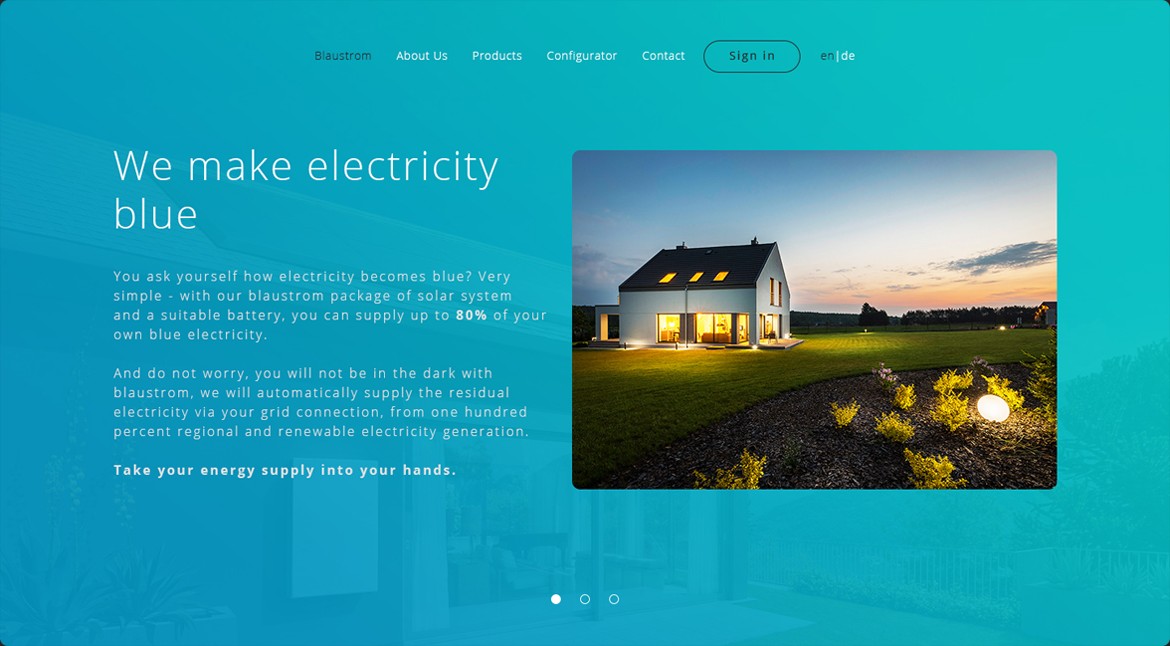
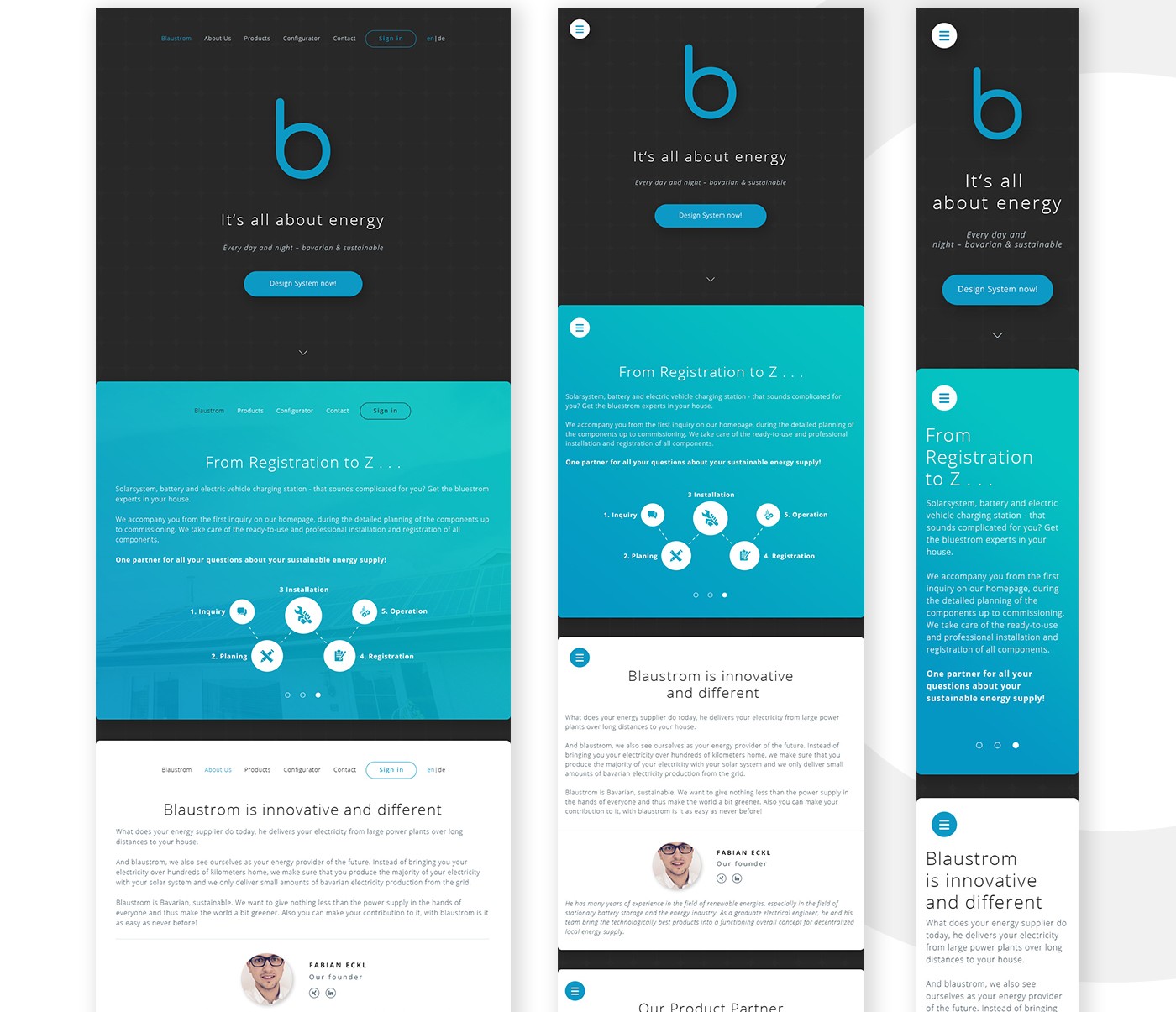
The site is one long page with five sections, one for each menu item. The first section opens on a dark screen with the logo, followed by a slider with three slides on the blue gradient.
The logo, the line “It’s all about energy” and a “Design System now!” button.
A solar system with a battery can cover up to 80% of a home’s electricity. Blaustrom supplies the rest from regional renewable sources.
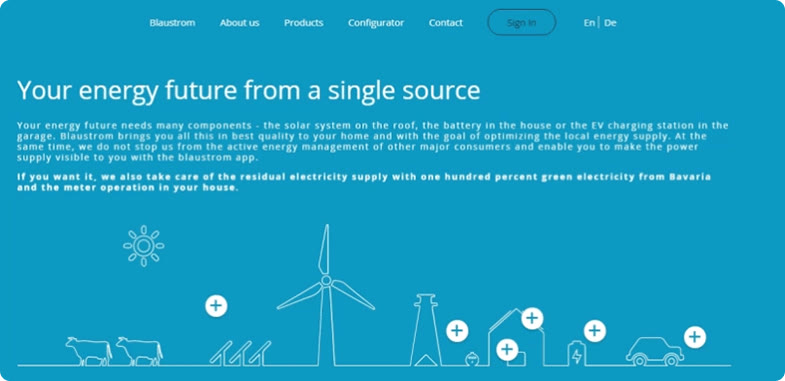
A line drawing of a farm, solar panels, a wind turbine, a house and an electric car. Each plus button opens a short note about that part of the system.
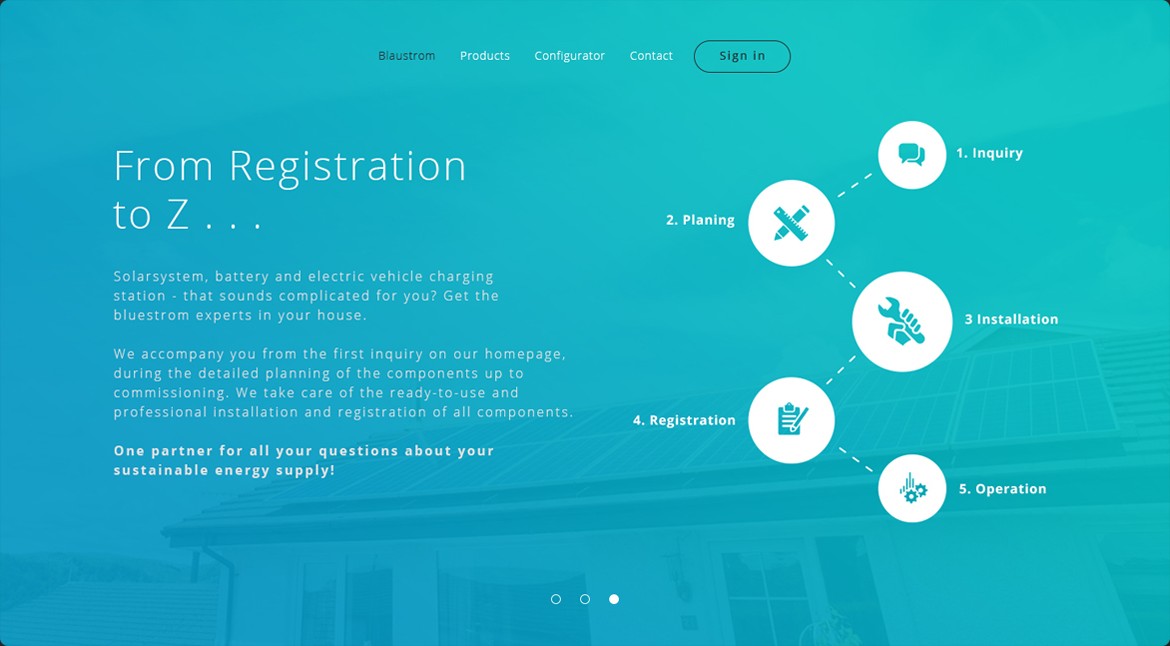
The five steps Blaustrom takes care of: inquiry, planning, installation, registration and operation.
02 / 05
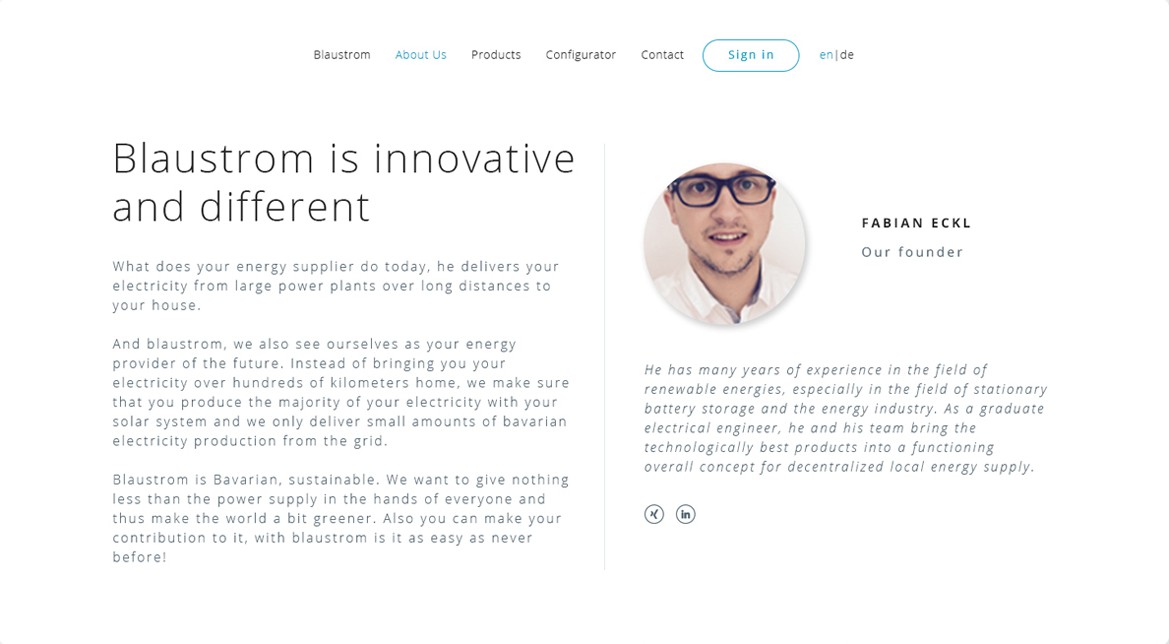
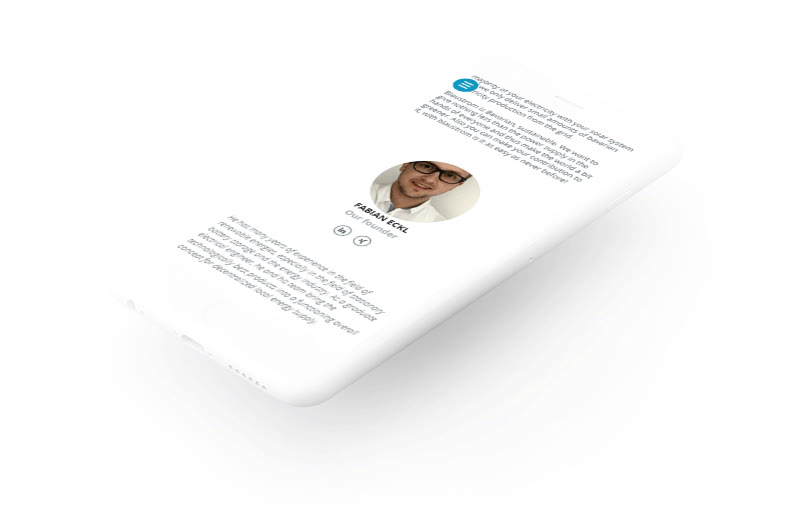
The text explains how Blaustrom differs from a usual energy supplier. Customers produce most of their electricity with their own solar system, and Blaustrom delivers only small amounts of Bavarian electricity from the grid. Next to the text is the founder, Fabian Eckl, with a short bio and links to his profiles.
03 / 05
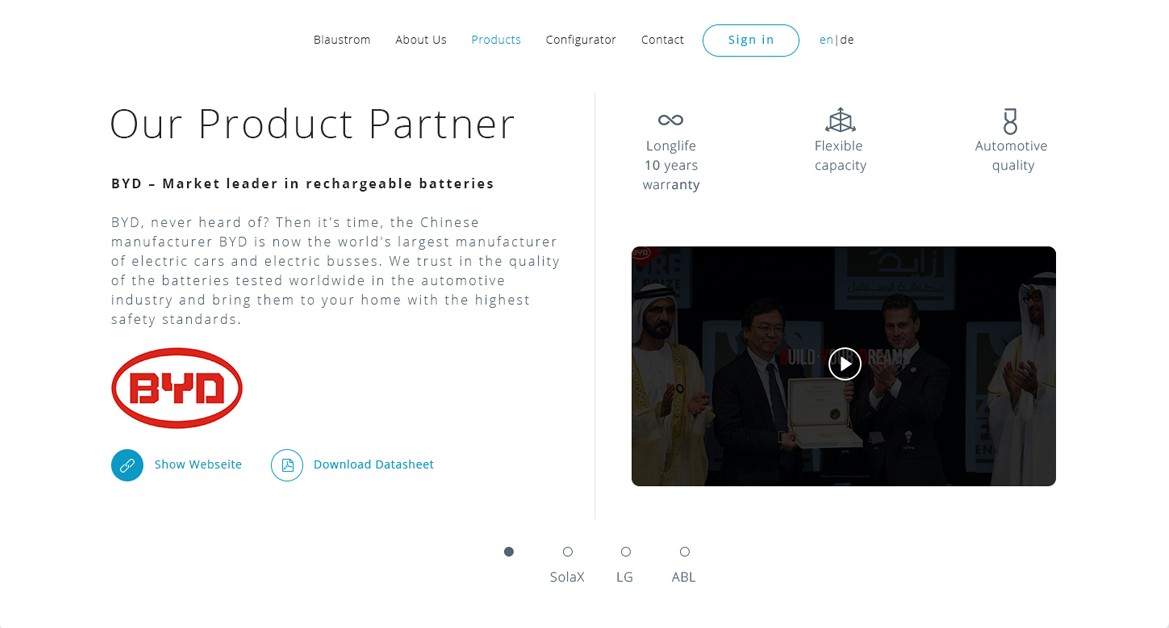
A slider with the four brands Blaustrom installs: BYD batteries, SolaX inverters, LG solar modules and ABL charging stations. Each slide has three key points with icons, a short text, the brand logo, a link to the brand’s website, a datasheet download and a video.
04 / 05
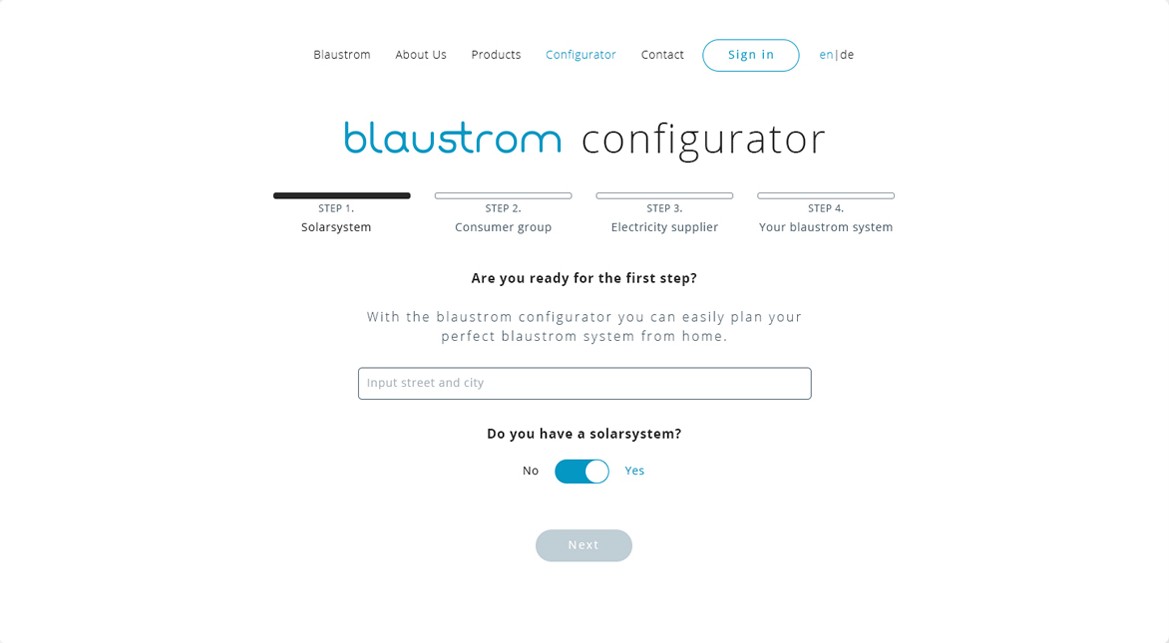
The configurator plans a system in four steps. Each step is its own screen, and the bar at the top shows which steps are done. The first screen asks for the address and whether the customer already has a solar system.
Step 1
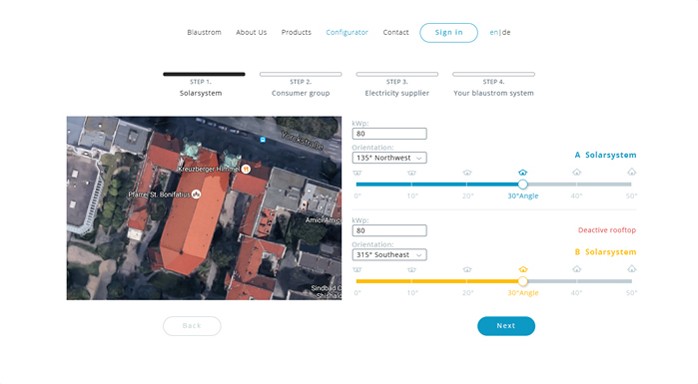
A satellite map of the house. Each roof area gets a letter and its own row with the size in kWp, the orientation and a slider for the roof angle from 0° to 50°. A roof area that should not be used can be switched off.
Step 2
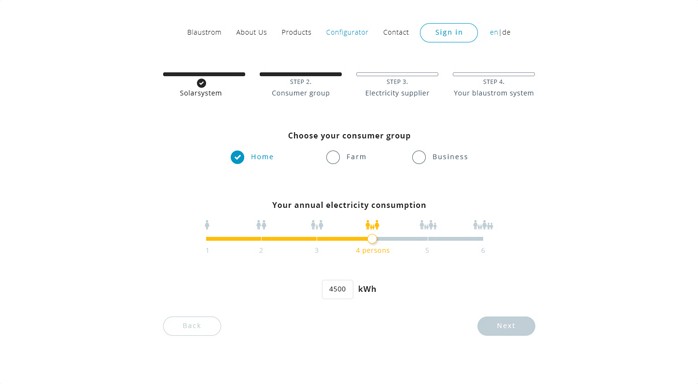
Home, farm or business. For a home, a yellow slider with household sizes from one to six people sets the yearly electricity use. The number in kWh below it can also be typed in.
Step 3
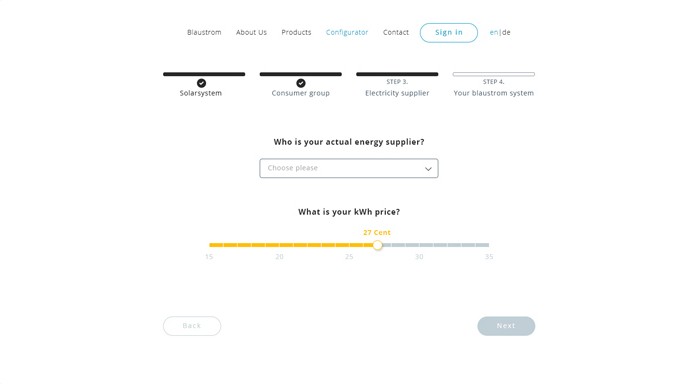
The customer picks their current supplier from a list and sets what they pay per kWh on a slider from 15 to 35 cents.
Step 4
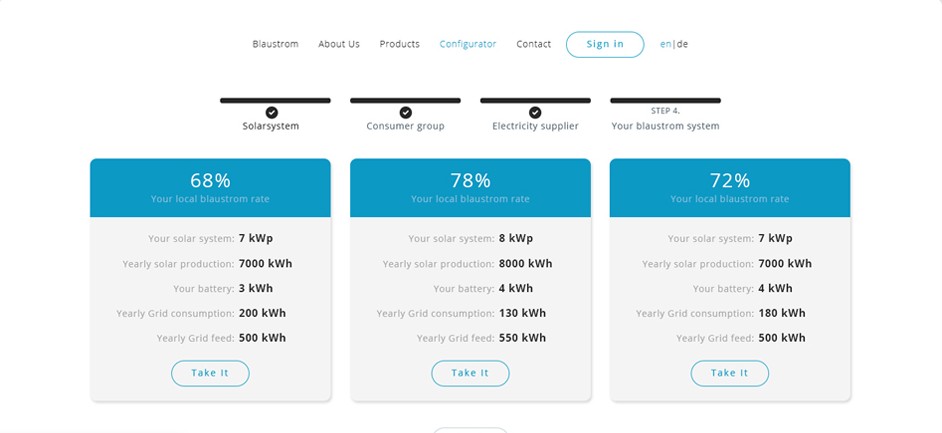
Three systems to choose from. Each card shows the share of electricity the home would produce itself, the size of the solar system and the battery, the yearly production, and how much electricity would come from and go to the grid.
After step 4
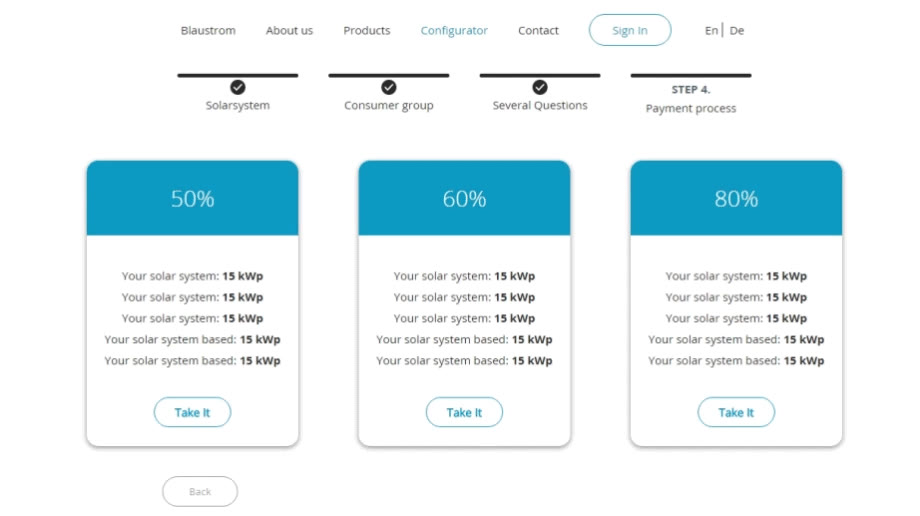
“Take it” opens a form with the chosen system on a blue panel. The customer leaves their name, email and phone and can subscribe to the newsletter.
After step 4
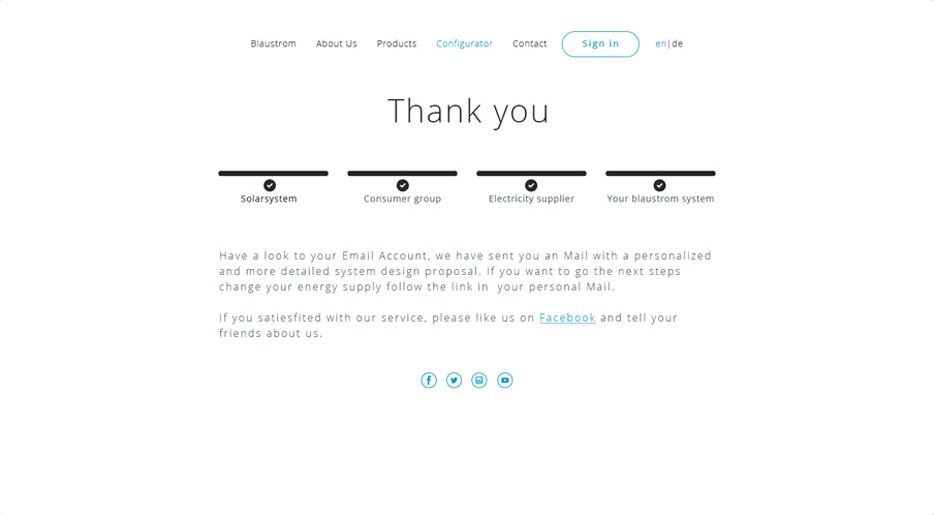
The last screen has all four steps checked and says that a detailed proposal was sent by email.
05 / 05
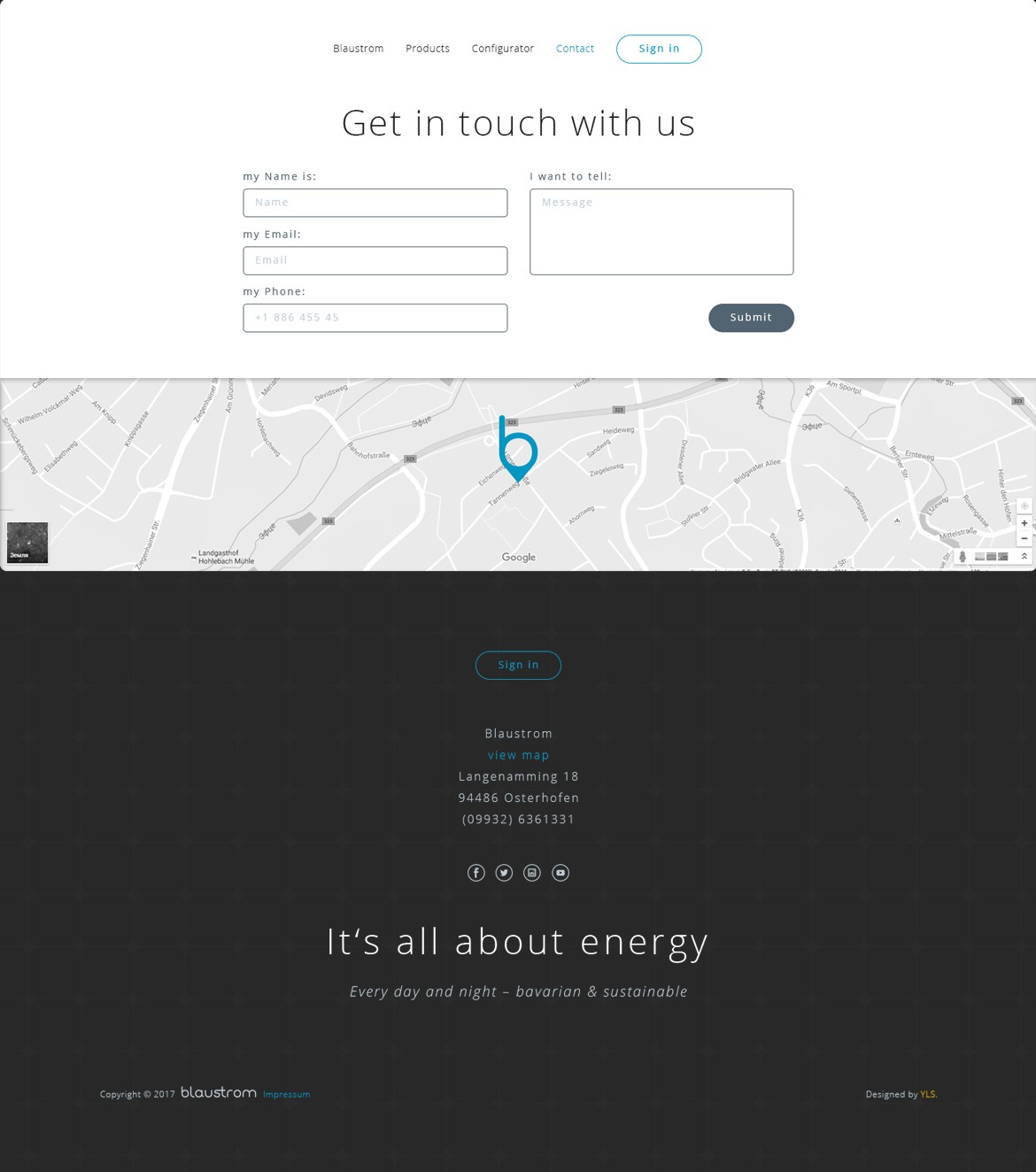
A form with name, email, phone and message, and a Google map where the office is marked with the b from the logo. The dark footer has the address, social links and the line from the first screen, so the page ends the way it starts.
Responsive
320px +
On smaller screens the menu folds into a round button in the top-left corner and opens over the page. Slides and text stack in one column. The configurator needs a screen at least 720px wide, so phones show a short message about that in its place.
Style guide
#0497C3#0497C3 → #04C1C1#FFBE0D#282828#C0CED5Headings · Open Sans Light 50px
It’s all about energy
Subheadings · Open Sans Bold 16px
BYD – Market leader in rechargeable batteries
Body text · Open Sans Regular
What does your energy supplier do today? It delivers your electricity from large power plants over long distances to your house.
Step 1, from 0° to 50°

Step 2, from 1 to 6 people

Drawn for the site
An online store for PromShyna, a shop in Ivano-Frankivsk that sells tires and wheels for special machinery, such as loaders, excavators, forklifts, tractors and trucks, and delivers across Ukraine.
Designer
I was the only designer and worked directly with the store’s owner. Their developers built the site.
Store pages
The six pages a buyer goes through to order a tire, in the order they see them.
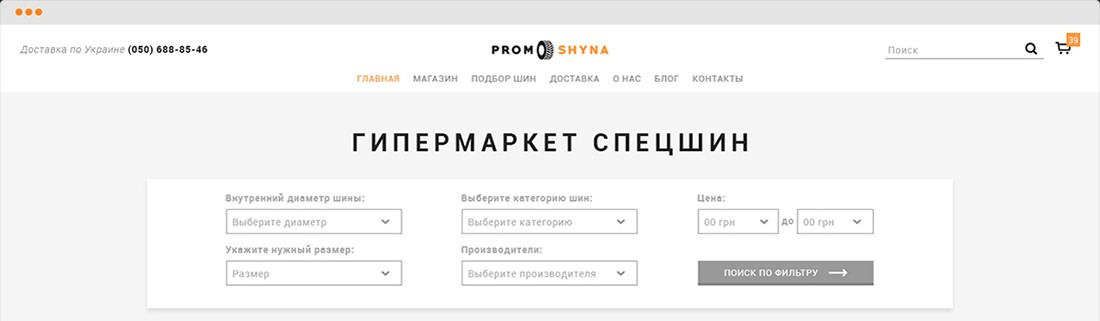
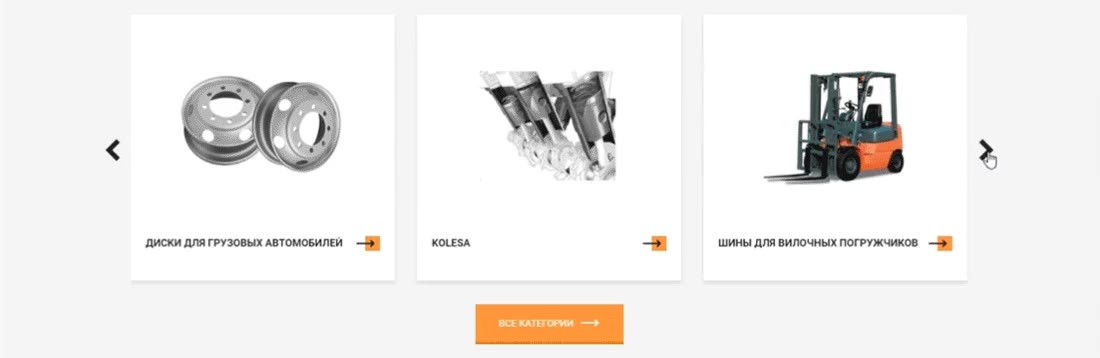
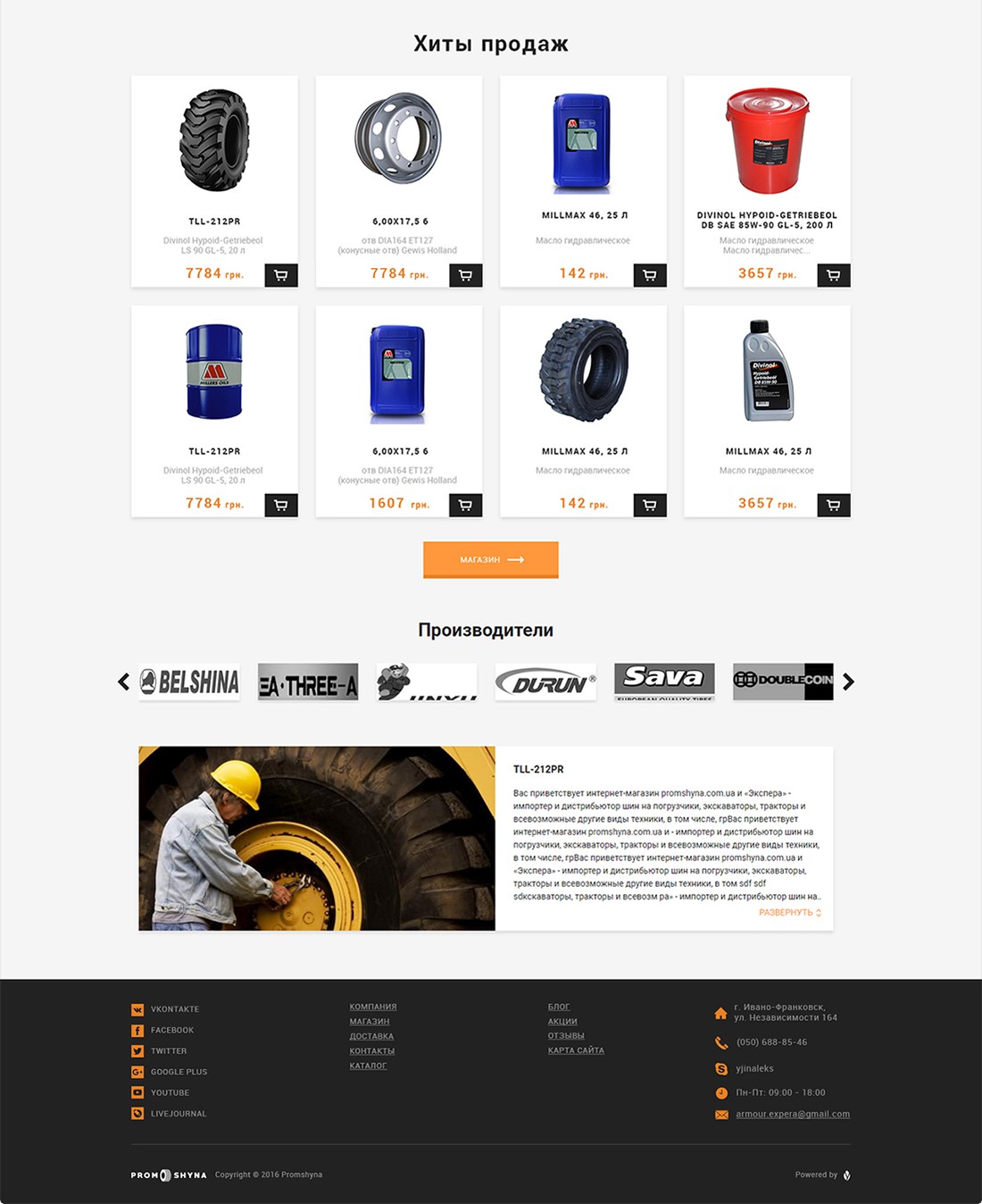
The home page is called Special Tire Hypermarket and starts with a filter, so a buyer can search by size or category before anything else. Below it are a slider with the catalog categories, best sellers with a cart button on each card, manufacturer logos and a short text about the store.
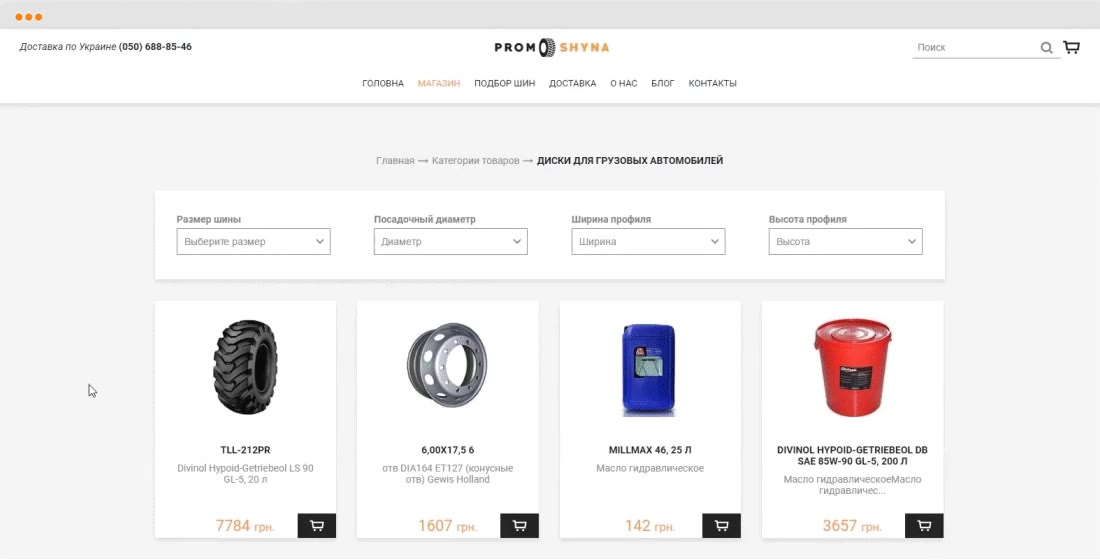
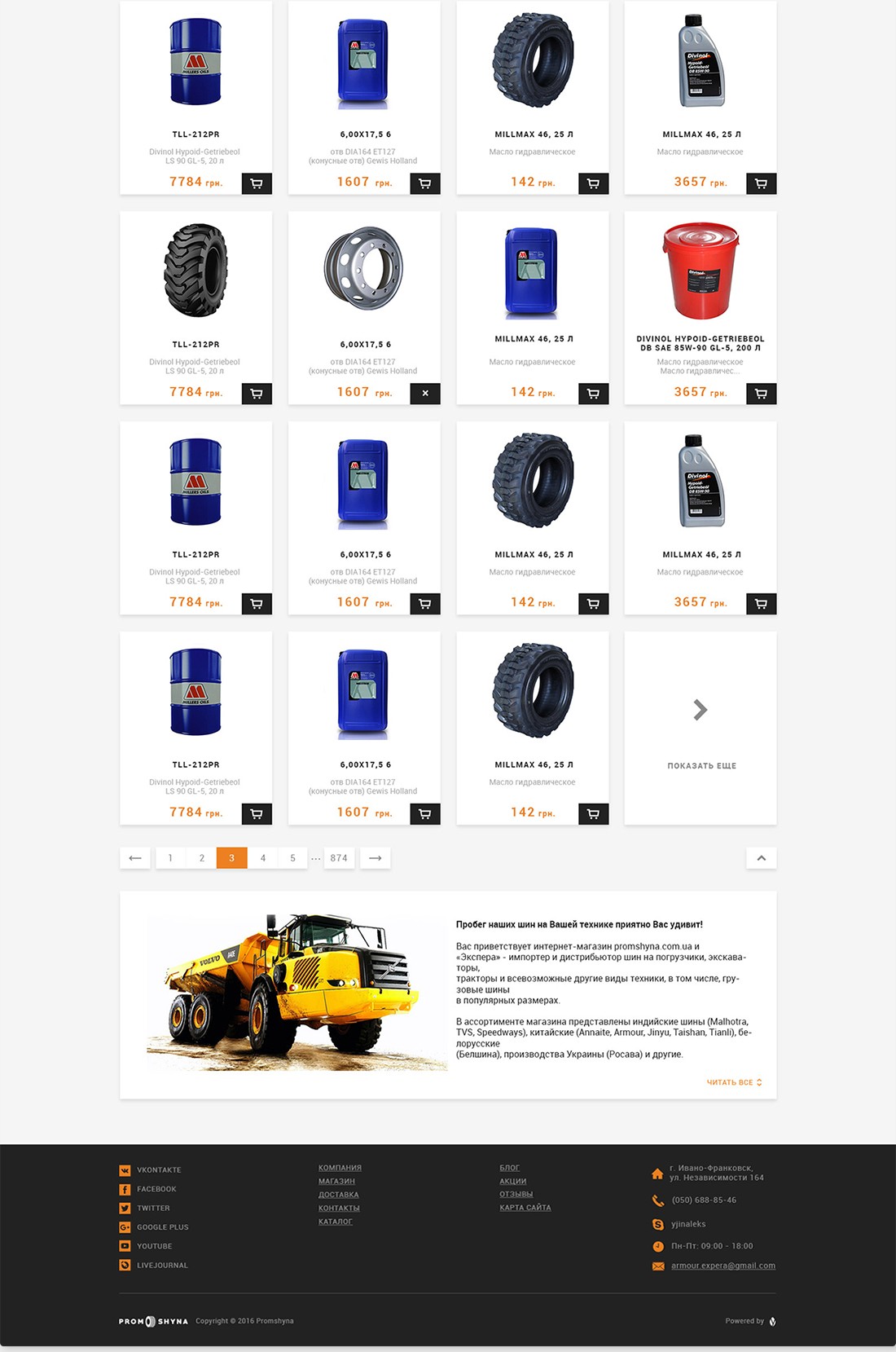
A category opens with a breadcrumb and four filters for the tire size. Products sit four to a row, each with a name, a short description, the price and a cart button. The last card loads more products, and page numbers sit under the grid. A text about the store closes the page.
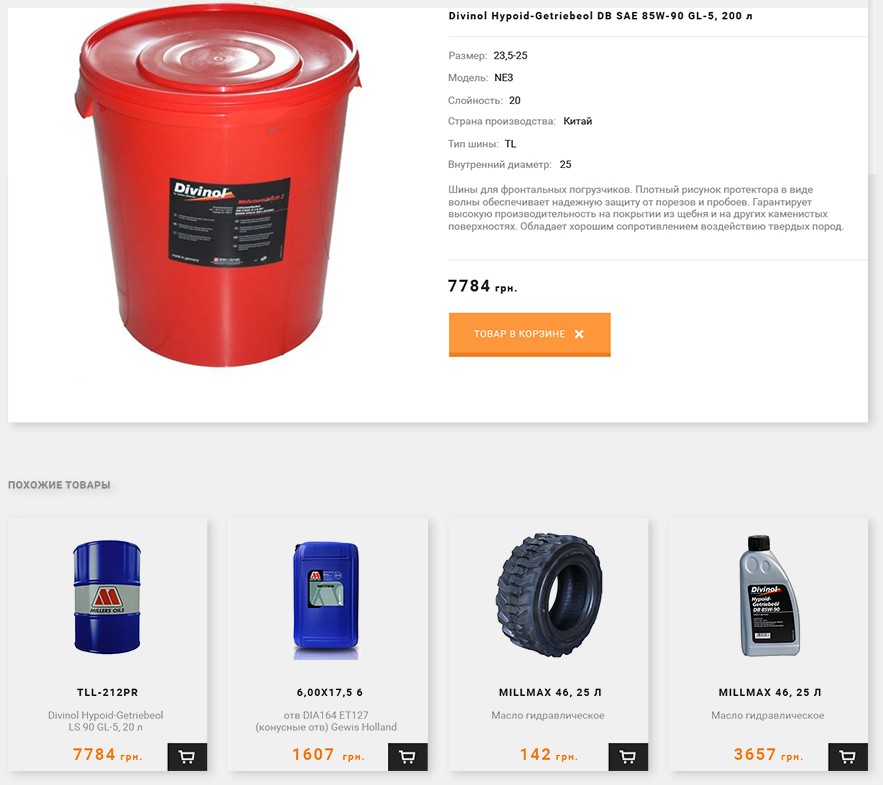
A large photo sits next to the name and the specs. Under them are a short description, the price and the cart button. Once the item is added, the button reads In cart and has a cross to take it out again. Similar products follow under the card.
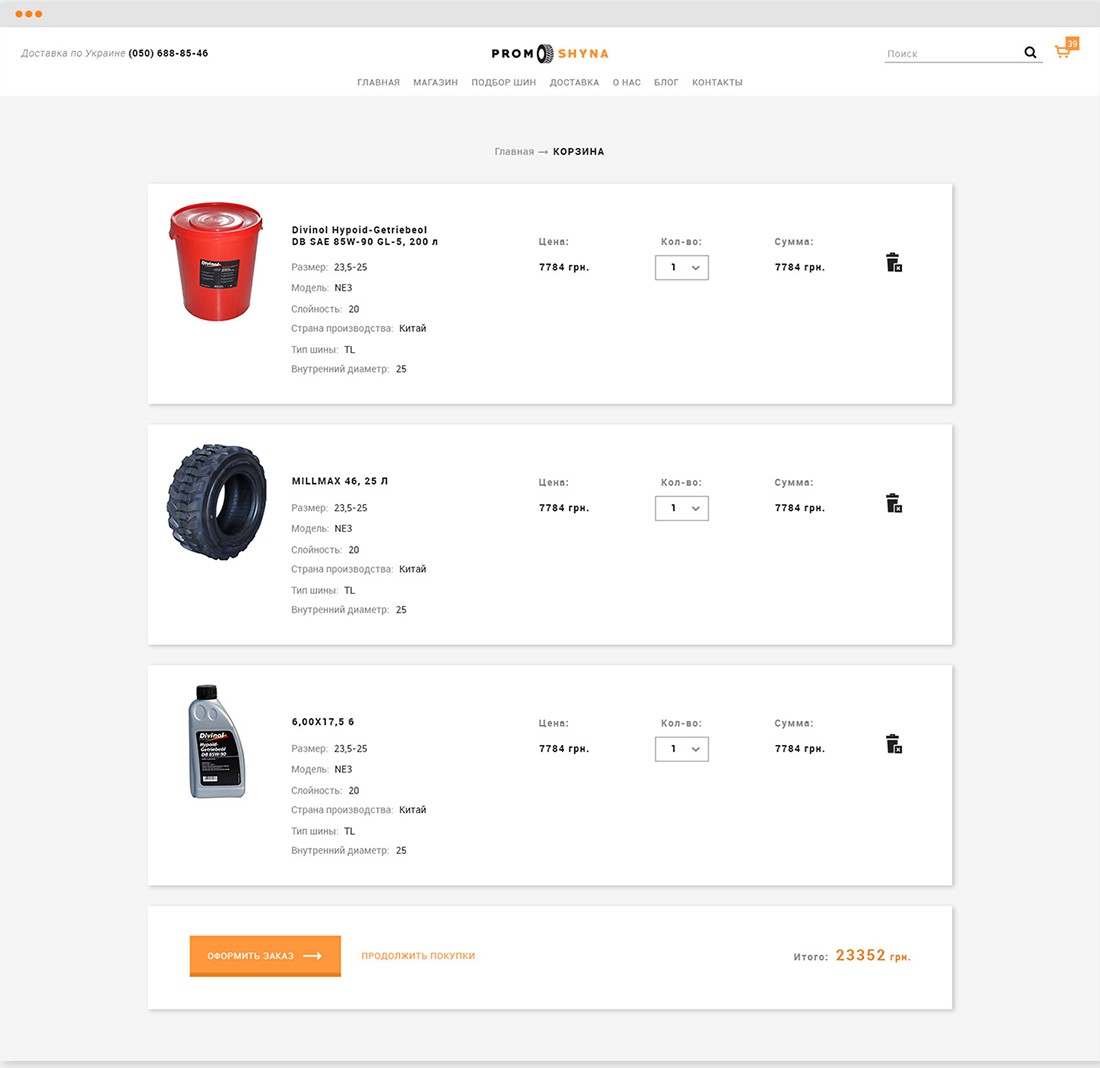
Each item is a row with its photo and specs, the price, a quantity menu, the sum and a delete icon. The last row has the total, a checkout button and a link back to the store.
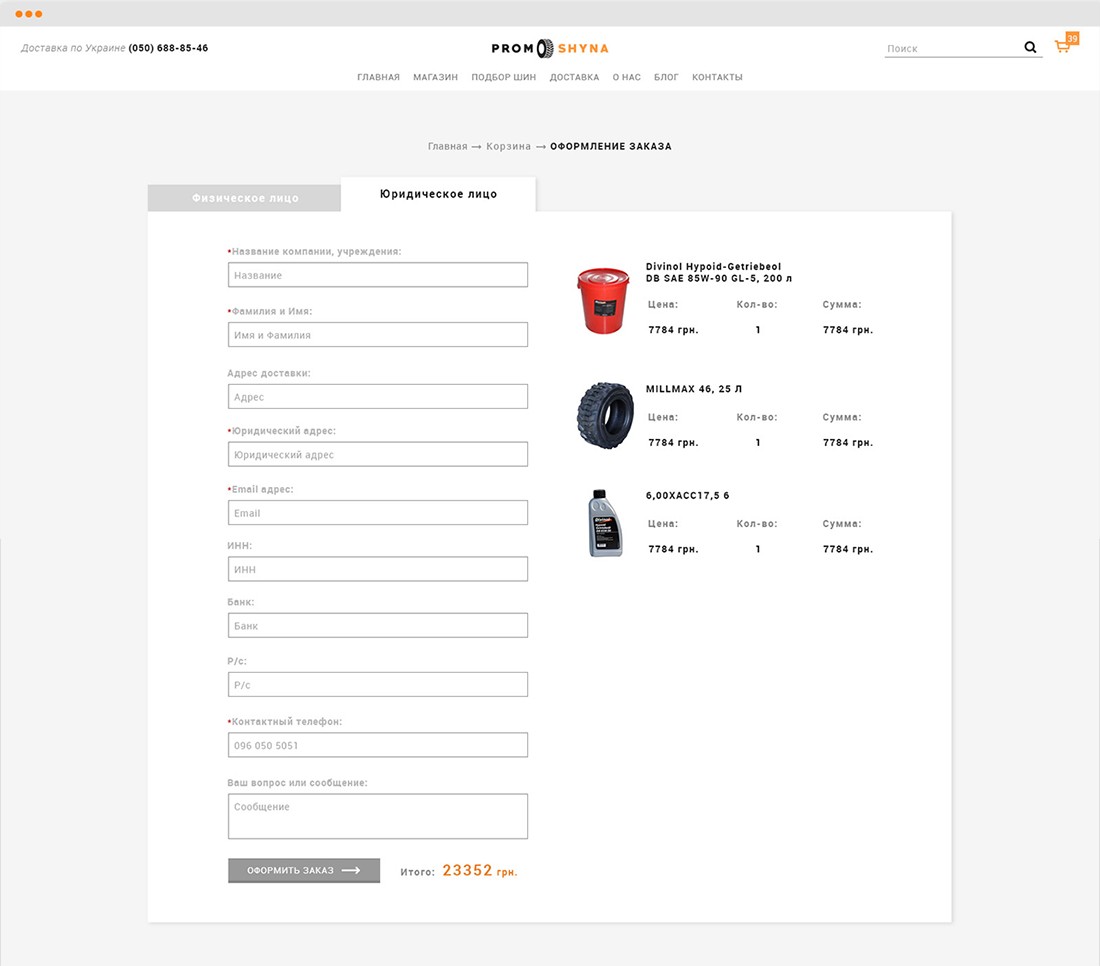
The store sells to companies as well as private buyers, so the order form has two tabs, Private person and Company. The company tab adds fields for the legal address, tax number, bank and account number. The order list and the total stay next to the form.
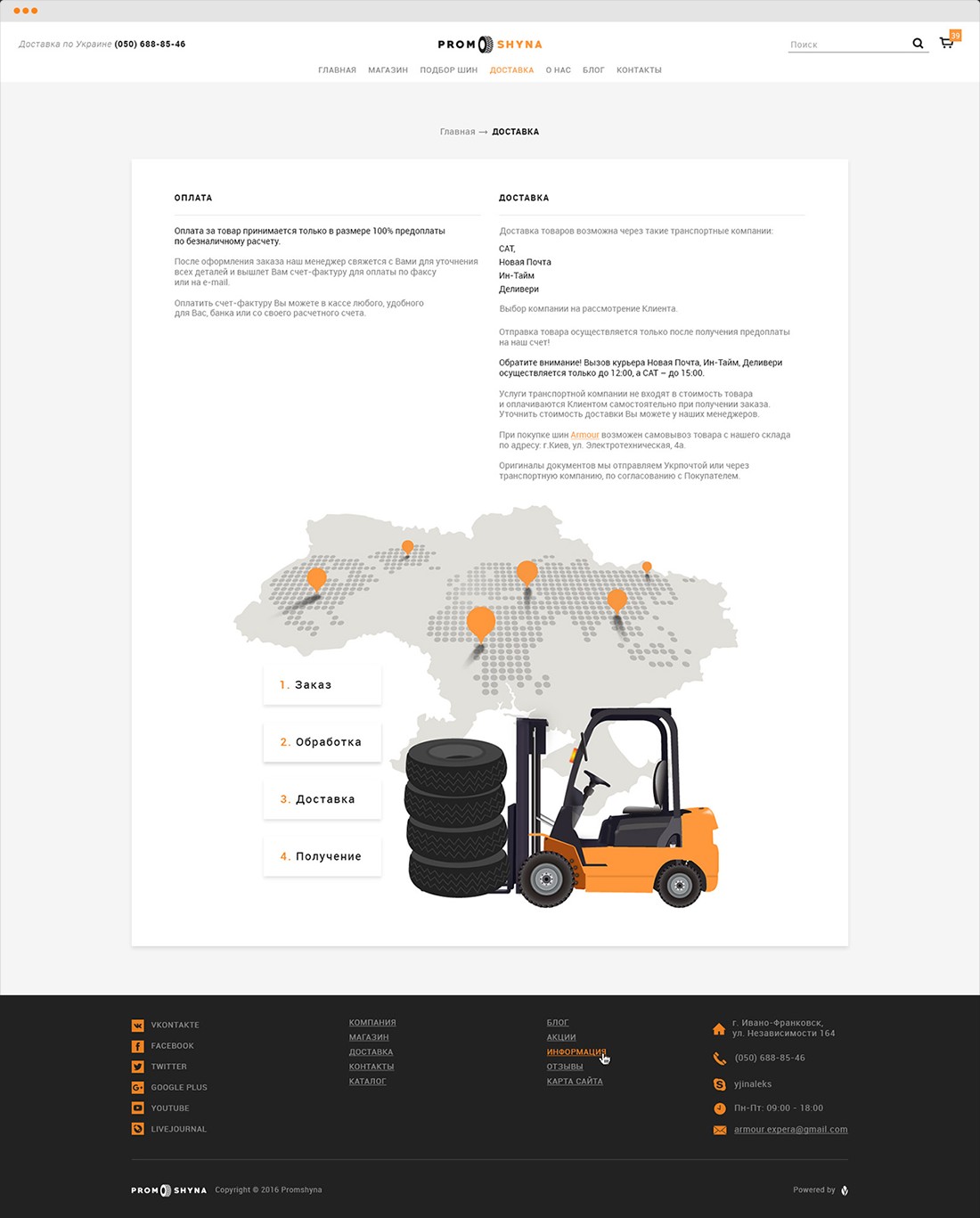
Payment and delivery are explained in two columns. Below them is a map of Ukraine with pins on the cities, and the four steps from order to receipt, drawn next to a forklift carrying a stack of tires.
Responsive
On phones the menu turns into a button next to the logo, and search and the cart share one line under it. The filter fields stack in one column, the category cards scroll sideways, and product cards show one at a time.
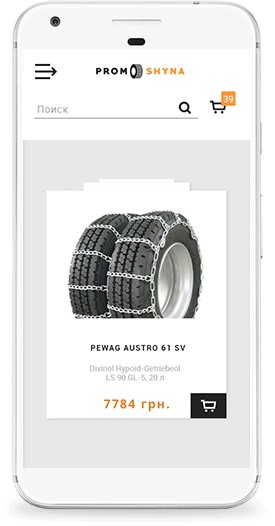
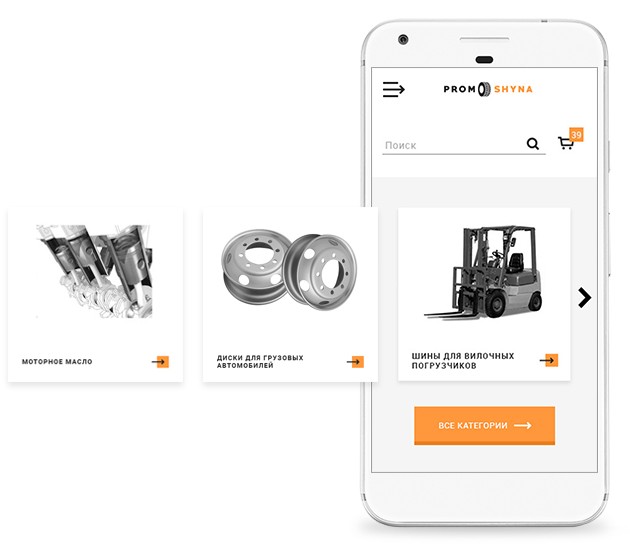
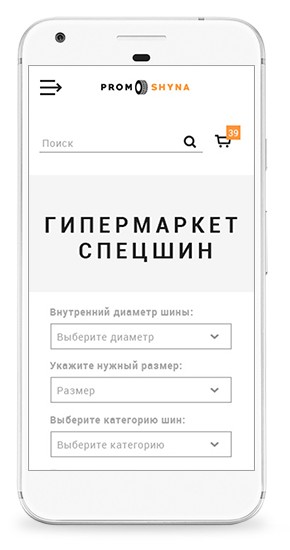
Inner pages
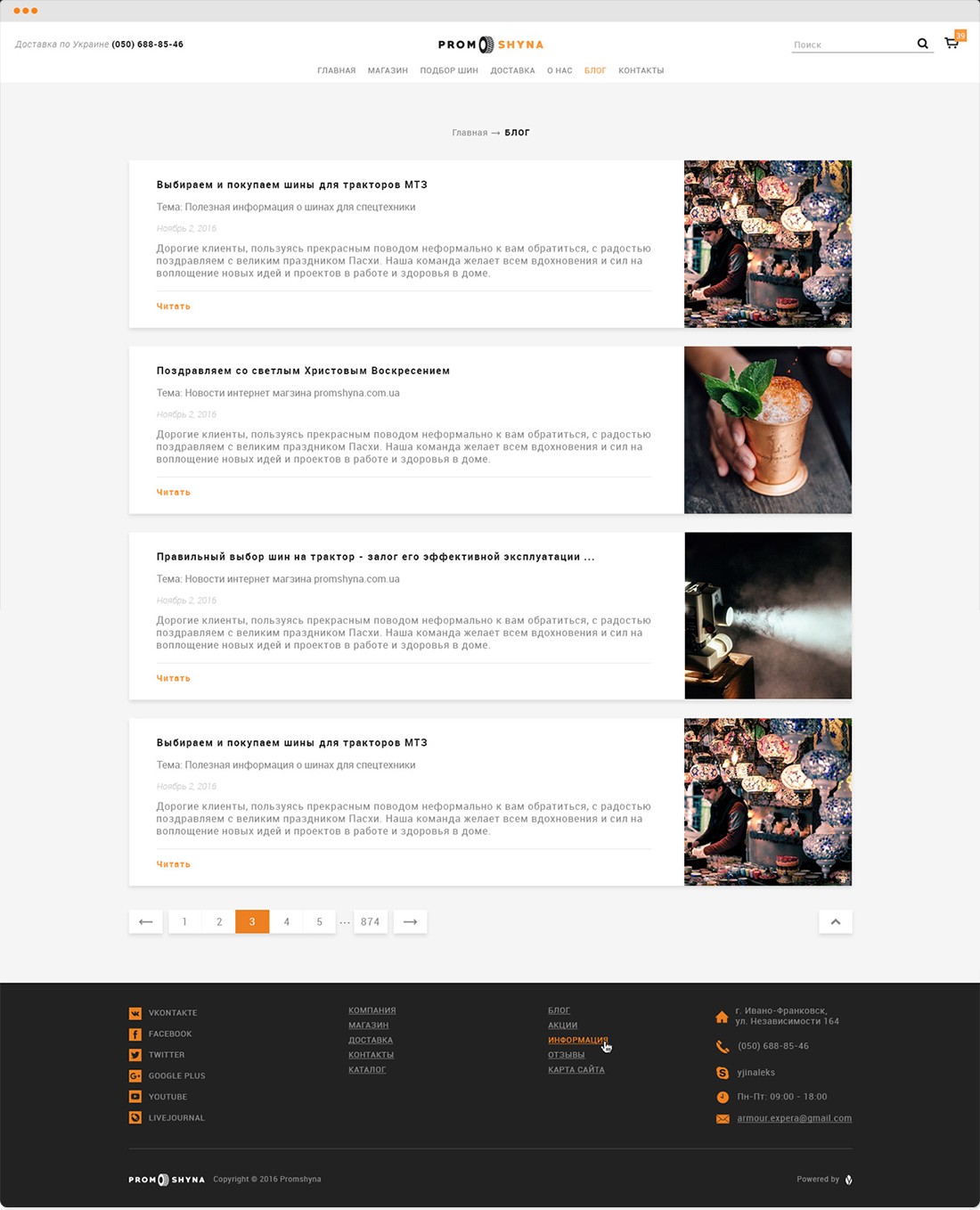
Store news and advice on choosing tires. Each post has a photo, a topic, a date and a short excerpt.
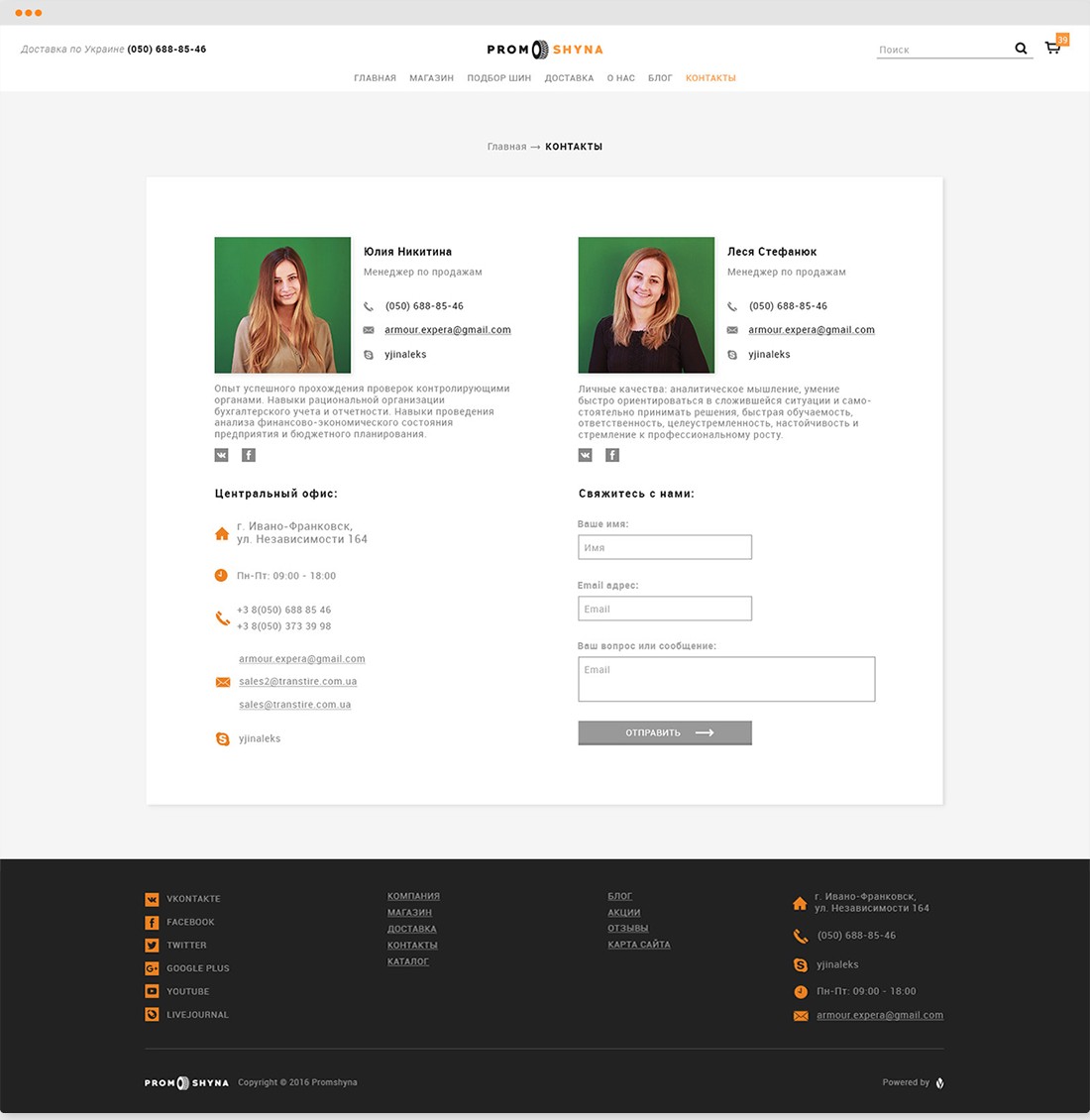
Two sales managers with photos and their phone, email and Skype, then the office address, opening hours and a contact form.
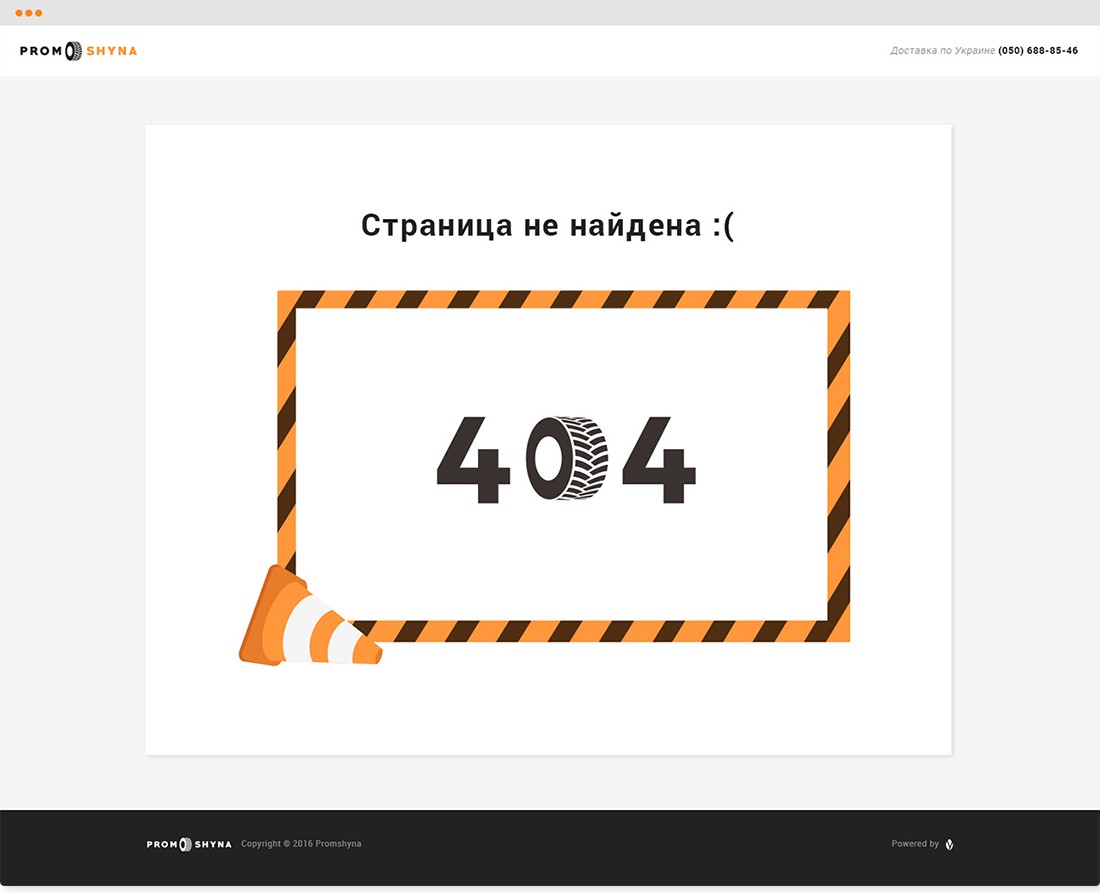
The 0 in 404 is a tire, inside a striped frame with a traffic cone at the corner.
Branding
Along with the new site, the store got a new logo. Its orange, its dark grey and its tire carried over into the store pages.

PromShyna in a rounded typeface, with Shyna in orange and a tire behind the last letters.

Simpler and more geometric: PROM and SHYNA in wide capitals with a tire between the two words. It sits in the middle of the header and in the footer.

A tire like the one in the logo stands in for the 0 on the 404 page.
#FF973BPrices, buttons and the active menu item
#222222Footer and cart buttons
#F5F5F5Page background
#FFFFFFHeader and product cards
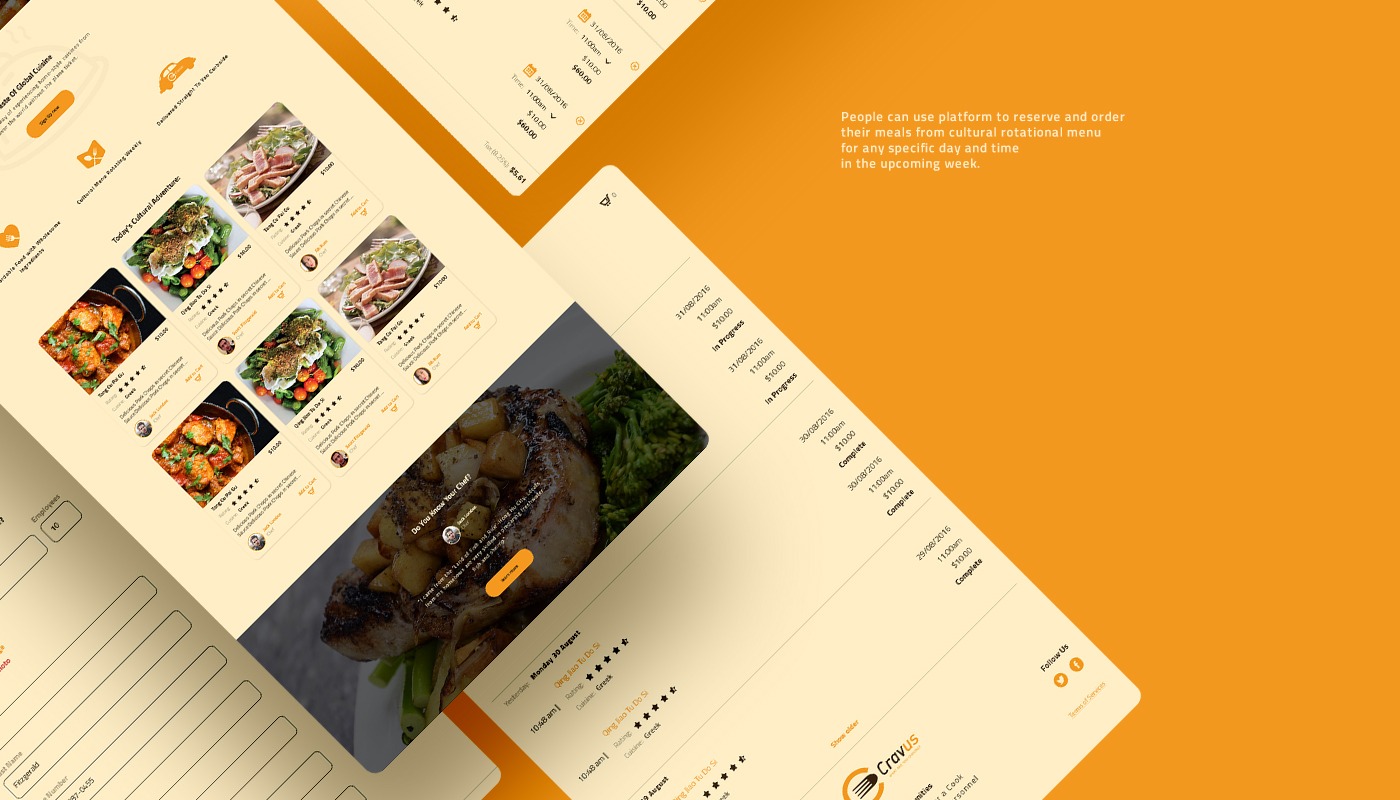
A web app for Cravus, a food delivery startup for busy professionals and students.
Designer
I was the only designer on the project and worked directly with the Cravus team. Their developers built the app.
Concept
Cravus finds cooks from different countries who live in the area. They cook dishes from their home cuisine every day in a licensed central kitchen.
The menu of cuisines changes every week. Customers order meals for any day and time in the coming week. Ordering ahead is cheaper, and same-day orders cost more to deliver.
Companies can sign up as enterprise customers and order lunch for their staff. Each employee picks their own meal, and the company pays only for what was ordered.
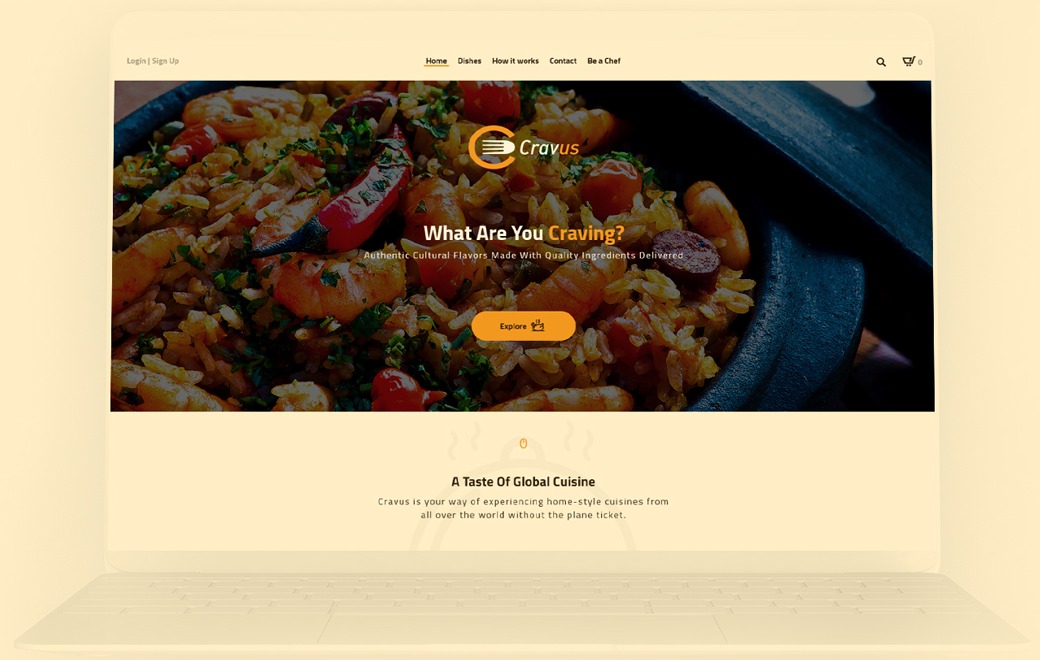
01 / 09
Login and sign up, the menu (Home, Dishes, How it works, Contact, Be a Chef), search and the cart.
The logo and “What Are You Craving?” over a food photo, with an Explore button.
“A Taste of Global Cuisine” with three points: affordable food, a menu that changes weekly and delivery to the curb.
Six dish cards from the day’s menu.
“Do You Know Your Chef?” with a quote from one of the chefs about their home town.
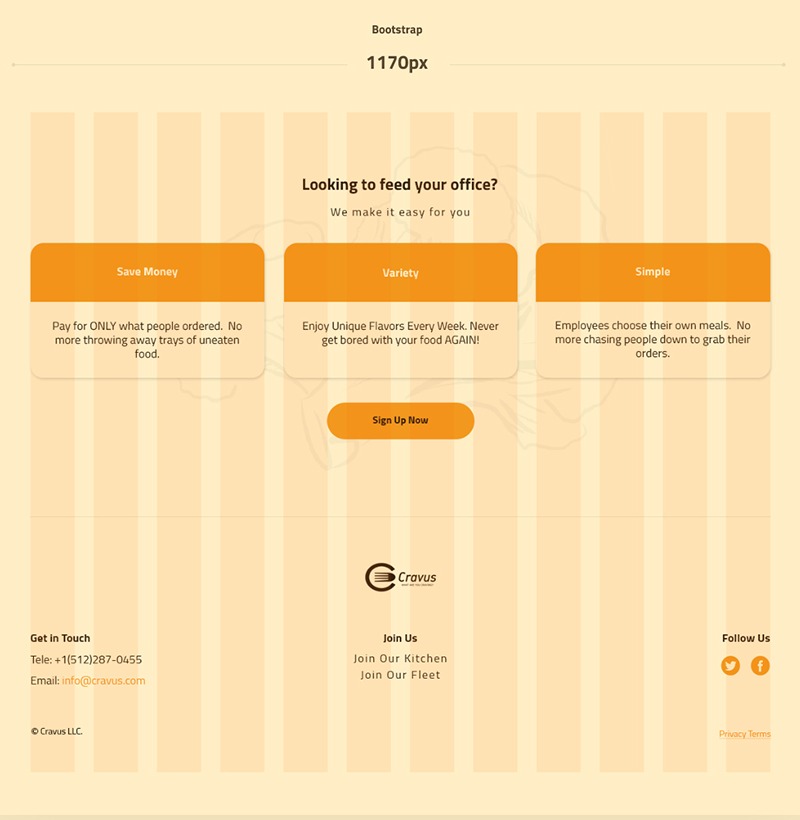
“Looking to feed your office?” with three reasons and a Sign up button.
Phone and email, links to join the kitchen or the delivery fleet, and social links.
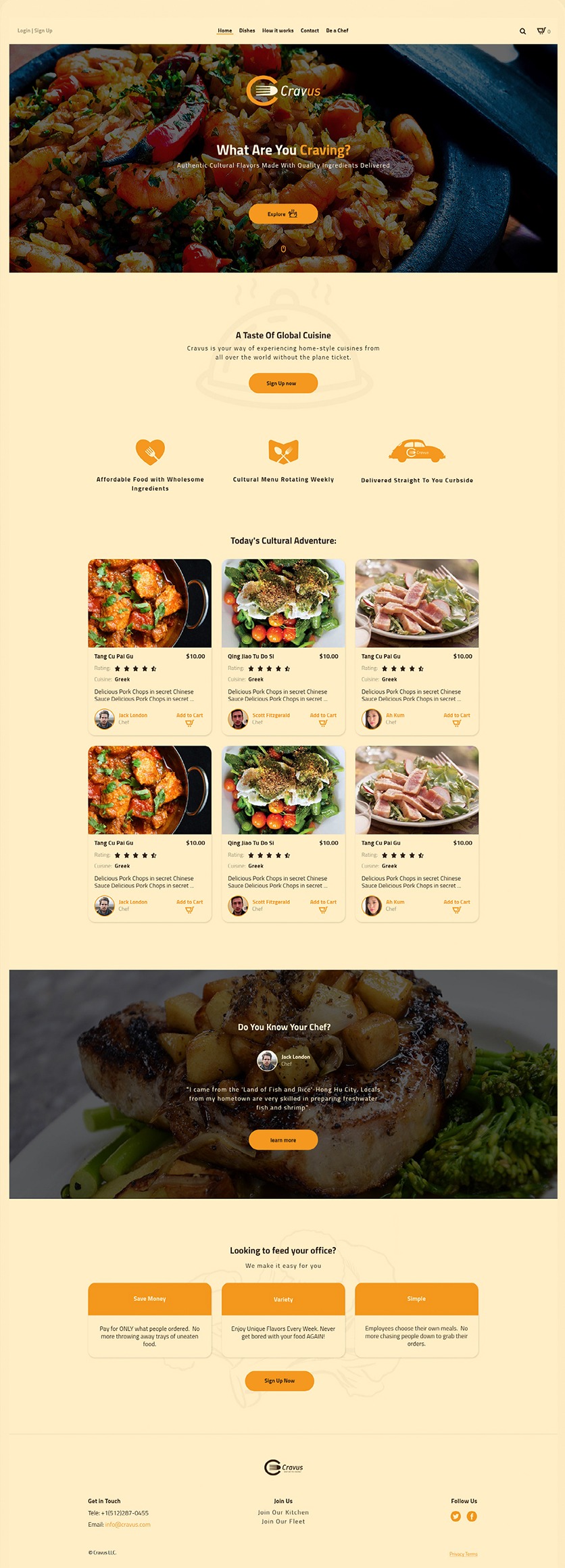
02–09
Besides the main page, the app has eight pages. Every page uses the same header, cards and footer.
02 / 09
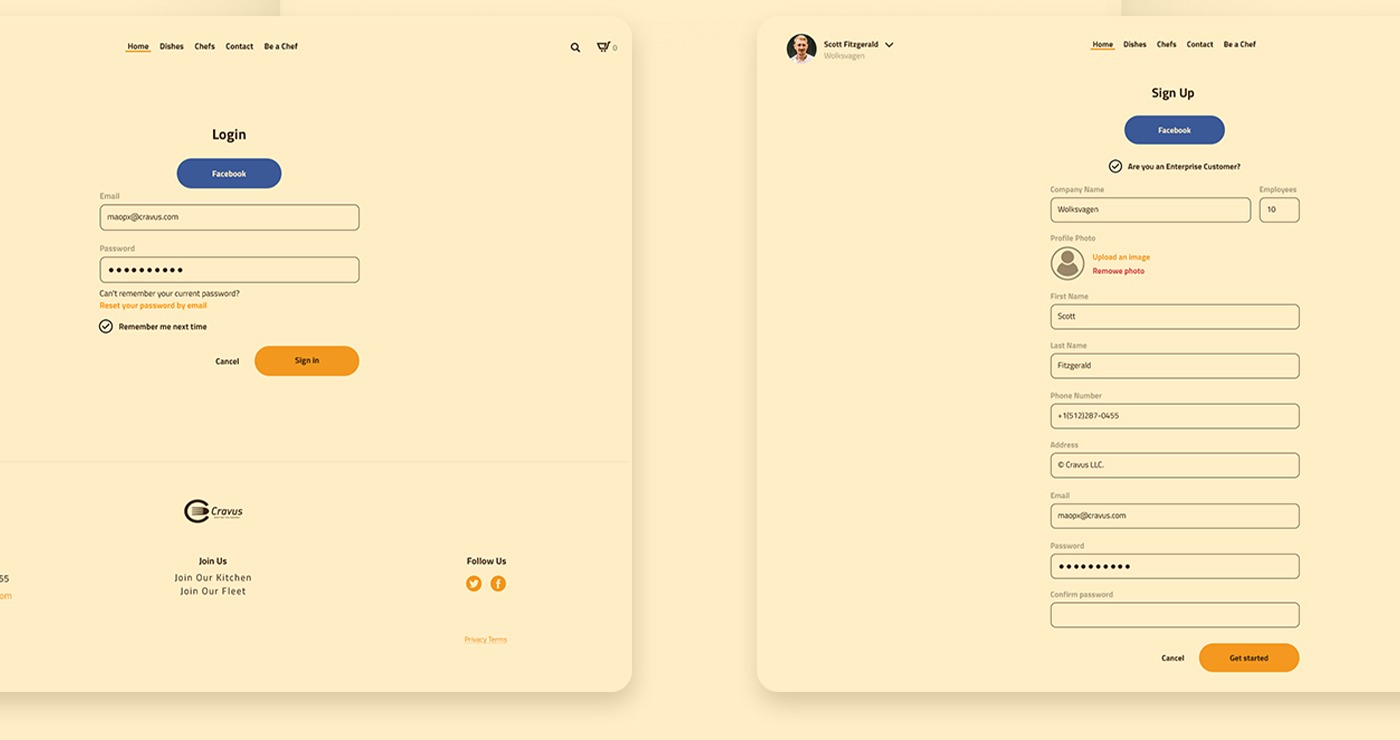
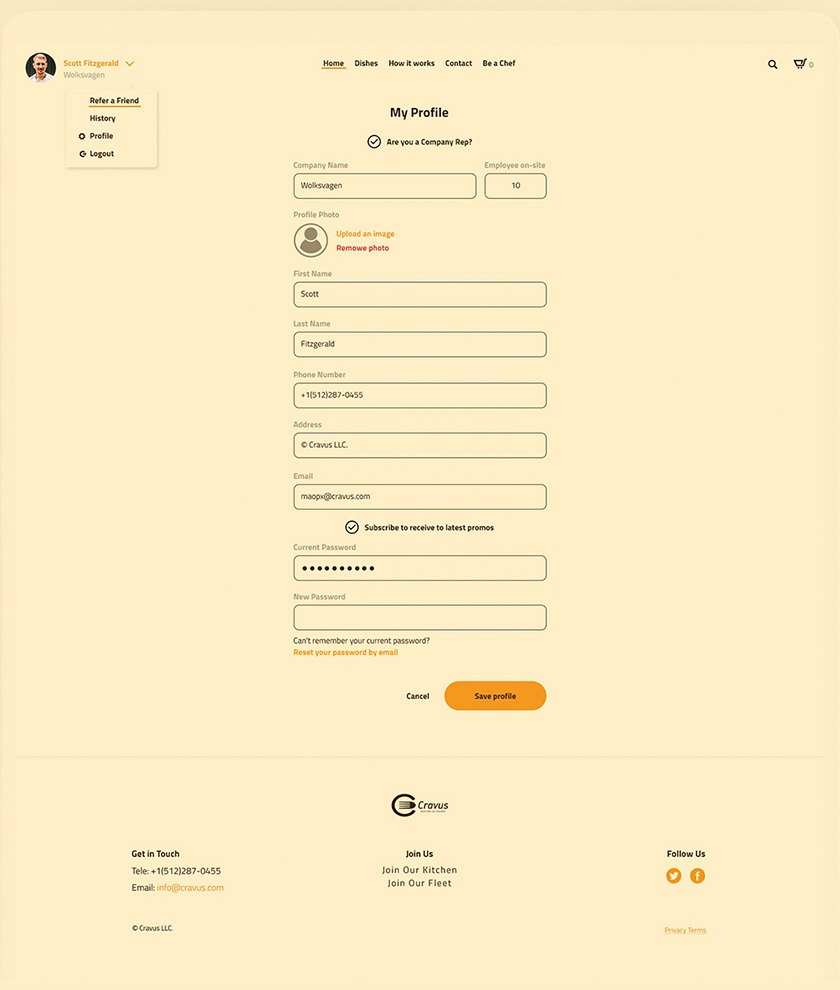
Customers sign up with Facebook or email. A checkbox marks enterprise customers, who add the company name and the number of employees. The profile has the same fields, plus promo emails and a password change. The menu under the user’s name links to Refer a friend, History, Profile and Logout.
03 / 09
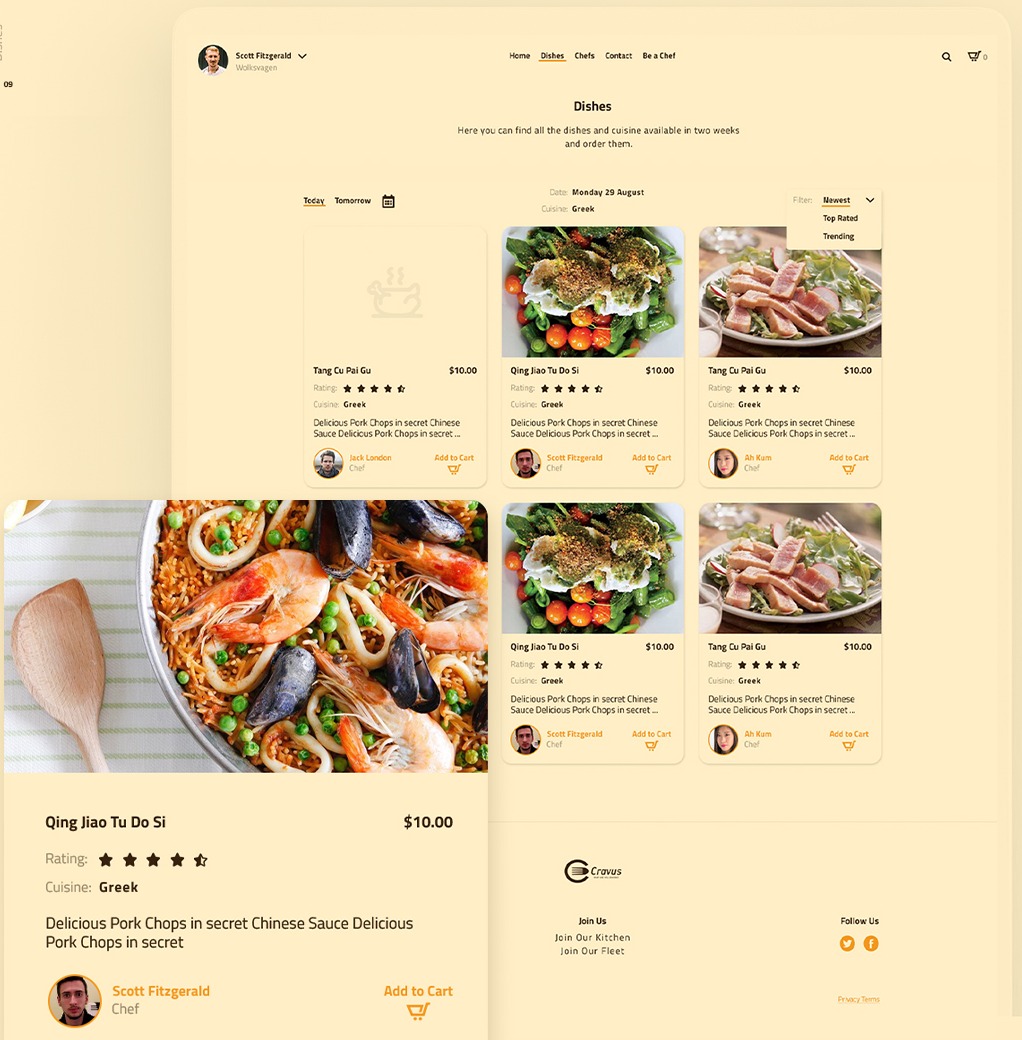
The menu for today, tomorrow or a date picked in the calendar, with the cuisine of that day. Dishes can be sorted by newest, top rated or trending. Each card shows the photo, price, rating, cuisine, a short description, the chef and an Add to cart button.
04 / 09
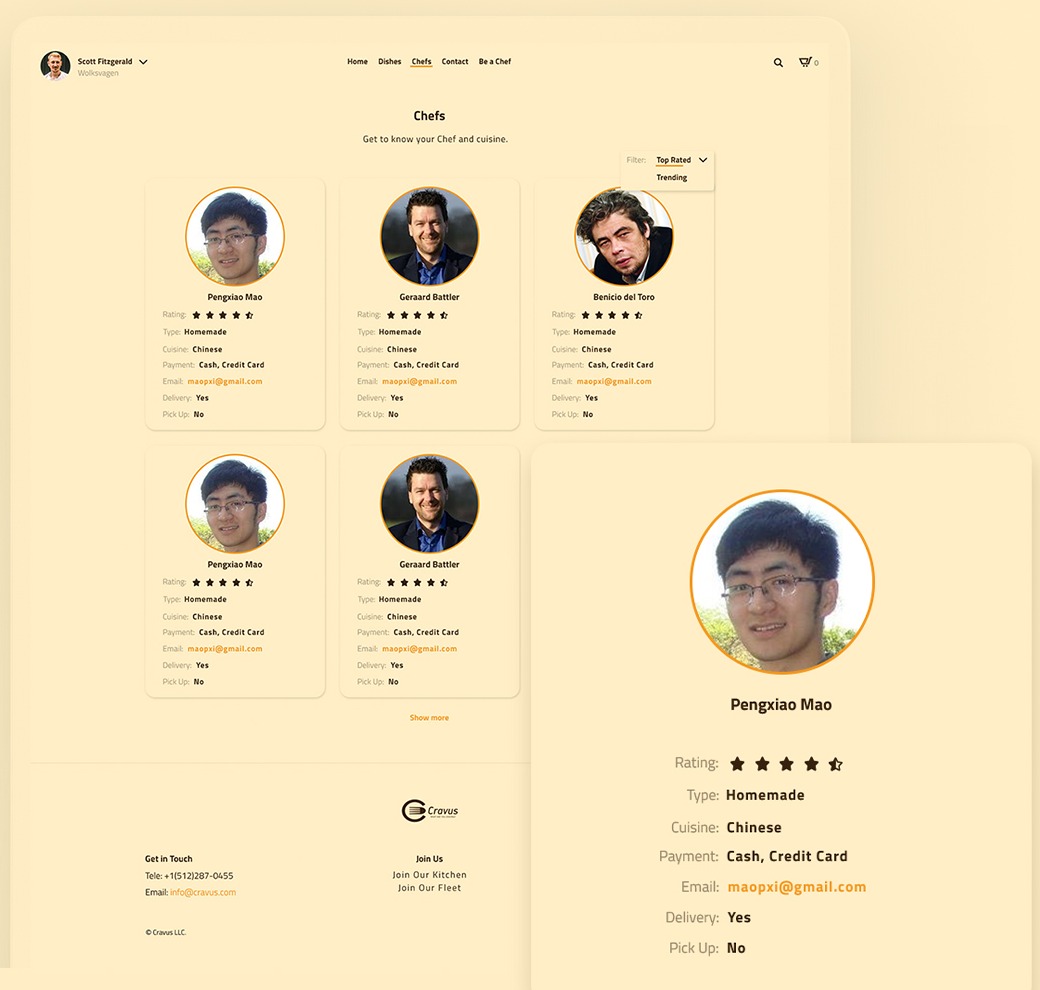
Chef cards list the rating, type of cooking, cuisine, payment methods, email, and whether the chef delivers or offers pick-up.
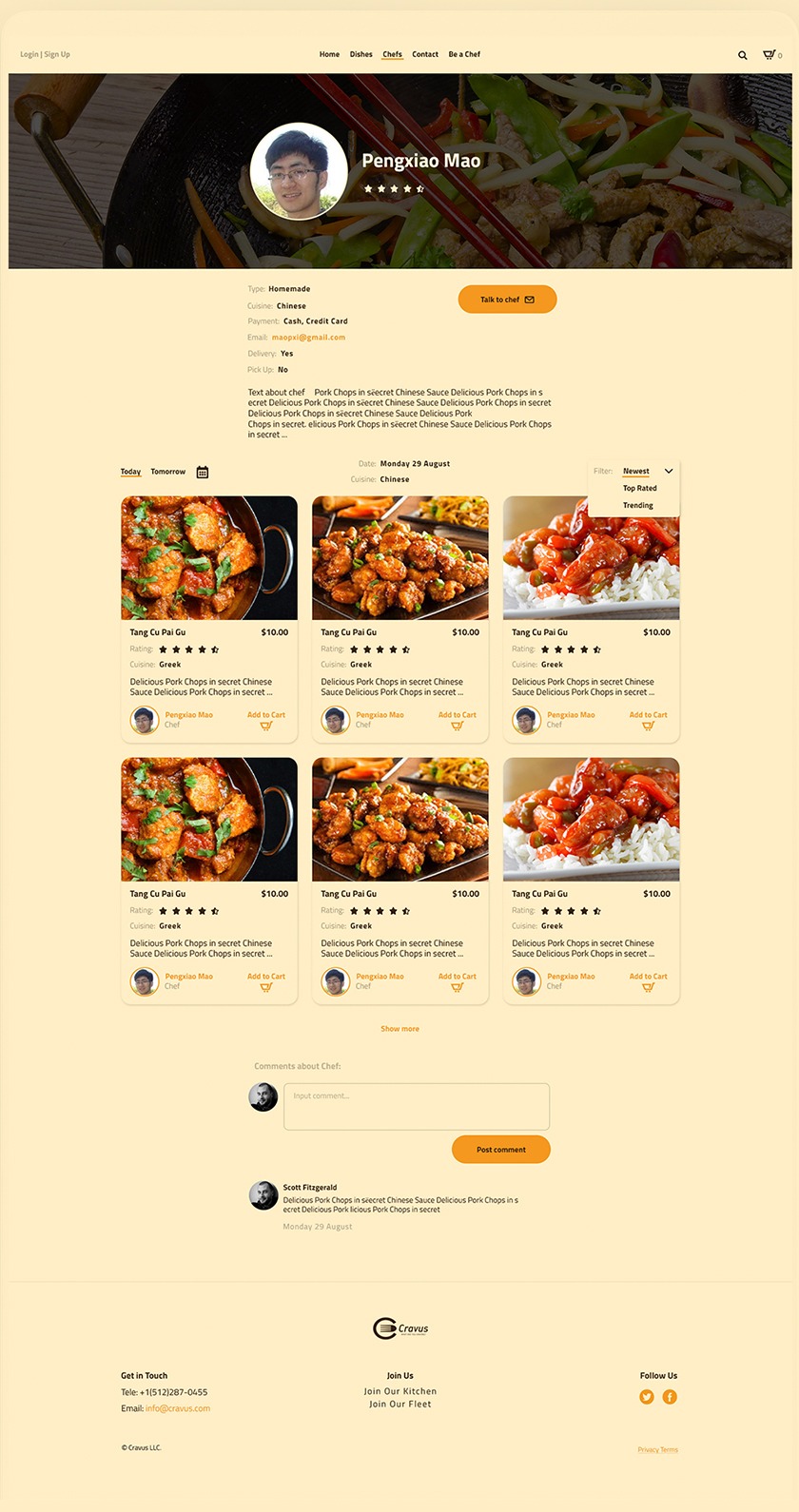
05 / 09
A photo header with the chef’s name and rating, then their details, a Talk to chef button and a short bio. Below are the chef’s dishes and comments from customers.
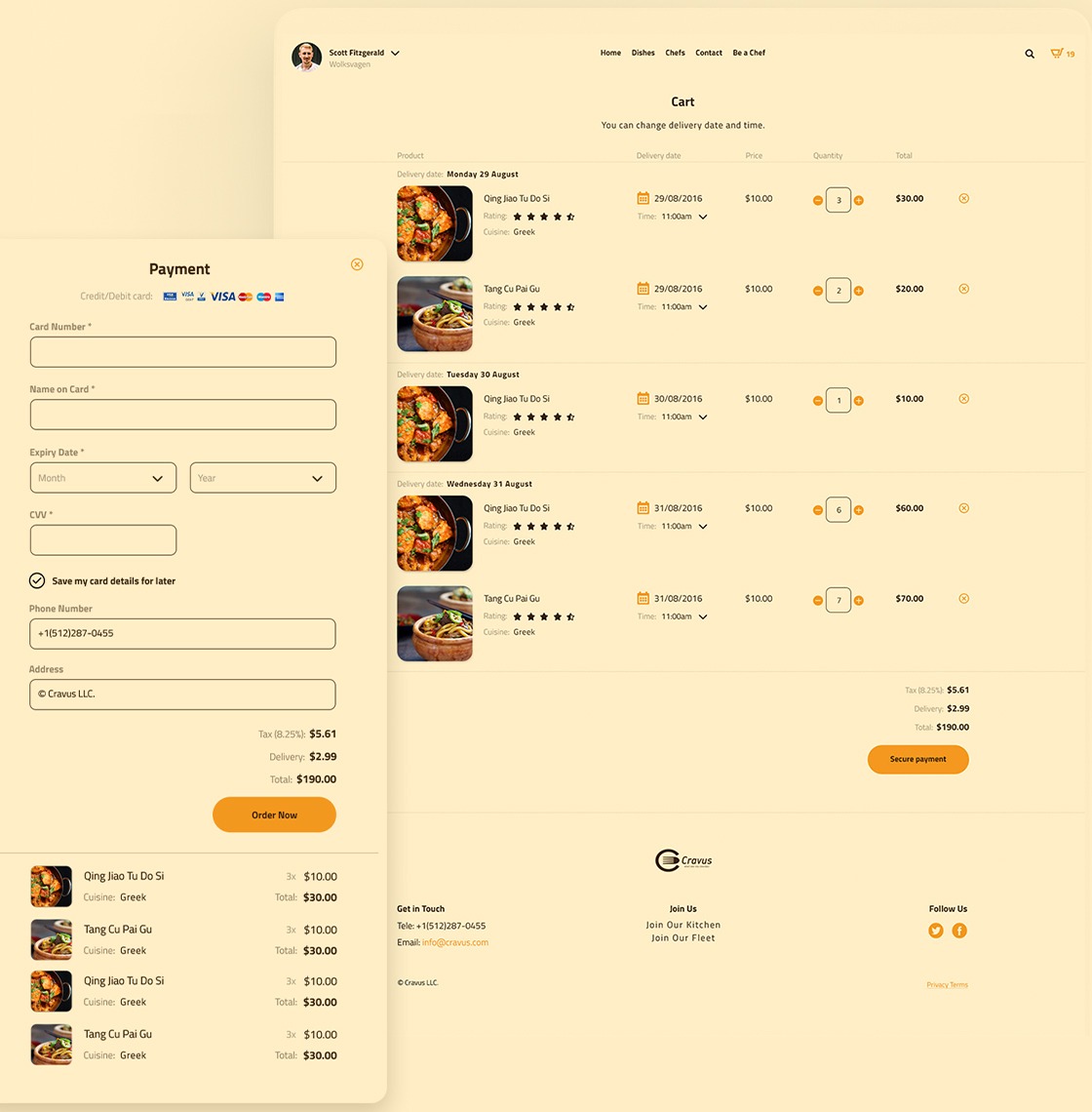
06 / 09
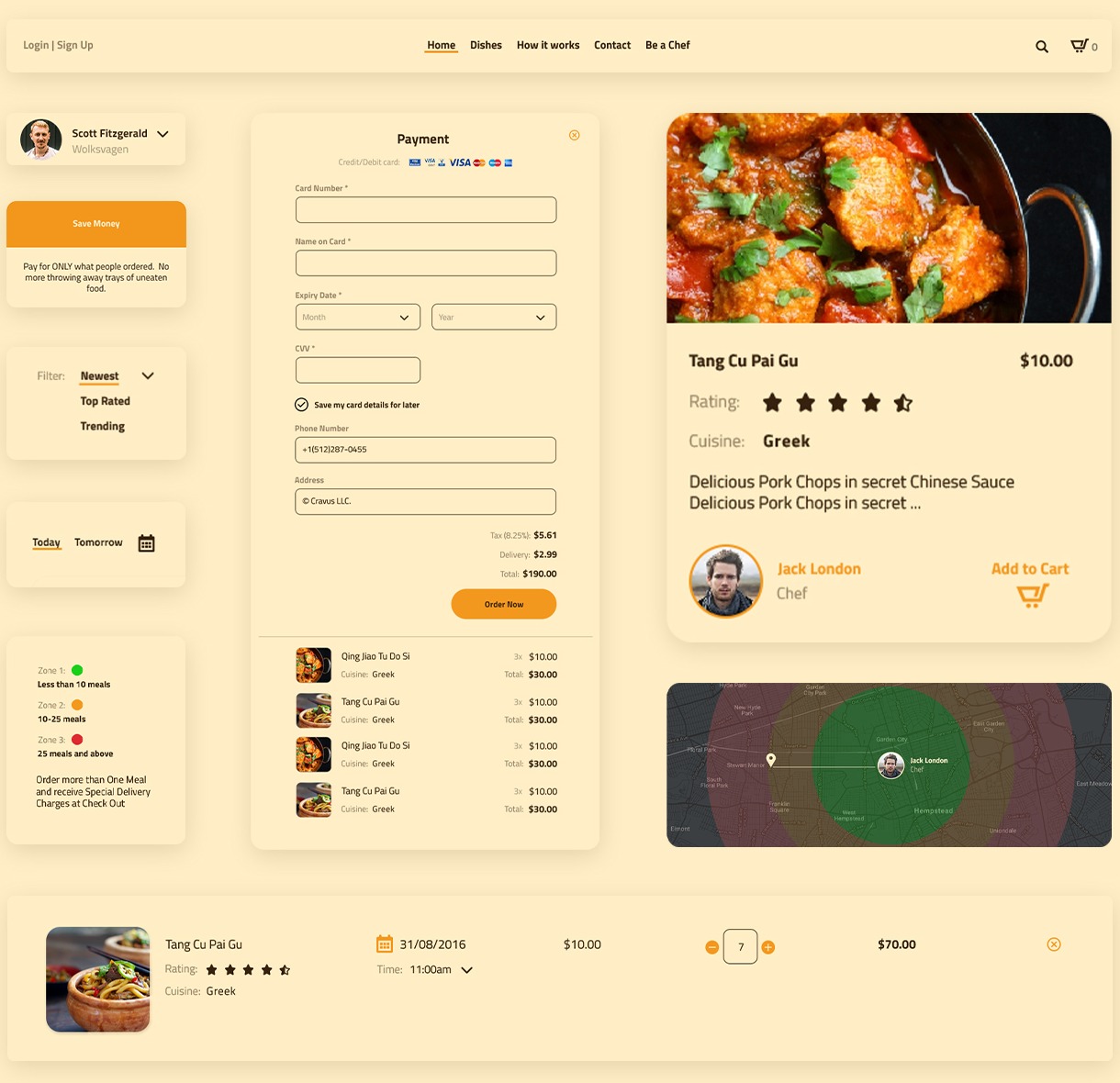
Items are grouped by delivery date. Each item has its own date, time and quantity, so one order can cover several days. Secure payment opens a panel with card details, phone, address and the order summary.
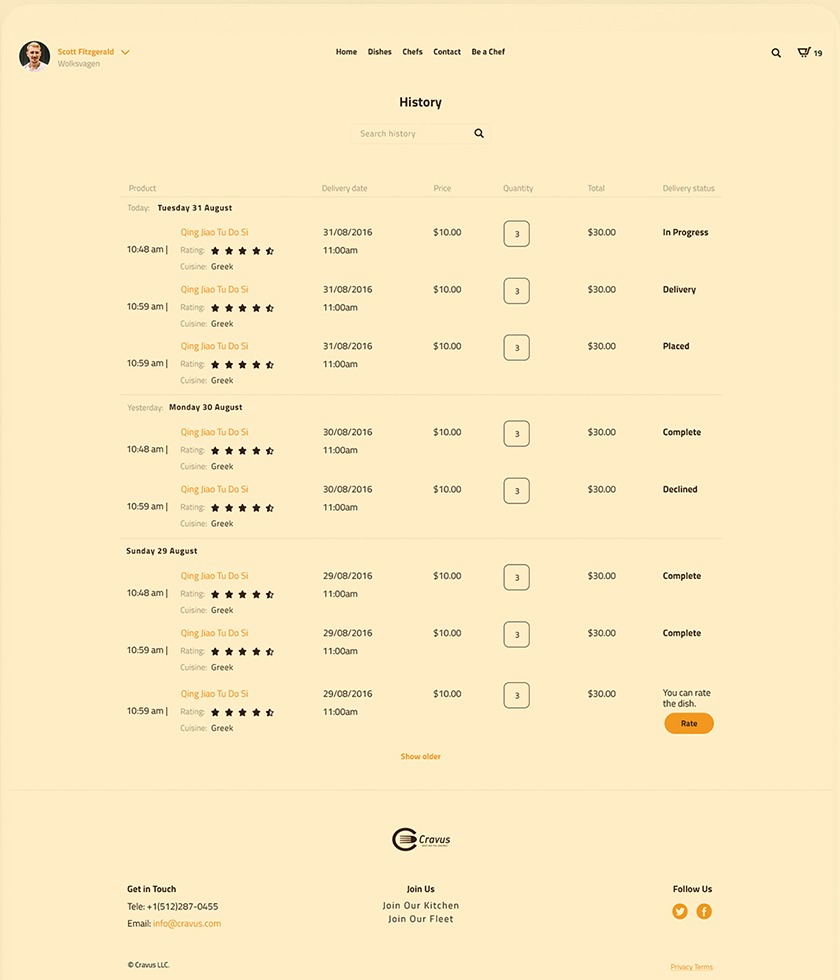
07 / 09
Past orders grouped by day, each with a status: placed, in progress, delivery, complete or declined. After a delivery the customer can rate the dish.
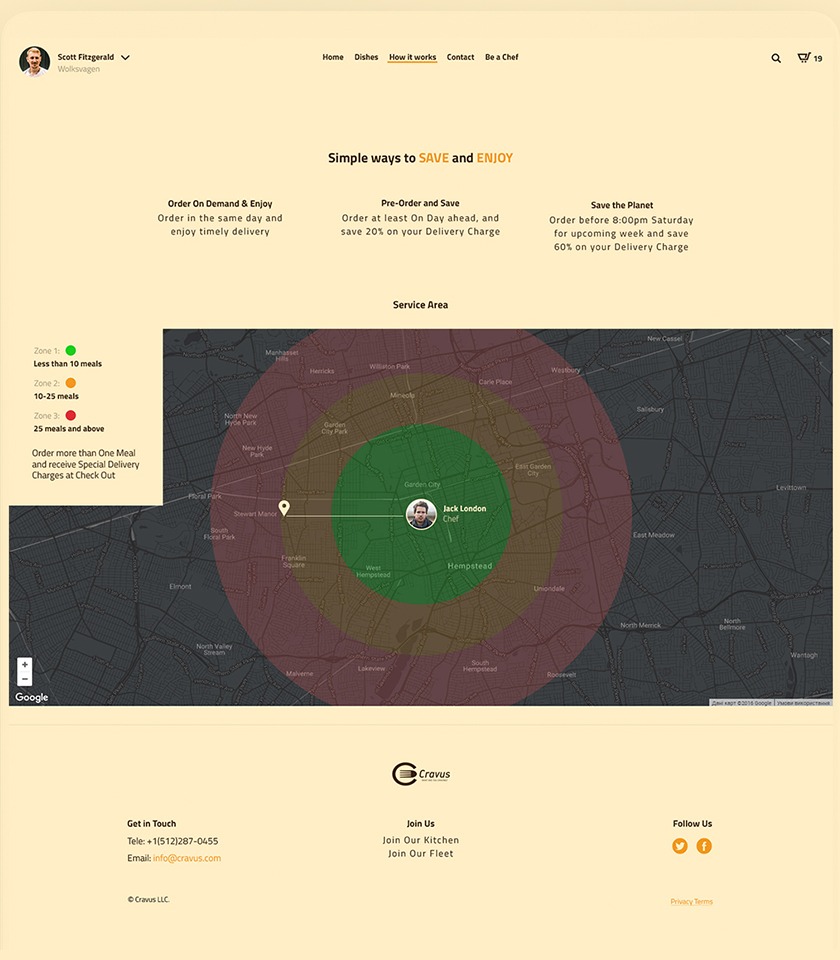
08 / 09
Three ways to order: on demand for the same day, a day ahead to save 20% on delivery, or for the whole next week before 8:00pm on Saturday to save 60%. The service area map has three zones around the kitchen: under 10 meals, 10–25 meals, and 25 meals and more.
09 / 09
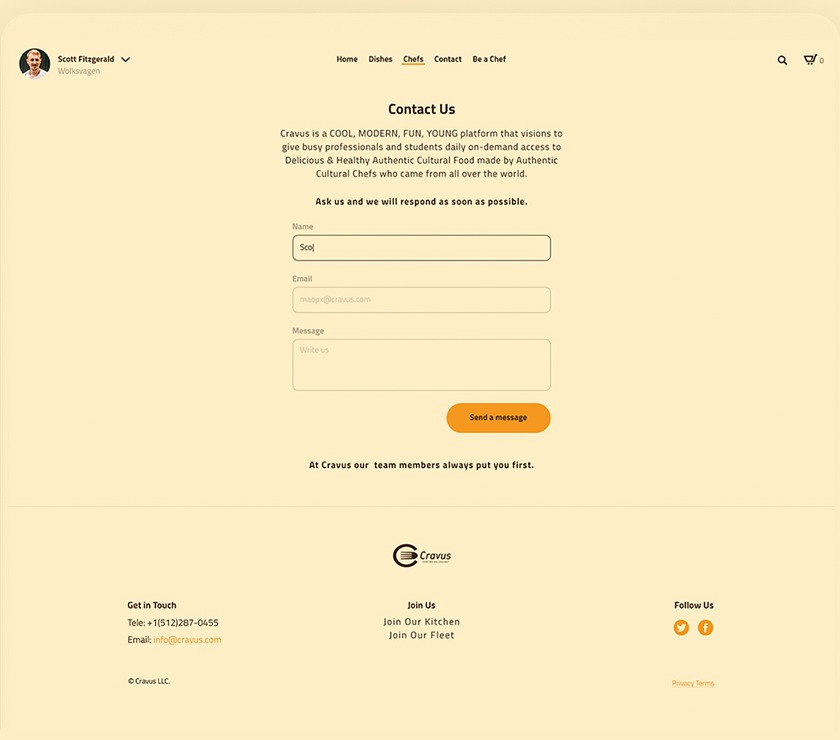
A short description of Cravus and a form with name, email and message.
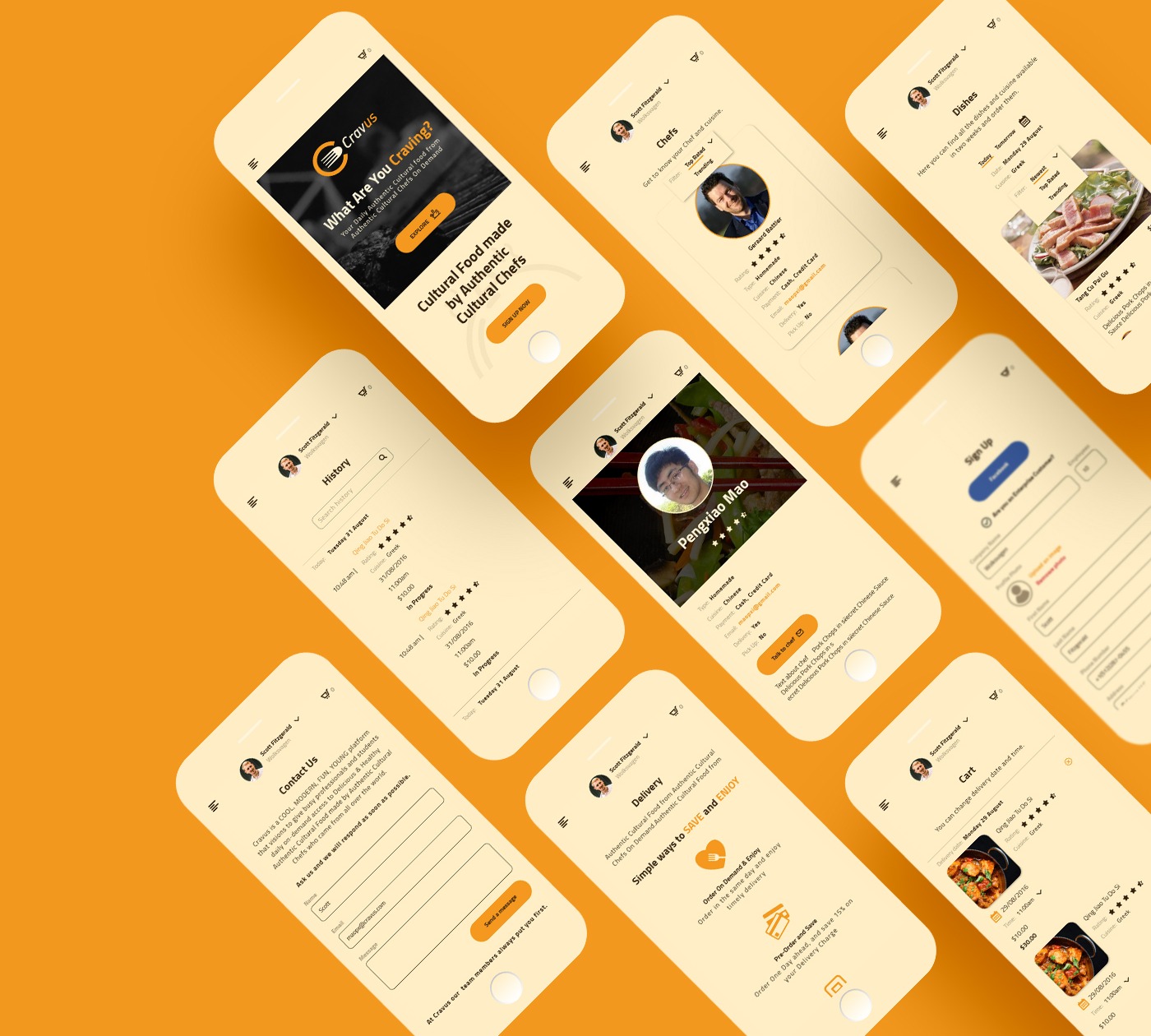
Mobile
320px +
Every page has a phone layout. The menu folds into a button in the top-left corner, and cards and tables stack in one column.
Style guide
#F3981E#36210D#F9E8BFTitillium Web · 40px
What Are You Craving?
Titillium Web · 26px
Today’s Cultural Adventure
Titillium Web · 18px
Delicious pork chops in secret Chinese sauce
Titillium Web · 14px
Cravus is your way of experiencing home-style cuisines from all over the world without the plane ticket.
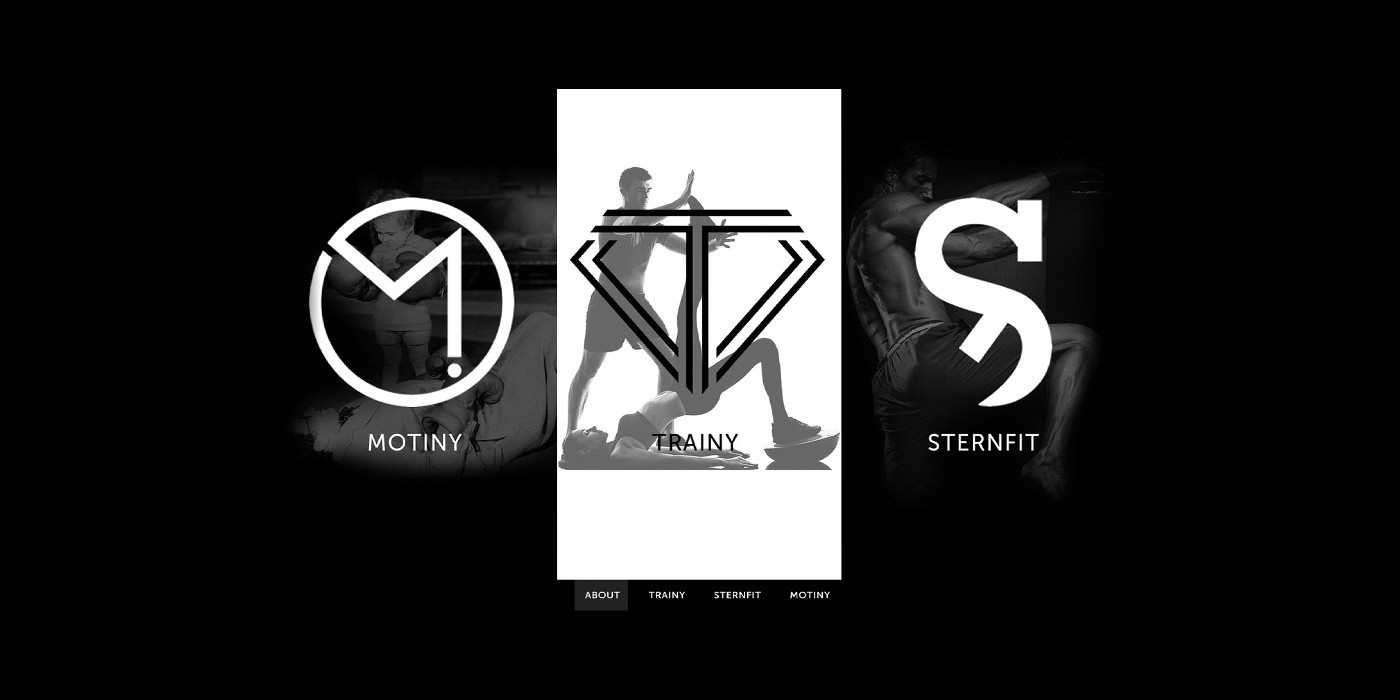
A recruiting site for Team Sternfit, the team behind three fitness projects: Motiny, Trainy and Sternfit. Sternfit is a platform where athletes view and share each other’s workout programs.
Designer
I worked with Roy Huang, Co-Founder of Team Sternfit.

First screen
The site opens with a short loader: the line “Team up, we train.” between two thin rules on black. Then the three brands appear as tall panels side by side. Pointing at a panel makes it wider, and the menu under the panels leads to each brand’s page.
What motivates you
An old black and white photo of a small child in boxing gloves sparring with a man. The mark is an M inside a circle, ending in an exclamation mark.

Team up, we train
A trainer stretching a woman’s leg, as a silhouette on white. Trainy is the only white panel of the three. The mark is a T inside a diamond, drawn with double lines.

Be stern, be fit
A fighter kneeing a heavy bag, the same photo as on the site’s cover. The S mark is cut through by a diagonal line and also signs the cover and the footer.

Two more photos were picked for the content pages: a boxer at a bag with red hand wraps and an athlete resting on a bench in the gym.


Main page
Below the panels, the main page tells how the team started, in five blocks. Each block is a dark photo with a few lines of text in capitals. Two Get in touch buttons lead to the join form.
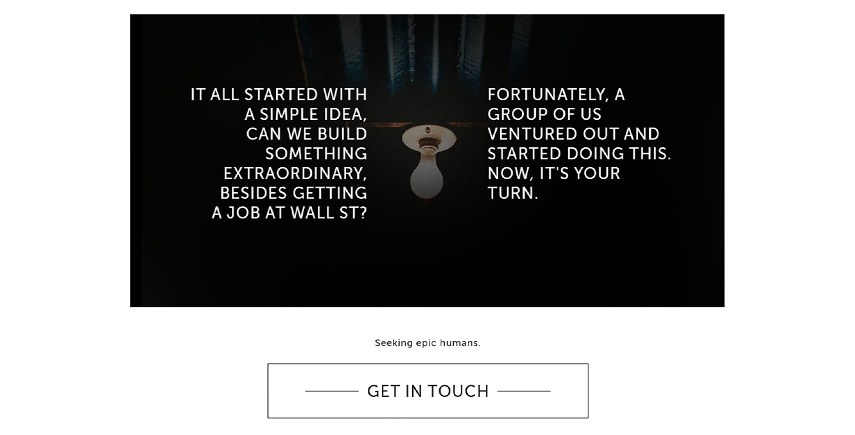
“It all started with a simple idea, can we build something extraordinary, besides getting a job at Wall St?”
Two columns of text on either side of a hanging light bulb, then “Seeking epic humans” and the first Get in touch button.
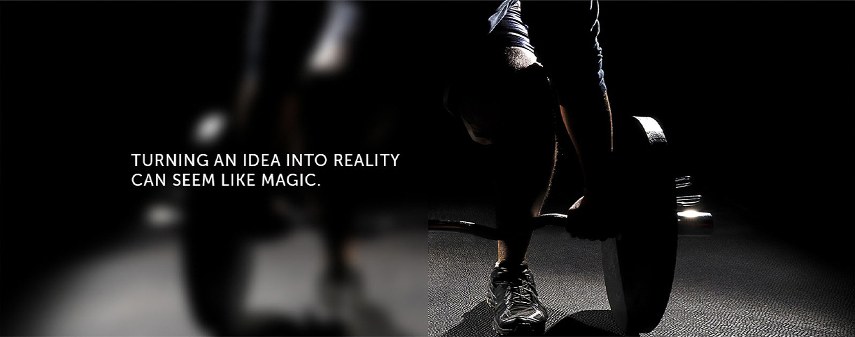
“Turning an idea into reality can seem like magic.”
The same line as on the cover, over an athlete gripping a barbell plate. The left half of the photo is blurred to keep the text readable.
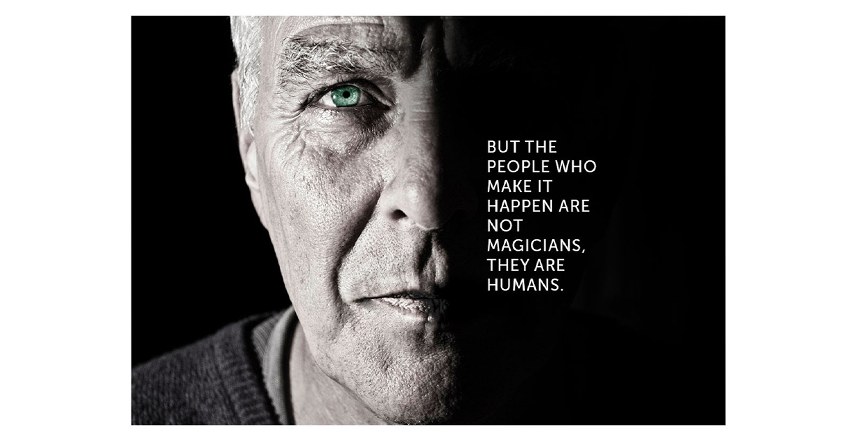
“But the people who make it happen are not magicians, they are humans.”
Half of an older man’s face in hard light, with the text in the dark half.
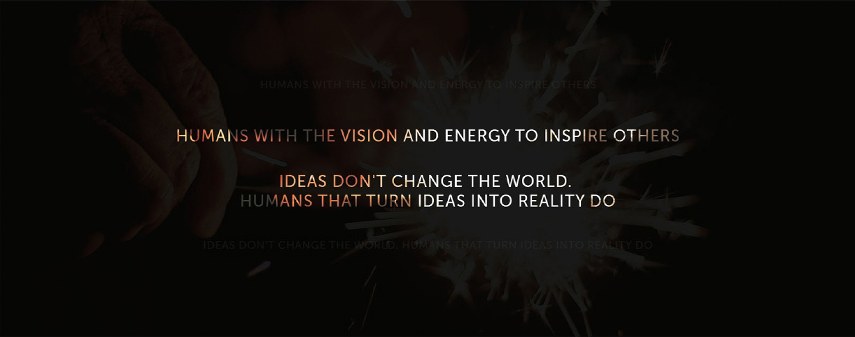
“Ideas don’t change the world. Humans that turn ideas into reality do.”
Centred lines over sparks, with some of the words in copper. Fainter copies of the lines sit above and below.
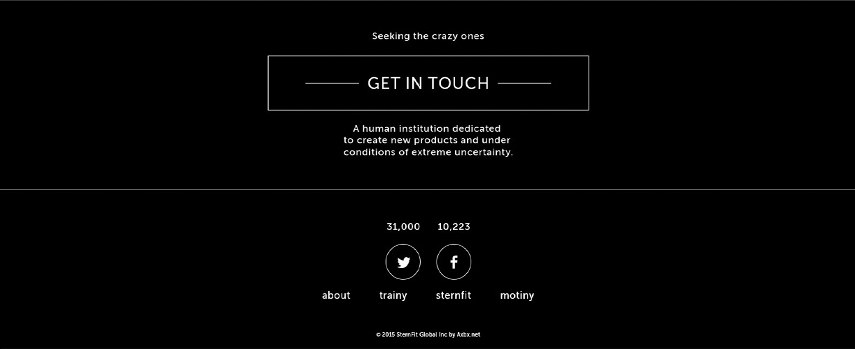
“Seeking the crazy ones.”
The footer has the second Get in touch button, a line about the team, follower counts for Twitter and Facebook, and links to About and the three brand pages.
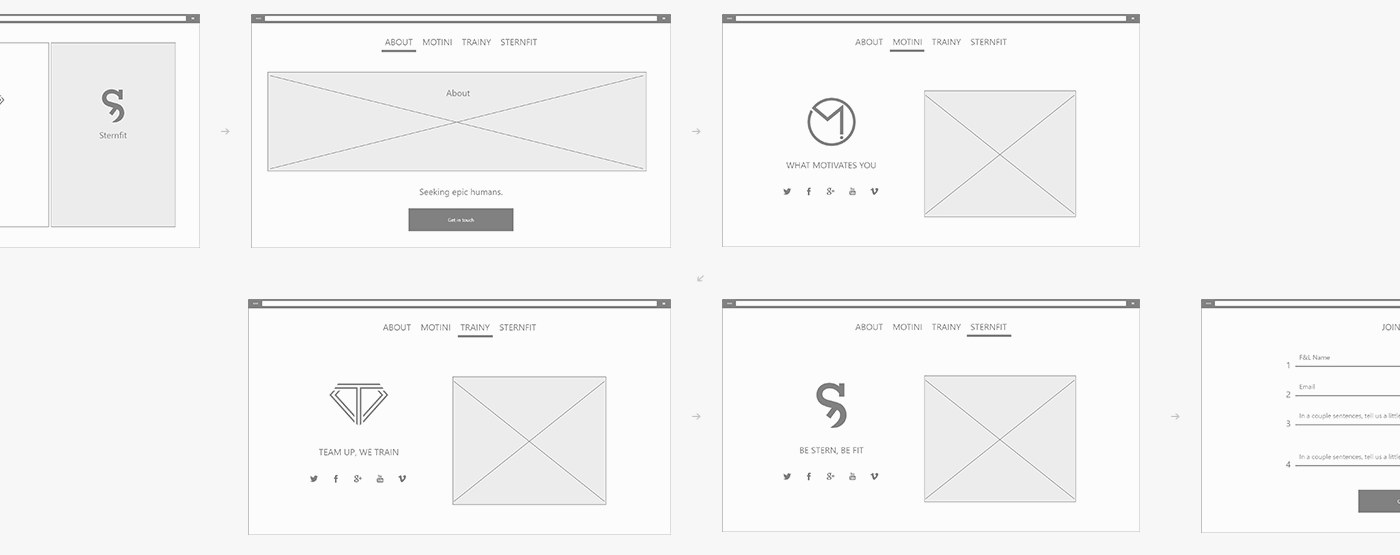
User flow
The wireframes follow one visit: the first screen, About, the Motiny, Trainy and Sternfit pages, then the join form. Each brand page has its mark, its line and social links next to a photo. The form asks for a name, an email and two short answers.
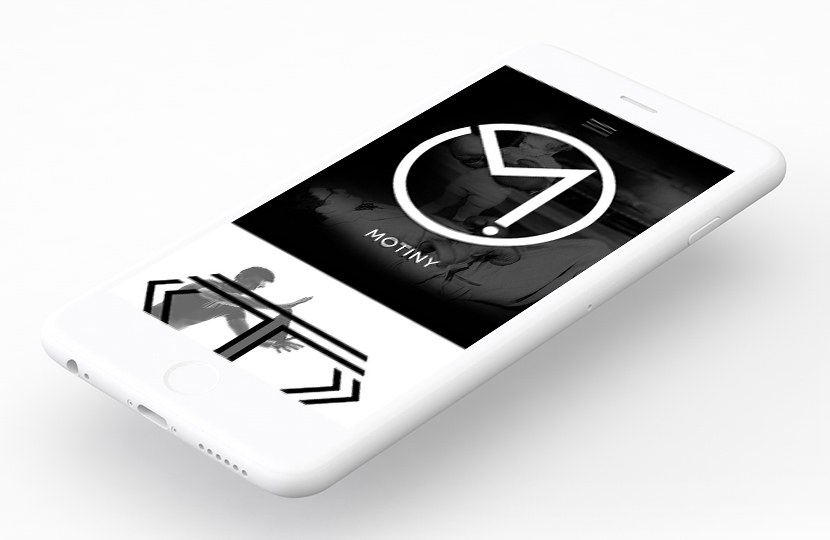
Responsive
The layout works from 320px wide. On a phone the three panels stack, each as wide as the screen, and the menu moves behind a button at the top right.
Style guide
The site uses two typefaces and three colours. Everything else comes from the black and white photos.
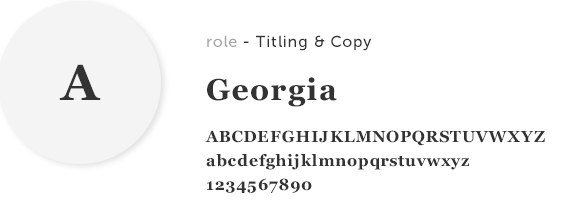
Titles and copy, including the TEAMSTERNFIT wordmark on the cover.
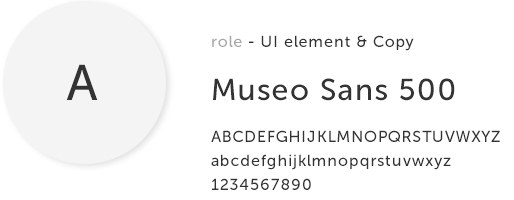
Interface elements and copy: the brand names on the panels, the menu, the buttons and the lines in the blocks.
#333333
Text on white
#888888
Links and buttons on hover
#FFFFFF
Page background
Winner of a design competition. App concept for pet care.
Designer
Competition
Design a concept app for pet owners. Scientists have made a chip that sits in a pet’s body and reads hundreds of health parameters, and the app has to show them to the owner. The pet was up to us, and I chose a dog.
300
Designers took part
1 week
Several tasks, with this app as the last one
2 days
To research, design and animate the app
3 months
Paid internship at AIC, a leading design agency, with accommodation included.
1st place
I won2nd place
3rd place
Research
The two days started with research: what a dog needs to live well, and which signs show the state of its body best.
Process
After the research, I started with wireframes of the four main screens: the pet’s main screen, physical data, emotional state and the pet’s needs. The final design keeps this layout.
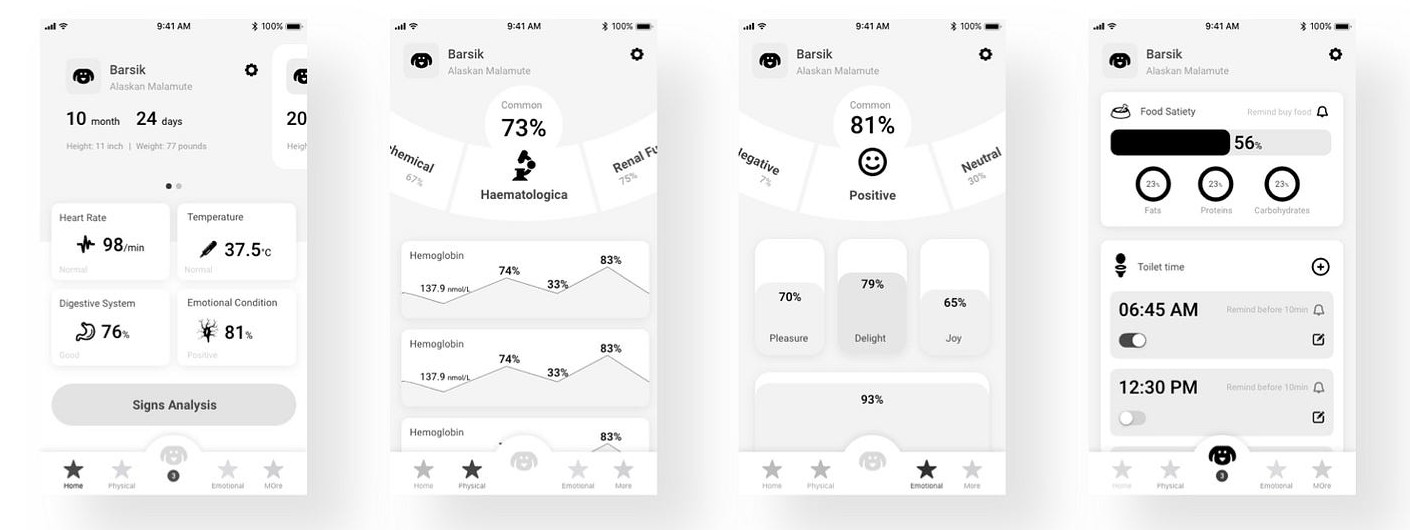
Pets tab
Photo, name, breed, age, height and weight. Swiping the card opens the next pet, and the screen changes to that pet’s colour: orange for Barsik, pink for Uncle Fedor.
Heart rate, temperature, digestion and emotional state, each with a status such as Normal, Good or Angry Dog. The Signs Analysis button checks all parameters at once.
Physical and Emotional are the two main sections. The button in the centre opens the pet’s needs and collects alerts. More is for secondary features.

Physical tab
The data is split into categories, such as haematological, chemical and renal function, each with an overall score. Swiping the arc at the top switches the category.
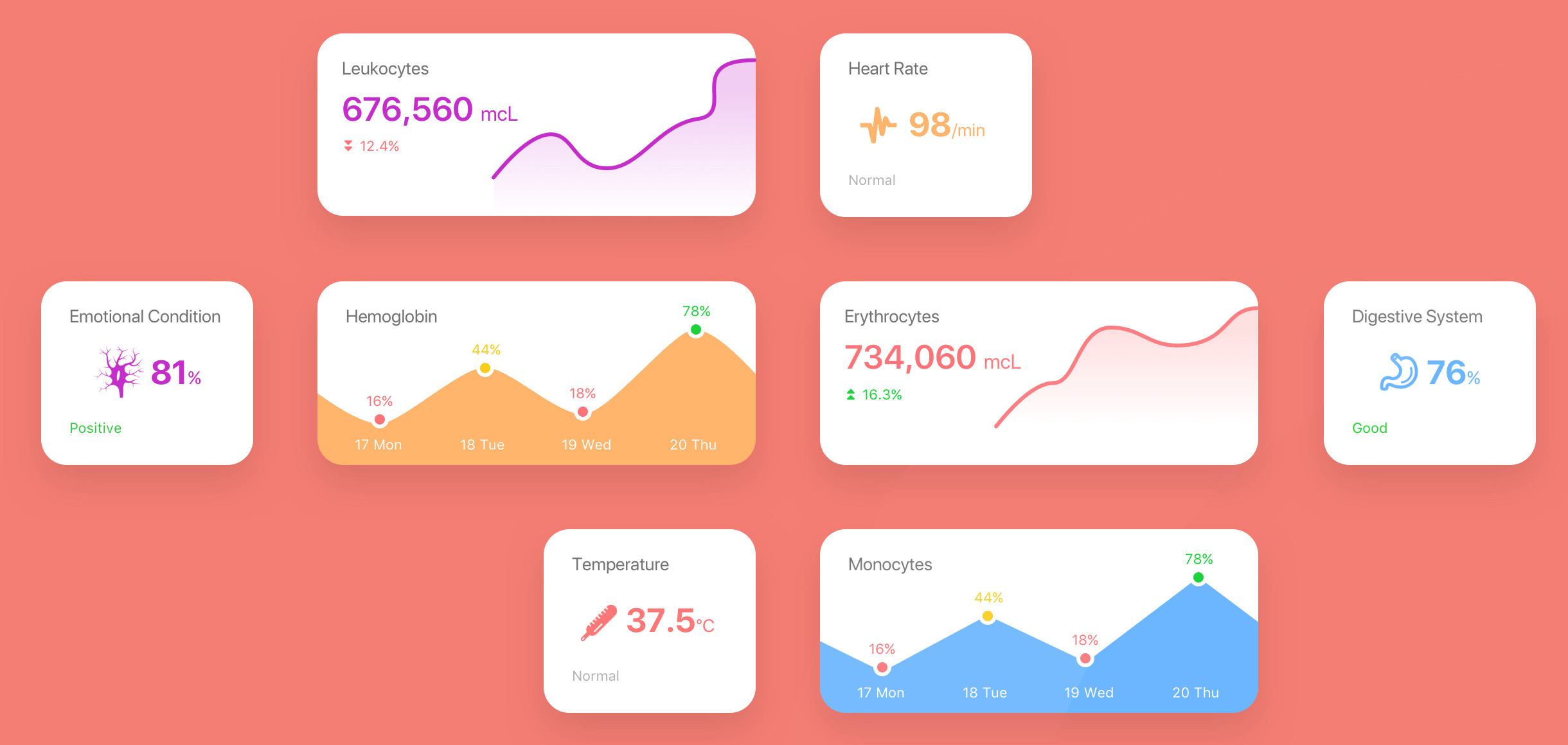
Below the arc are the processes in the body at the moment: leukocytes, hemoglobin, erythrocytes, monocytes and more, each with a chart by day.

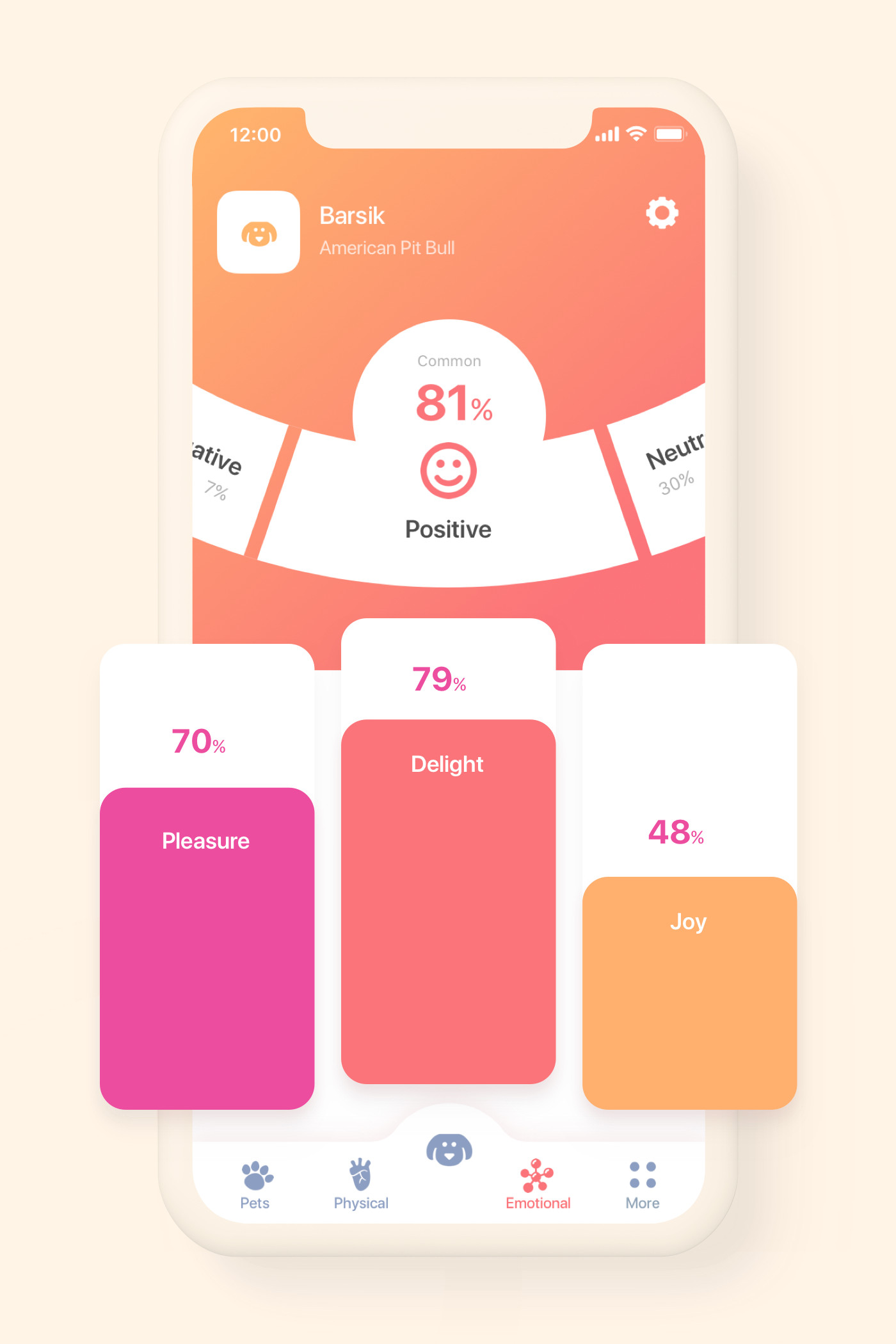
Emotional tab
At the top is the dog’s overall mood, here Positive at 81%, with Negative and Neutral on either side. Below it, three bars show pleasure, delight and joy, and further down is the love of master score.
Centre button
Food satiety shows how full the dog is and the split between fats, proteins and carbohydrates. The owner can set a reminder to buy food.
Under Toilet time, the system works out when the dog needs to go out. Each time has a reminder 10 minutes before and a switch to turn it off.

Style guide
Four colours make the two gradients in the app. The text is set in SF Pro Display, the iPhone system typeface, in two weights.
#FAAC6B
Start of the orange gradient
#F27477
End of the orange gradient and buttons
#F15093
Start of the pink gradient
#DF42C4
End of the pink gradient
The dog from the pet card in the app’s pink gradient, with the name to match.

Pet names, values and buttons.

Labels, units and statuses.
Winner of the Telegram design competition.
Brief
Telegram held a competition for UI designers, with $15,000 in prizes. The task was to redesign the chat screen and the attachment menu of the Android app, with the focus on sharing photos and videos. My entry made the top 15 and won $1,000.
Entries were judged on simplicity, usability and consistency. Telegram later posted my video on its Telegram Designers channel.
$15,000
Shared among the winners
Top 15
Picked by Telegram from all the entries
$1,000
Sent by Telegram after the results
525K
Views on Telegram’s post announcing the competition
Entry
The video I sent to Telegram: the chat list, a group chat with voice messages, and the new attachment menu for photos, videos, files, music and location.
Result
After the results came out, Telegram support wrote to me and asked for my bank details to send the prize.

Two fashion concepts for SQUARE, an open interface challenge by Slava Kornilov of Geex Arts.
Designer
The challenge
Slava Kornilov shared a square grid and asked designers to make a screen on it and send it to him. He added selected screens to one presentation on Behance, with each author credited.
See SQUARE on BehanceEntry 41
A lookbook page with one model per issue. Her name is set large next to the photo, the next issues are listed at the top, and two cards lead to runway looks and video. Each issue has its own colour.
Entry 36
Main screen for a latex clothing shop. The brand name runs down the left side beside the photo, and the products slide in as a row of cards with their prices.
Chatbot concept for a smart kitchen. I made it in one day, as a challenge during my internship at a design agency.
The robot mascot is from Vic Bell’s Blink Bot.
Flow
You tell the bot what you want to eat by typing, by voice, or with the quick buttons for vegetables, pasta and wine. The bot offers one dish with its cook time and a side to go with it. If you turn it down, it shows three more.
After you open a recipe and tap Cook it, the bot asks when to serve the dish, and you pick the time.
Egg Noodles with Rich Chicken45 min
Chicken Broccoli Bake
Turkey Artichoke Cheese Dip
Meatloaf with Prune Glaze1½ hours
Serve time picked
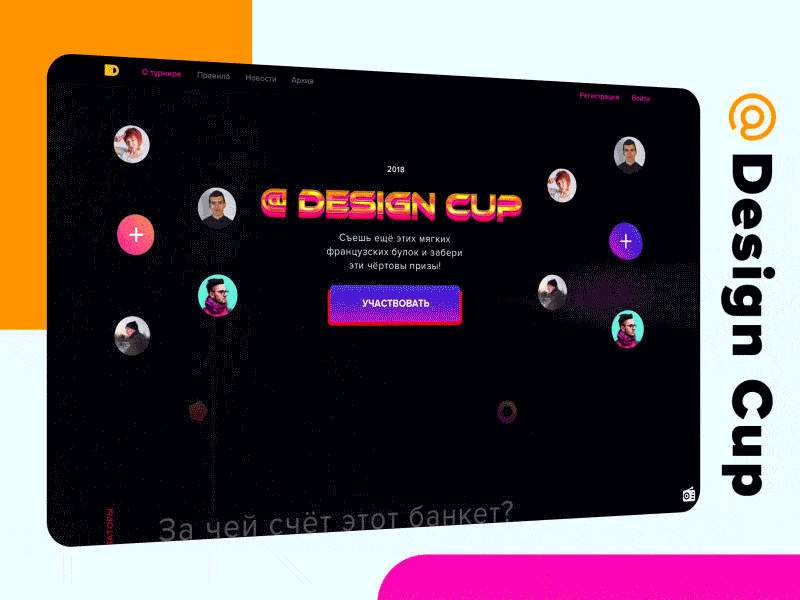
Landing page for Design Cup, a concept competition for beginner and experienced interface designers, run by Mail and Skillbox.
Designer
Landing page
Under the first screen, the page has six blocks: what the competition is, its stages, the prizes, the jury, a second sign-up and the organizers with the footer.
Jury
The block title, “And who are the judges?”, is a line from Griboyedov’s play Woe from Wit. Five art directors and designers judged the entries, each shown as a portrait in the page’s colours. The arrows move the carousel.

Near the end, the title comes back with participants’ photos around it and a second Participate button. The line under it plays on the Russian pangram from font previews, “Eat some more of these soft French rolls”, and adds “and take the damn prizes!”
The last block, “Who’s paying for this banquet?”, names the organizers, Mail and Skillbox, next to four numbers: 10 weeks, 2 stages with tasks from big companies, x10 growth and 100% out of the comfort zone. The footer links to the rules, news, past editions and the community pages.
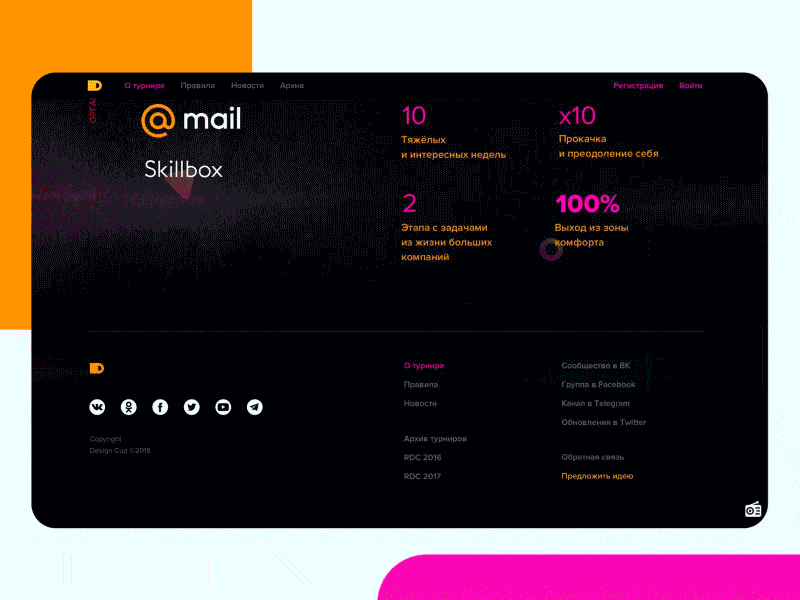
Style guide
The look comes from 80s arcade games and synthwave covers: a wireframe landscape under a setting sun, chrome lettering, and neon colours on black.
The title and dates from the first screen.

Measured from the page.
Page background
#000105
Title and numbers
#FB06B5
Buttons and arrows
#4C1AD3
Numbers and dates
#02E5FB
Chrome lettering
#FDE406
The @ mark
#FF9400
Landing page for Voximplant’s IVR order tracking. Customers call, say a waybill number or their name, and hear where their order is.
Designer
I worked directly with Voximplant’s engineering team. Their developers built the page.
Flow
The first screen says that tracking works by voice, with no digits to type. Below it, a demo window plays a call over a map of Moscow, and the bot answers where the parcel is and when it will arrive.
Four cards list what the service does: several orders in one call, 98% recognition accuracy, a report on order status and delivery dates, and CRM integration. The bot speaks in the voice people know from Yandex.Navigator.
The test call window shows a number to dial and a code to enter once the call connects, with a 30-second timer. After that, you say the answers the page suggests.

Landing page for the OFFF conference, made for Skillbox. OFFF brings together digital artists, illustrators and designers. It started in Barcelona and travels to other cities.
Page
The landing page from top to bottom: the OFFF letters, the festival texts, the speakers and the ticket call.
Landing page for Professions in Digital, an online marathon by Skillbox. Over three weeks, 33 speakers gave 39 master classes on design, code and marketing.
Page
The landing page from top to bottom: the cube intro, the prize draw, the speakers, the schedule and the certificate.
Landing page for a Skillbox contest. Students sent in project ideas, and ten finalists went to a public vote.
Page
The landing page from top to bottom: the first screen, the three contest steps, the timeline and the entry form.
02 / Impact
Results from DataGPT and Voximplant Kit — products I helped take from zero to launch.
Every role taught me something different. All of it shows up in my work.
2023 — now
DataGPT · San Francisco, remote
Designed the conversational analytics product from 0 to launch; brand, website and design system.
3 yrs 4 mos
2021 — 2023
Voximplant · Palo Alto
Scaled the team from 1 to 10+ designers, structured three design departments.
1 yr 10 mos
2018 — 2021
Voximplant · Palo Alto
Designed Voximplant Kit from discovery to a core product line.
3 yrs
2017 — 2018
24eastyard · Ivano-Frankivsk
Brand, website and client design systems; +30% engagement on managed projects.
1 yr 2 mos
2016 — 2017
Yellow Leaf · Ivano-Frankivsk
Brand and web; dashboards and landing pages for clients.
1 yr 5 mos
2015 — 2017
Upwork · part-time
Landing pages, marketing sites and dashboards for SaaS and e-commerce clients.
2 yrs 4 mos
2013 — 2015
NetLS · Ivano-Frankivsk
Responsive sites and web apps; wireframes to export-ready assets.
1 yr 8 mos
04 / Contact

