I designed, built and launched App.
Upload a Short, Reel or TikTok. Hooko scores the hook against the creator's niche, breaks down audio and visuals, and writes three reshootable alternatives backed by real videos from the same niche.
My role
Solo builder
- Product idea, scope and competitor review
- UX, UI and the analysis result format
- Flutter app, built with Claude Code
- Backend, AI pipeline and payments
- Website, App Store page, ASO
- Apple Ads setup and launch
Why I built it
I wanted to build and ship a whole app on my own. I also noticed that most apps for creators just give a score and stop there. I wanted to make one that tells what to actually change in the creator's video.
Problem
Virality scores don't tell creators what to change
Creators
On TikTok, Reels and Shorts, people decide in the first 3 seconds whether to keep watching. When a video gets few views, creators usually don't know why. Was it the first line, the first shot, the pacing or the caption?
Existing tools
Most virality apps I looked at give you a score or a percentage, like "62% viral". That doesn't tell you what to fix, so you're still guessing before the next video.
With Hooko, I wanted every score to come with a clear tip you can use when you film again.
Product
How it works

 01
01Analyse
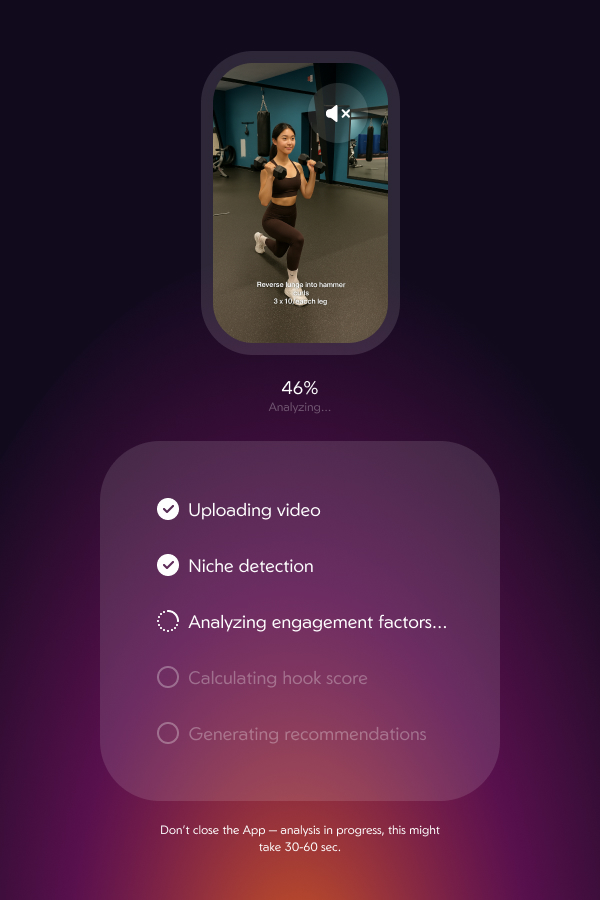
Upload any short video. A live checklist shows each stage while the analysis runs for 30 to 60 seconds.
 02
02Score
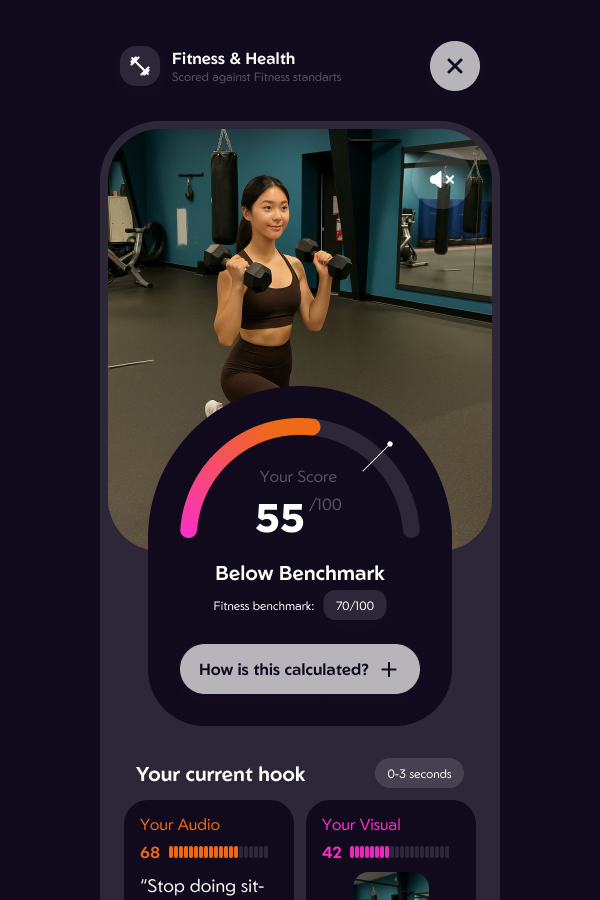
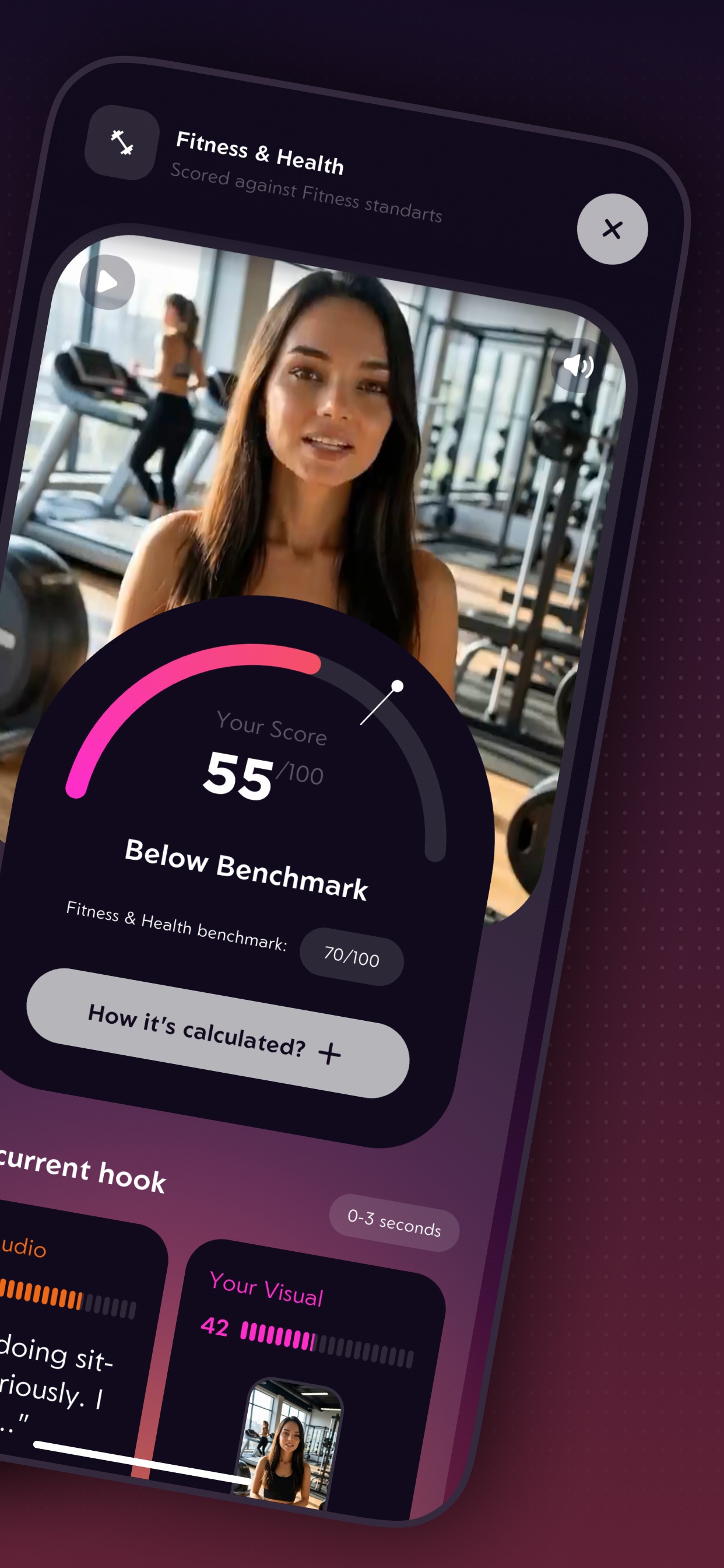
The hook is scored against the benchmark for the detected niche, with separate audio and visual scores for 0–3 seconds.
 03
03Rewrite
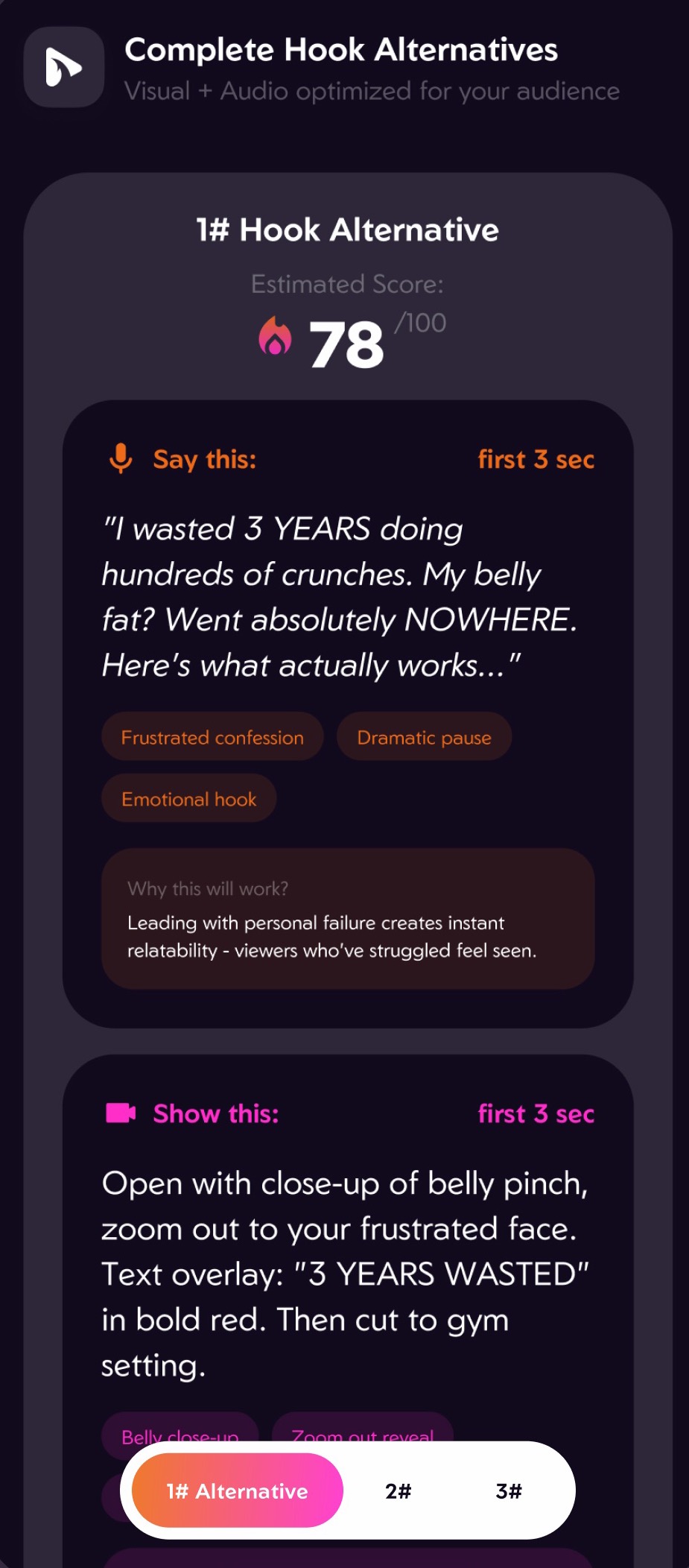
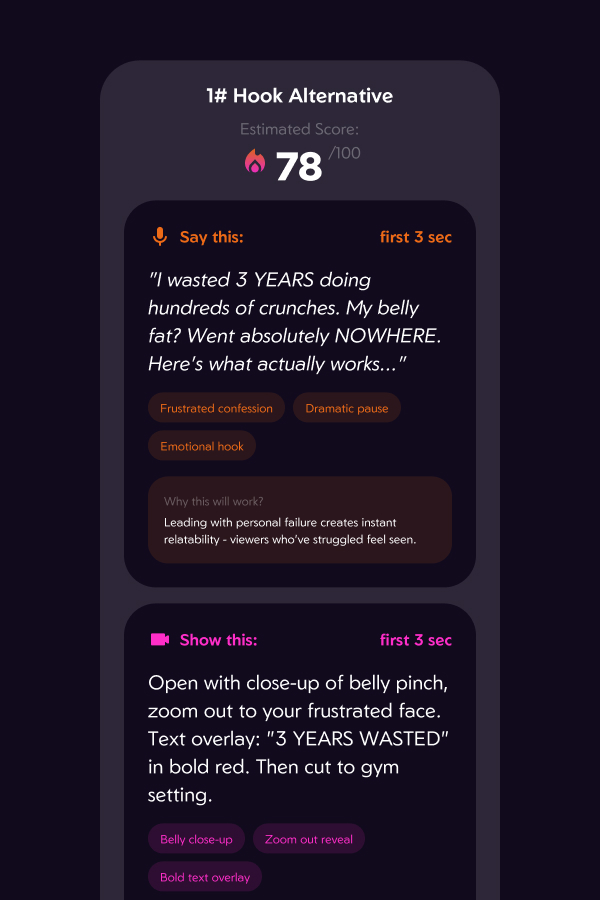
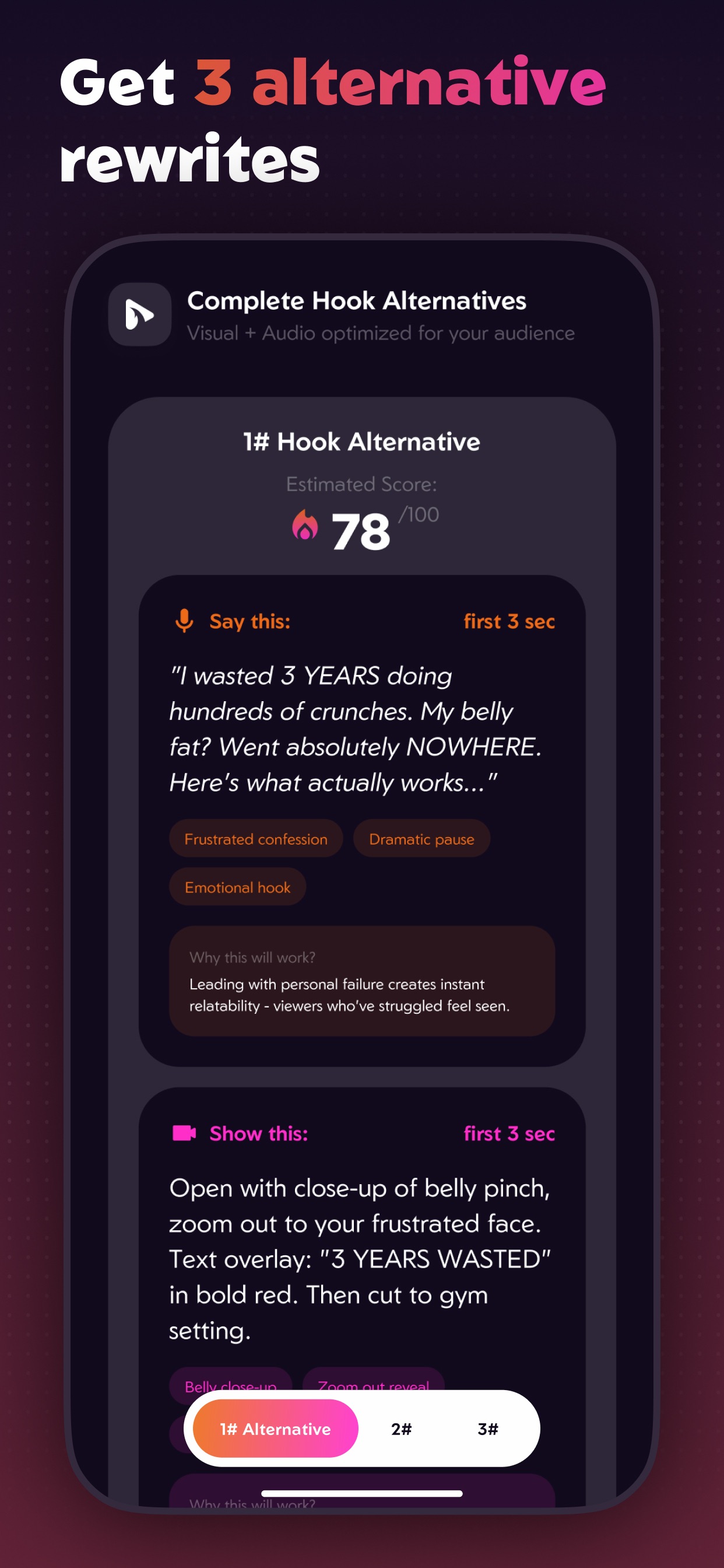
Three alternative hooks, each with a script to say, a shot to film, technique tags and an estimated score.
 04
04Prove
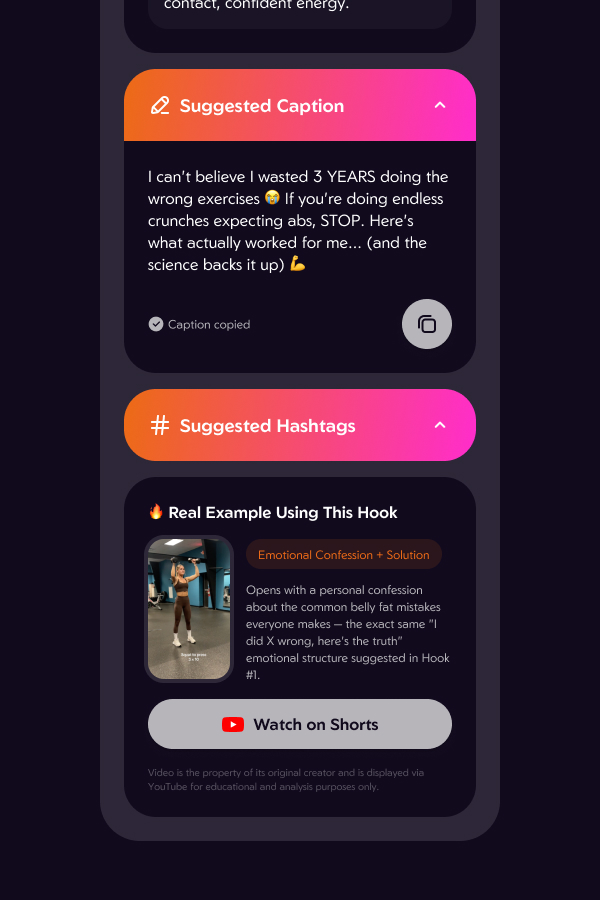
A ready caption and hashtags, plus a real Short from the same niche that uses the same hook structure.
 05
05Track
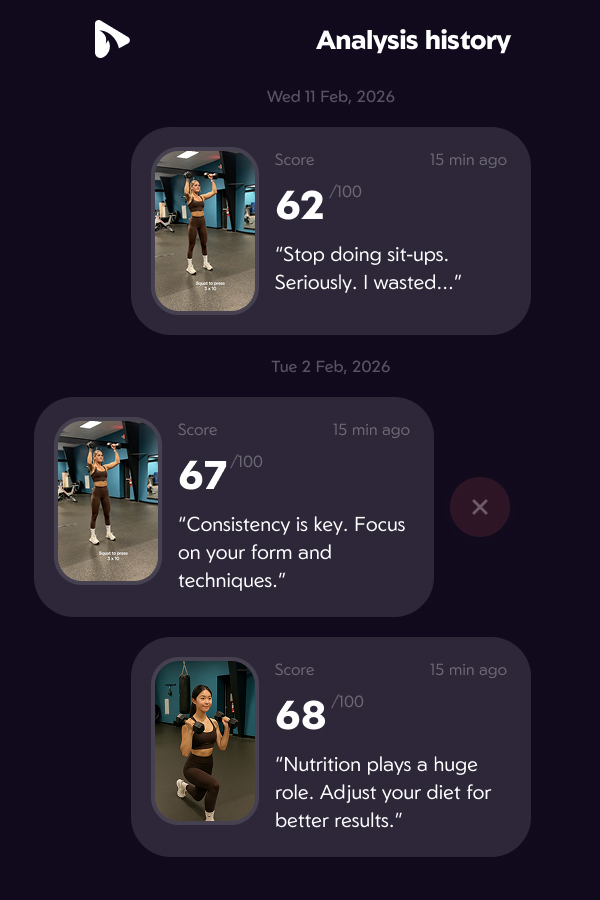
Every analysis is kept in a history, so creators can see whether their hooks are getting better.
Design
Key design decisions
Each decision answers the same question a creator has after a flop: what exactly do I change?
Context
Niche benchmark
A score of 55 means nothing alone. Hooko first detects the niche, then compares the hook with that niche's benchmark: "Below benchmark, Fitness & Health 70/100". A "How it's calculated?" control opens the method.
Clarity
Audio and visual feedback
A creator controls two things in the first 3 seconds: the words and the picture. The result is split the same way: an audio score and a visual score, and every rewrite gives a script to say and a shot to film.
Trust
Explanations and real examples
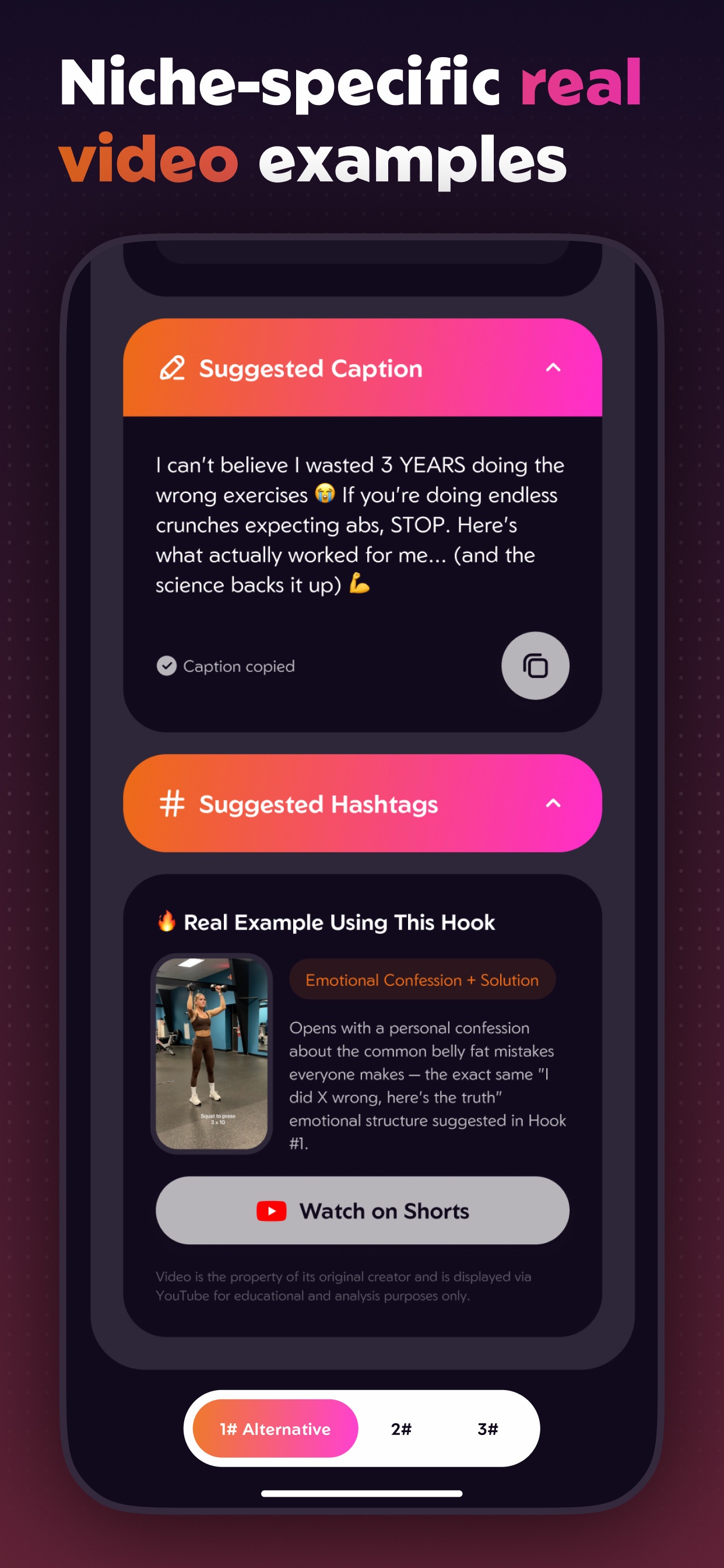
Each rewrite ends with "Why this will work?". Under it sits a real YouTube Short from the same niche that uses the same structure, tagged by technique, with a link to watch it and an attribution note.
Waiting
Analysis progress
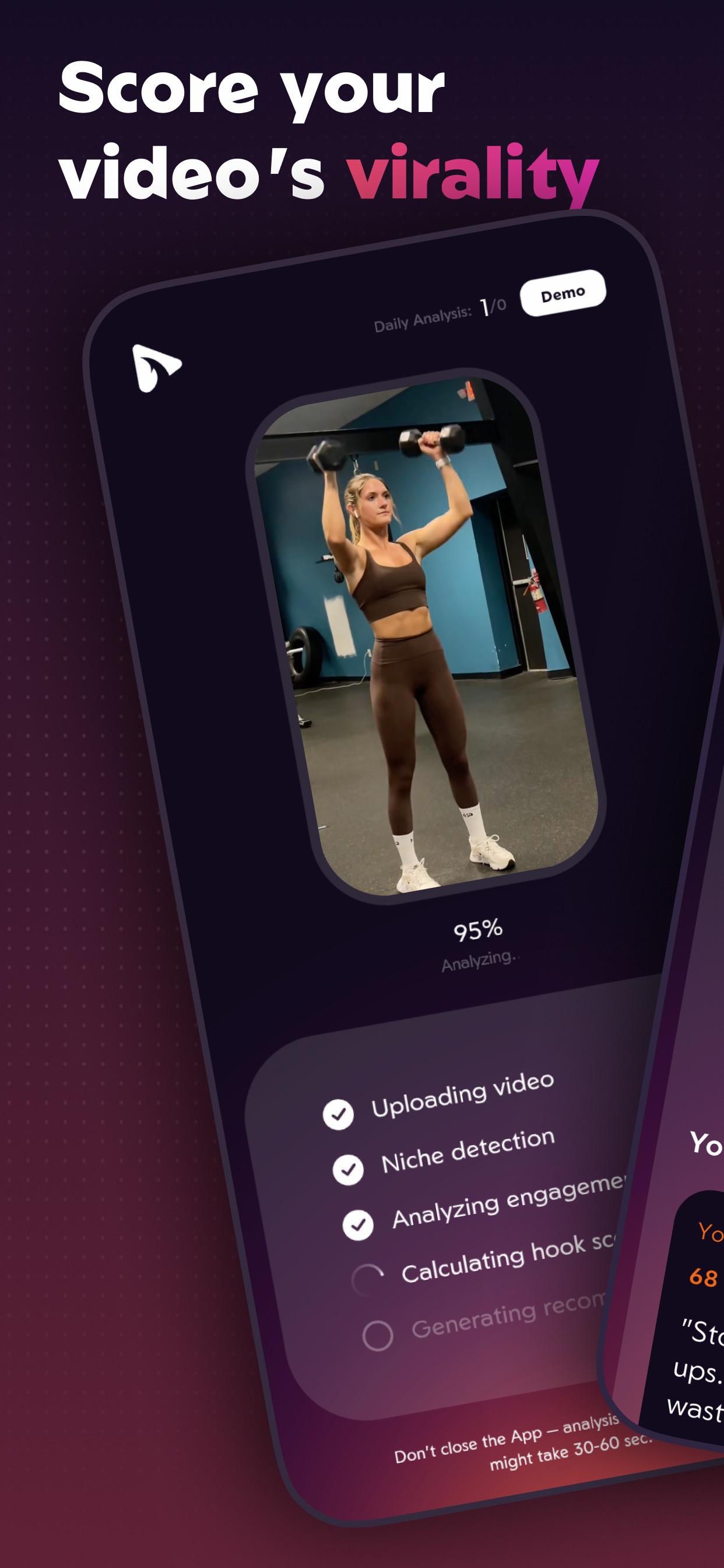
Video analysis takes 30 to 60 seconds. A spinner over that long looks broken, so the screen lists the real stages and checks them off: Uploading, Niche detection, Analyzing engagement, Calculating hook score, Generating recommendations.
Privacy
No account, no stored videos
There is no registration screen. An anonymous identity is created on first launch, and uploaded videos are deleted from the server once the analysis finishes. Subscriptions go through RevenueCat and are tied to the user's Apple ID, so they survive a reinstall without an account.
Build
Tech stack
How I worked
I designed all the screens and decided how the app works, what it checks in a video and what the results look like. I wrote the code with Claude Code. That includes the Flutter app, the Supabase backend, the Gemini prompts and the RevenueCat and YouTube connections.
Why Flutter
I started with iOS, but I want to release Hooko on Android too. Flutter lets me use the same code for both, so I don't have to build the app twice.
Tools
Build
Claude Code
Wrote the app, backend and integrations with me, from first screen to release builds.
App
Flutter
The iOS app, with one codebase ready for Android.
AI
Gemini API
Watches the video: niche, hook, audio, visuals, pacing, rewrites, caption and hashtags.
Examples
YouTube Data API
Finds real Shorts from the creator's niche that use the suggested hook structure.
Backend
Supabase
Anonymous users, video upload, the analysis pipeline, daily limits and stored results.
Payments
RevenueCat
Paywall, subscriptions and in-app purchases.
Website
v0
Generated and iterated the hooko.app landing, terms and privacy pages.
Hosting
Vercel
Hosts and deploys hooko.app.
Distribution
App Store + Apple Ads
Release, store listing, ASO and search ads.
Architecture
- Hooko iOS app · Flutter
- Upload · progress
Score · rewrites
Examples · history
Paywall - Supabase
- Anonymous user on first launch
Video upload, deleted after analysis
Analysis pipeline · daily limits
Results and history - Gemini API
- Niche, hook score, audio + visual, rewrites
- YouTube Data API
- Real Shorts in the same niche
- RevenueCat → App Store
- Paywall · subscriptions · purchases
Subscriptions · Apple ID - v0 → Vercel
- Site design and code
Landing, terms, privacy
Download link → App Store
- 1SupabaseUpload video
The app uploads the video to Supabase storage under the anonymous user.
- 2GeminiDetect niche
Gemini watches the video and picks its niche. The niche sets the benchmark the hook is scored against.
- 3GeminiAnalyze engagement
Gemini scores the first 3 seconds and the rest of the video: audio, visuals, pacing and on-screen text.
- 4YouTube APIFind viral examples
The app searches YouTube Shorts in the same niche for real videos that use the suggested hook technique.
- 5GeminiWrite rewrites and captions
Gemini writes 3 alternative hooks with what to say and show, plus a caption and hashtags.
- 6SupabaseDelete the video
The video is deleted from the database once the result is ready. User videos are never kept.
Launch
ASO and Apple Ads
App Store optimization
On the App Store, the name, subtitle and hidden keyword field are what search indexes. I treated them as one 160-character budget and never repeated a word across them, because Apple counts each word once.
- Name leads with an intent phrase creators actually search, "Blow Up", with the brand after it.
- Subtitle covers the second intent, "go viral" and "short video", using all 30 characters.
- Keyword field holds the long tail: the feature words (hook, score, caption, hashtag, script) and creator vocabulary. Singular forms, commas, no spaces, no competitor brand names.
- Categories: Utilities as primary, a less crowded chart than Photo & Video, which is the secondary.
- Screenshots show the real app. Each one shows a core feature, like the hook score or the rewrites, so people see what the app does before they download it.
Apple Ads campaign structure
I split my Apple Ads into four campaigns. Each one targets a different kind of search, so I could give each its own budget and see which searches actually bring installs.
Brand
Exact match
Shows the ad when someone searches for Hooko by name. It's cheap and stops other apps from taking those searches.
Category
Exact match
Searches for what Hooko does, like "hook analyzer". This campaign got most of the budget.
Competitor
Exact match
Shows the ad when someone searches for a similar app by name. It has its own campaign so I could check if it was worth the cost.
Discovery
Broad match
Finds new search terms I hadn't thought of. Keywords I already target in other campaigns are blocked here, so I don't pay for them twice.
Reflection
What it taught me
Start with the result format
The most important thing I designed was the list of what every analysis gives back: a score, the niche benchmark, what to say, what to show, why it works and a real example. Once that list was clear, the AI prompt, the database and the screens were much easier to build.
Building with AI
With AI I could take Hooko from an idea to a paid app in the App Store without an engineering team. My design decisions ended up in the product exactly as I made them.
Getting users takes as much work as building
Building the app was faster than getting people to find it. ASO, store screenshots, Apple Ads and onboarding needed as much design attention as the analysis screens.