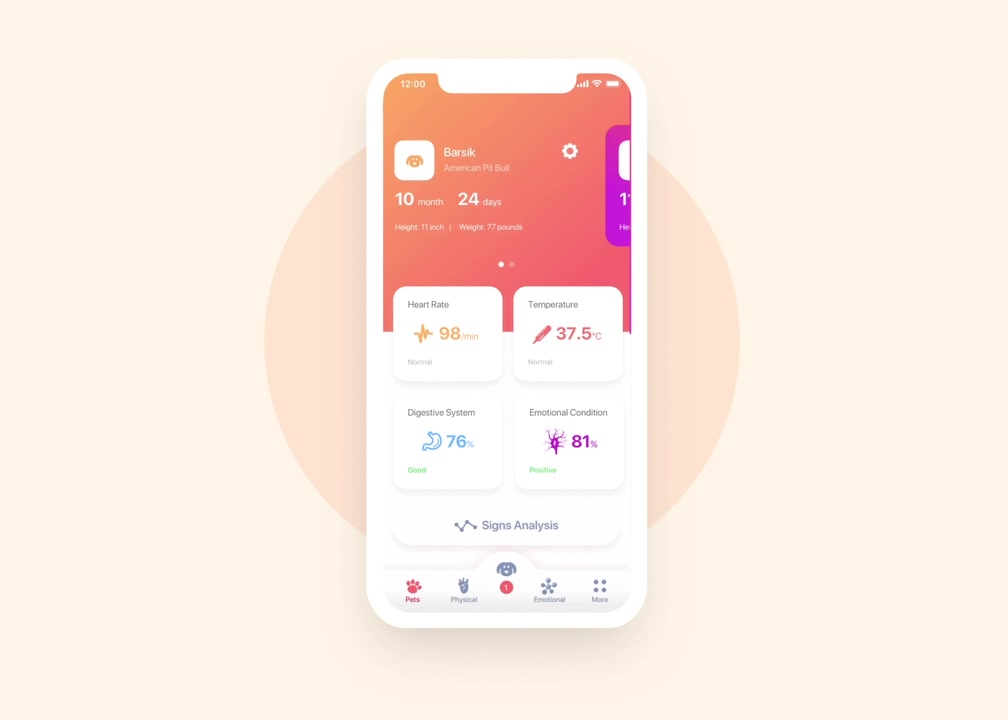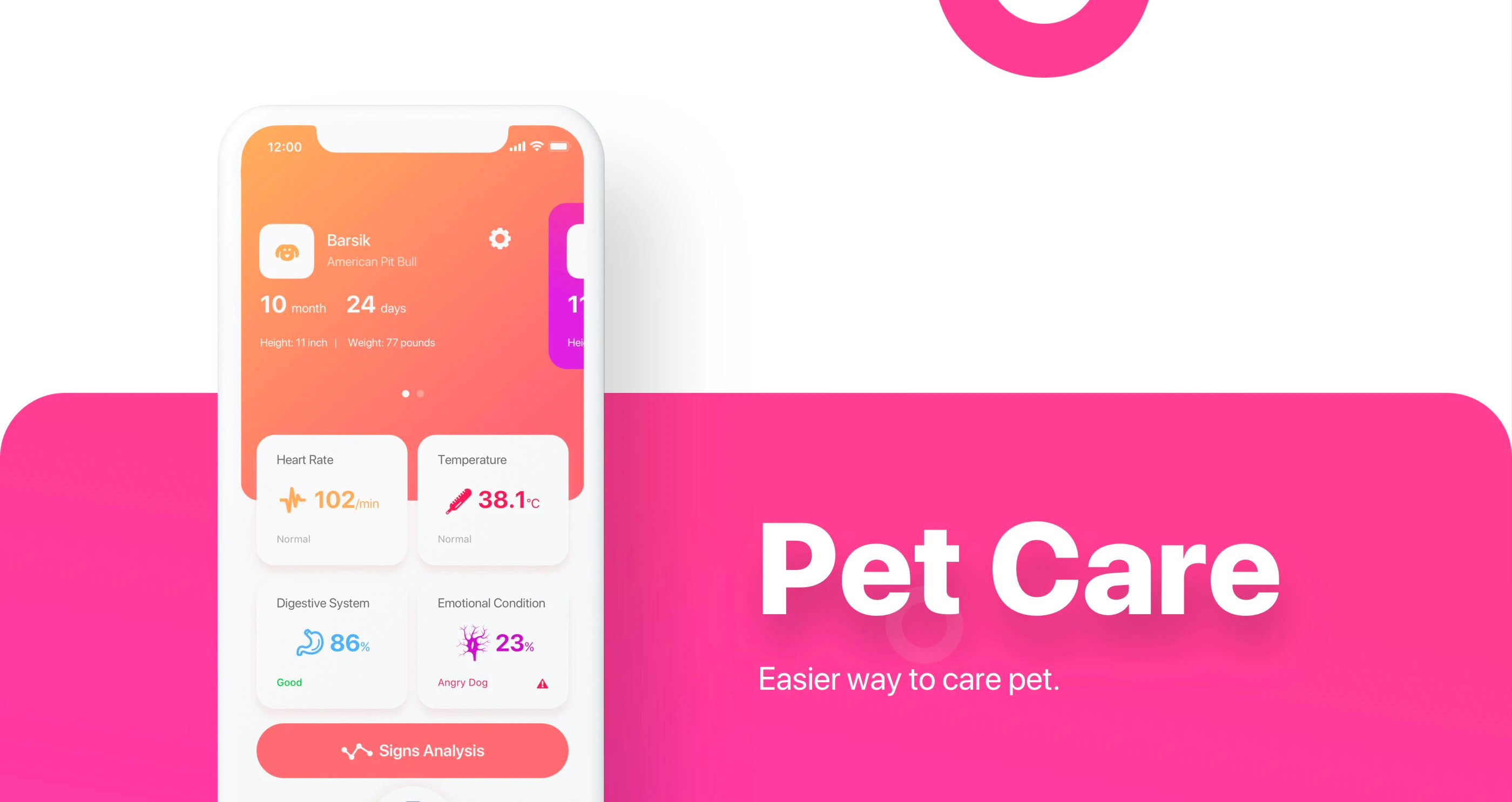
Pet Care
Winner of a design competition. App concept for pet care.
My role
Designer
- Research
- Wireframes
- Interface design
- Animations
Competition
The brief
Design a concept app for pet owners. Scientists have made a chip that sits in a pet’s body and reads hundreds of health parameters, and the app has to show them to the owner. The pet was up to us, and I chose a dog.
Entries
300
Designers took part
Competition
1 week
Several tasks, with this app as the last one
Deadline for last task
2 days
To research, design and animate the app
Prize I won
3 months
Paid internship at AIC, a leading design agency, with accommodation included.
Competition prizes
1st place
I won3-month internship
2nd place
MacBook Pro
3rd place
iPhone Pro
Research
What a dog needs
The two days started with research: what a dog needs to live well, and which signs show the state of its body best.
Needs
- Healthy, balanced food
- A home, even for dogs that live outside
- Training
Main health signs
- Body temperature
- Heart rate
- Digestion
- Emotional state
Process
Wireframes
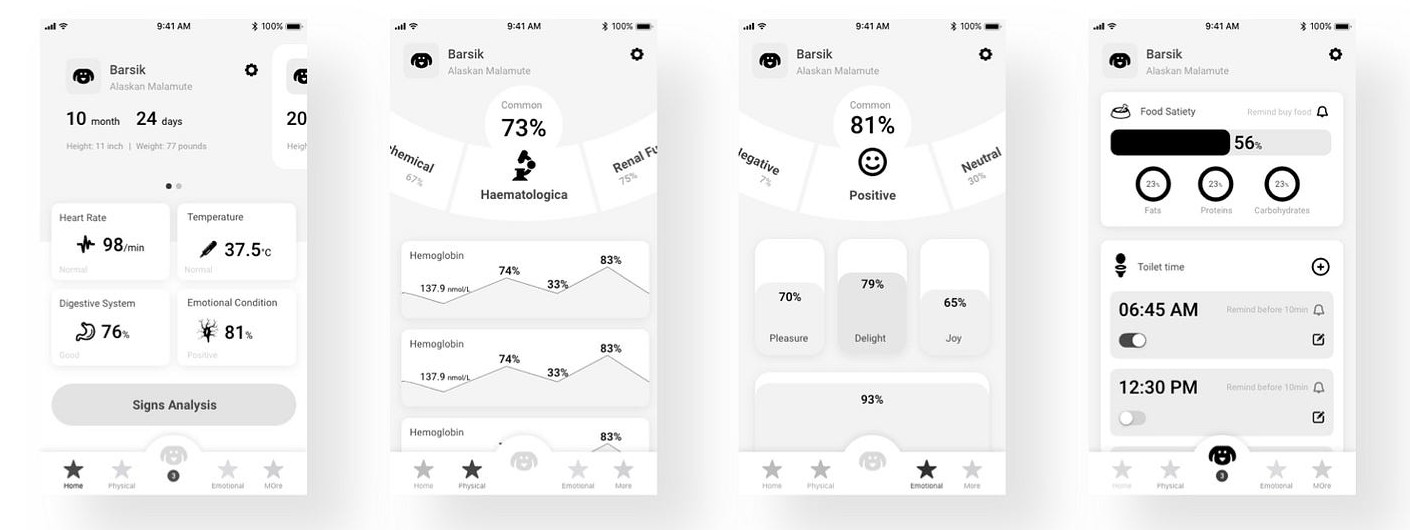
After the research, I started with wireframes of the four main screens: the pet’s main screen, physical data, emotional state and the pet’s needs. The final design keeps this layout.
Pets tab
Main screen
Pet card
Photo, name, breed, age, height and weight. Swiping the card opens the next pet, and the screen changes to that pet’s colour: orange for Barsik, pink for Uncle Fedor.
Signs
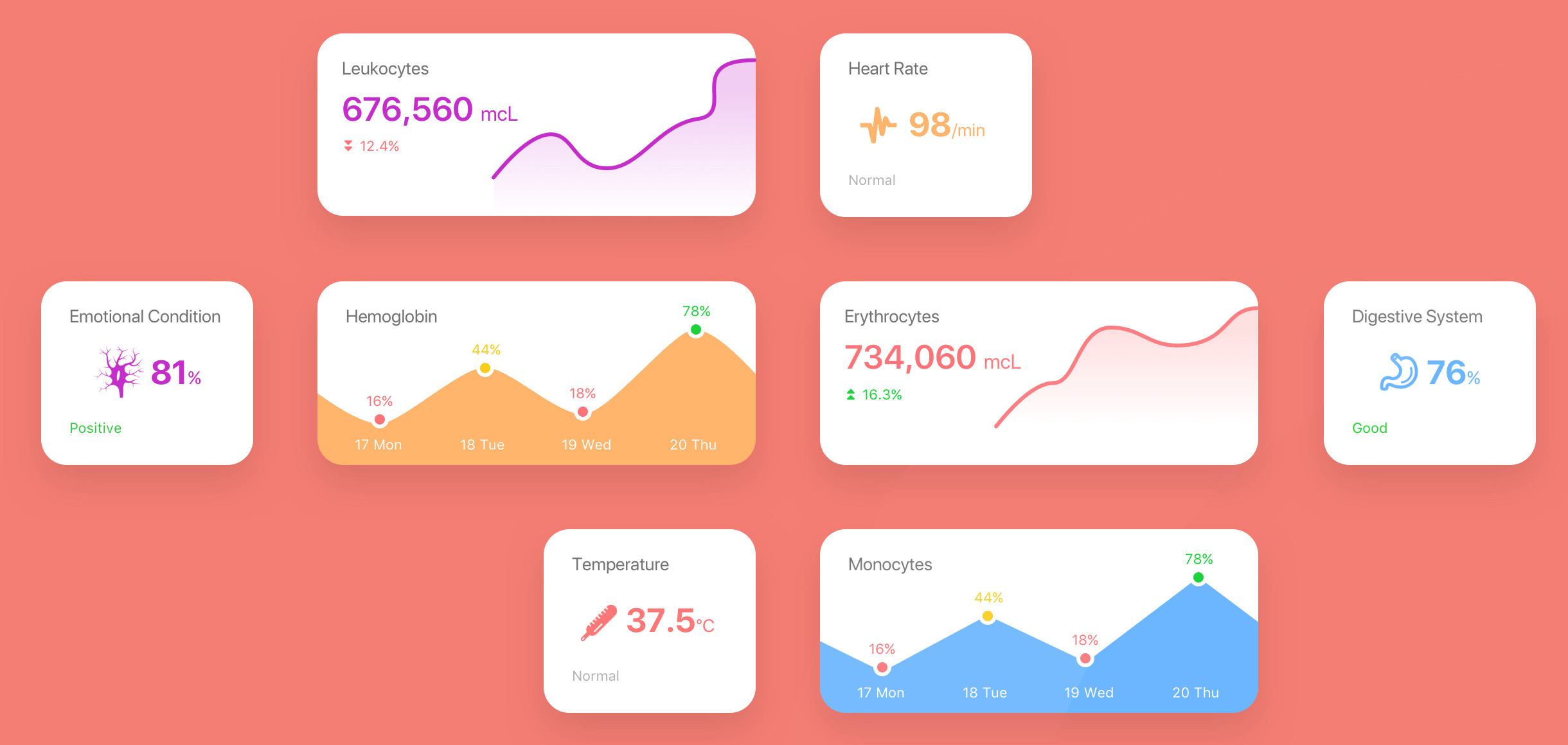
Heart rate, temperature, digestion and emotional state, each with a status such as Normal, Good or Angry Dog. The Signs Analysis button checks all parameters at once.
Tab bar
Physical and Emotional are the two main sections. The button in the centre opens the pet’s needs and collects alerts. More is for secondary features.

Physical tab
Physical data
The data is split into categories, such as haematological, chemical and renal function, each with an overall score. Swiping the arc at the top switches the category.
Below the arc are the processes in the body at the moment: leukocytes, hemoglobin, erythrocytes, monocytes and more, each with a chart by day.

Emotional tab
Emotional state
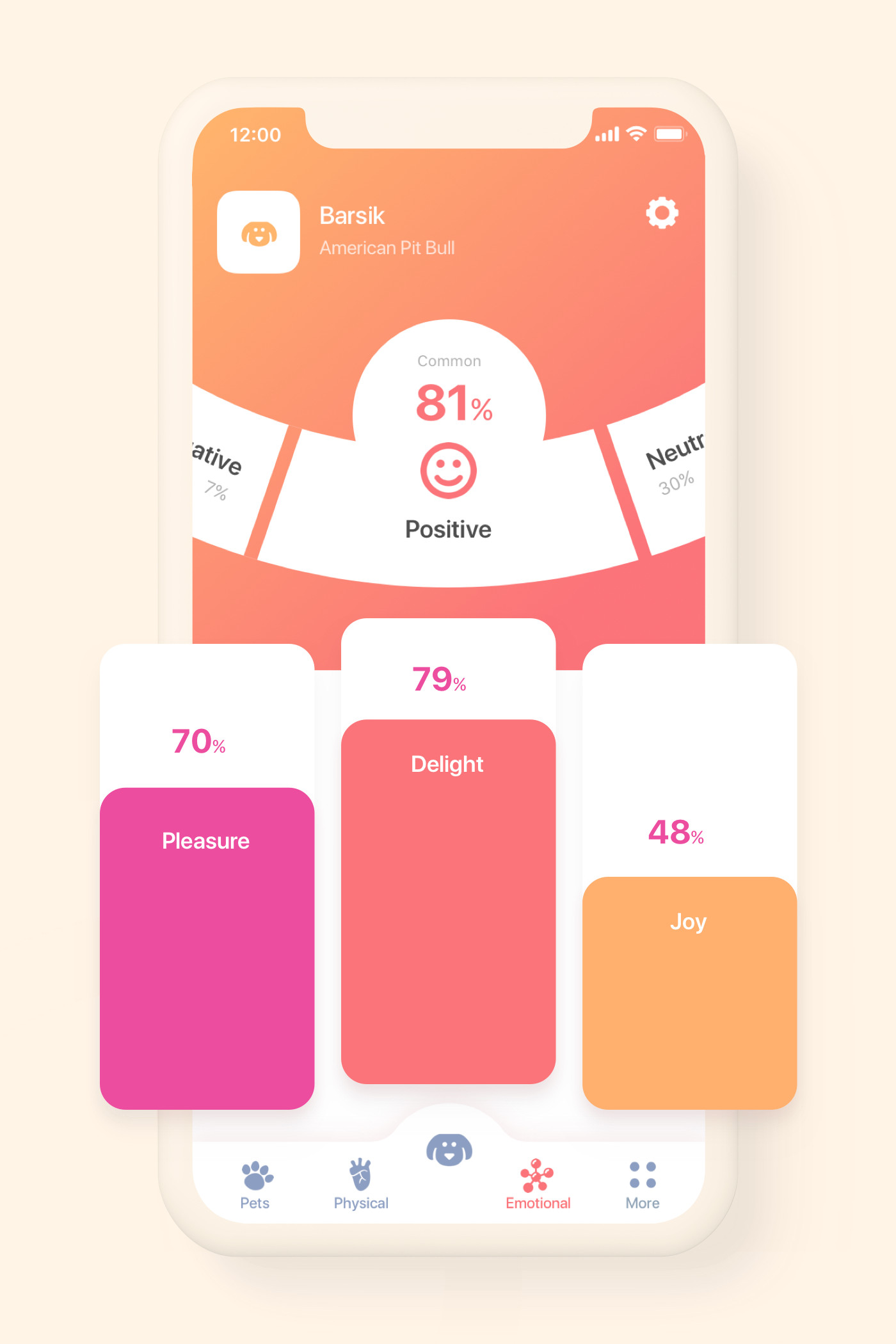
At the top is the dog’s overall mood, here Positive at 81%, with Negative and Neutral on either side. Below it, three bars show pleasure, delight and joy, and further down is the love of master score.
Centre button
The pet’s needs
Food satiety shows how full the dog is and the split between fats, proteins and carbohydrates. The owner can set a reminder to buy food.
Under Toilet time, the system works out when the dog needs to go out. Each time has a reminder 10 minutes before and a switch to turn it off.

Style guide
Colours and type
Four colours make the two gradients in the app. The text is set in SF Pro Display, the iPhone system typeface, in two weights.
Colours
Orange
#FAAC6BStart of the orange gradient
Coral
#F27477End of the orange gradient and buttons
Pink
#F15093Start of the pink gradient
Magenta
#DF42C4End of the pink gradient
Logo and app icon
The dog from the pet card in the app’s pink gradient, with the name to match.

SF Pro Display Bold
Pet names, values and buttons.

SF Pro Display Regular
Labels, units and statuses.