Yellow Leaf is a software agency from Ivano-Frankivsk, Ukraine. They build web and mobile products for businesses in Europe and the US.
My role
Designer
- Logo and brand elements
- Site structure and page layouts
- UI design and the style guide
- Motion: preloader, page transitions and the menu
- The project estimate form
- Tablet and phone layouts
Tools
Adobe XD, Photoshop and After Effects.
Idea
Keep the site simple
The agency
The team builds web and mobile apps, CRM and CAD systems, online stores and data tools.
The approach
The agency builds complex systems, so the site had to feel simple and friendly. Pages are light, headings are bold condensed capitals, and yellow is kept for buttons and accents. Scrolling is smooth, and blocks fade in as you reach them.
Pages
Main page
The header stays the same on every page: the logo, an Estimate project button and the menu.
Preloader
A counter runs from 0 to 100 while the page loads.
Hero
“Ideas for your business success” over a background video, with a button to the agency's work.
About
“We develop complex interface systems for web, mobile and VR”, next to an illustration of a yellow tree.
Our works
Recent projects as cards with the project name, services and a cover image.
Testimonials
A quote from a client.
Footer
An Estimate project button, social links, the address and contacts.



Feature
Project estimate
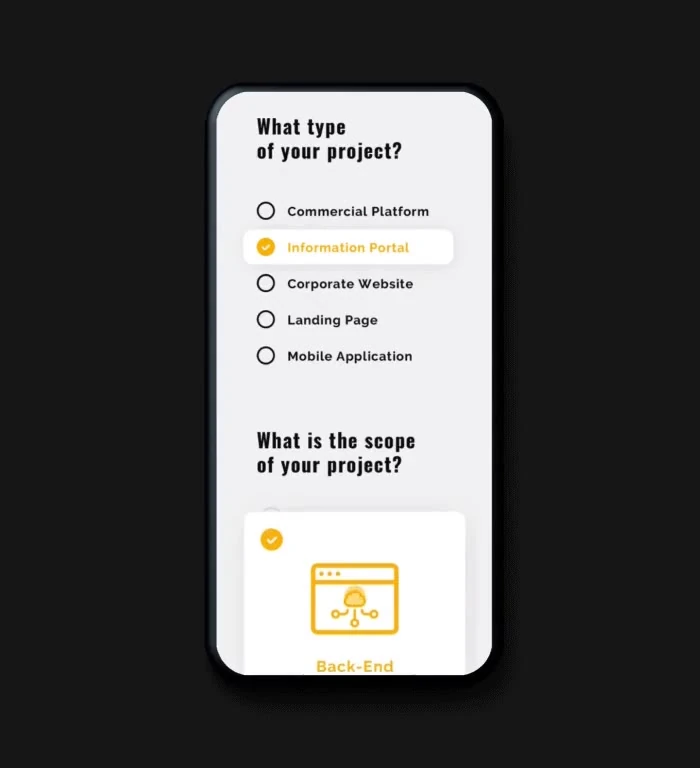
The team decided to add an estimate form. A client picks the kind of project and its scope, leaves their contacts and gets an approximate budget. The form opens from the Estimate project button in the header and the footer.

Project type
Commercial platform, information portal, corporate website, landing page or mobile app. A short note explains each option.
Scope
Front-end, back-end or design, shown as cards with icons.
Contacts
Name, email, phone, company and a short description of the idea. Errors show right under the field.
Done
A thank-you screen with a link to the agency's work.

Interaction
Navigation
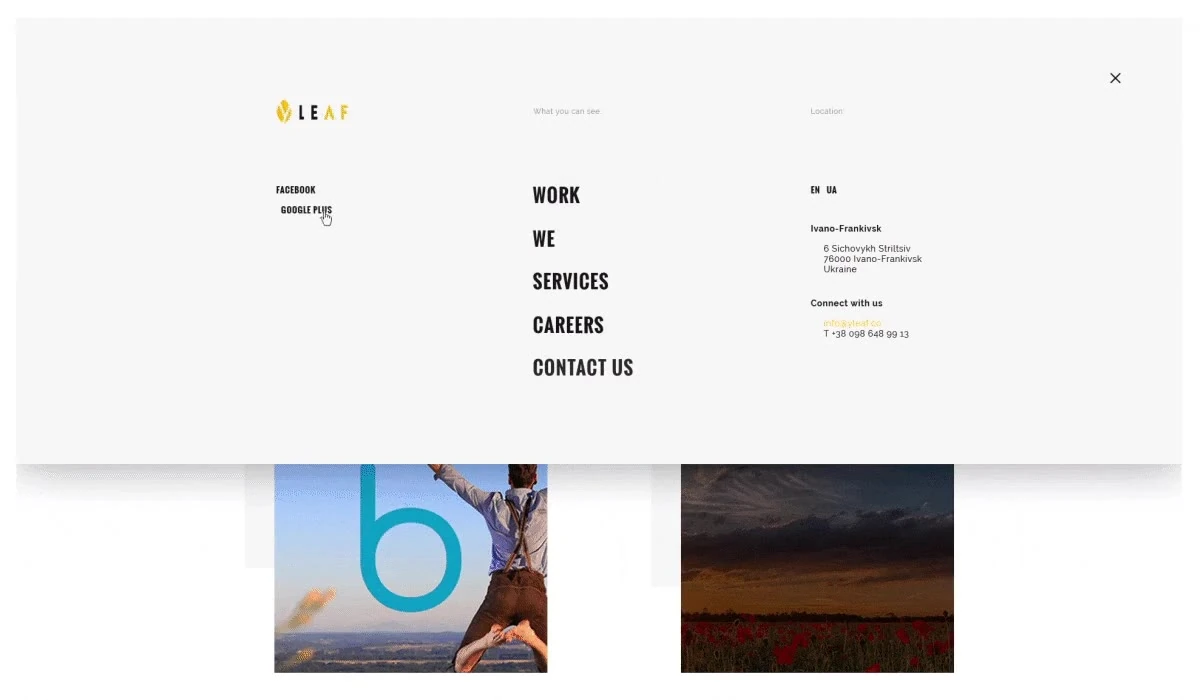
The menu opens over the page. The five sections are in the middle, social links on the left, and the language switch, address and contacts on the right. On hover, a yellow line crosses out the item.
Responsive
Tablet and phone
Every page was also designed for small screens. On a phone the hero keeps its background video, and the menu becomes a single column with the language switch under it.



Pages
Inner pages

Our works
All projects in two columns. Each card shows the project name, the services and a cover.

Careers
Open roles with short descriptions, and a photo of the office.

Services
Five services, from commercial platforms to mobile apps, each with an icon and links to related projects.
About us
The agency's story, three values and the team. Each person in the team row is shown with their role. The page ends with a photo of the office and a Let's talk link.

Branding
A leaf with a y in it
The brand was made together with the agency's first website. The logo is a leaf for Leaf, cut by the letter y for Yellow. It was made in colour first, and the site's colours came from it.



Style guide
Yellow, black and bold capitals
Colour
- Buttons and accents
#F7BC11 - Text and footer
#191919 - Section background
#F5F5F5 - Cards and pages
#FFFFFF
Typography
Oswald · headings and menu
Bold, capitals
Developing complex solutions
Medium
What type of your project?
Raleway · body and buttons
Regular
Yellow leaf is a full-service digital agency, busy designing and building digital products.
Bold, capitals
Estimate project